Text Object's Tab Problems
-
Please download this file:
0_1673718208131_Text_Tab_Stops.vstyler
There are three problems:
1. Tab stops only appear after clicking an empty region:
To reproduce this bug, select the text object, then show the Tabs panel (Panels > Text > Tabs).
The text object in the file is set with several tab stops, but they will not appear until we click an empty region using Transform Tool: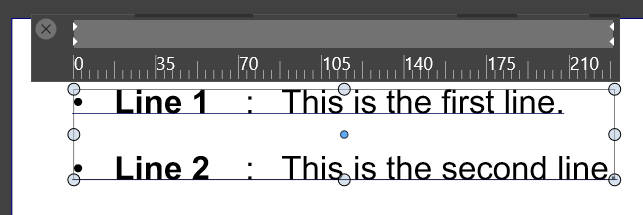
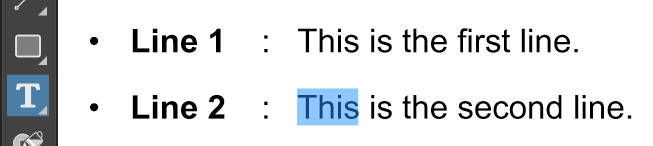
2. Triple-clicking a word should select the whole line where the selected/ highlighted word is located, as in other text editors (e.g. Microsoft Word and Notepad++) and Adobe Illustrator:
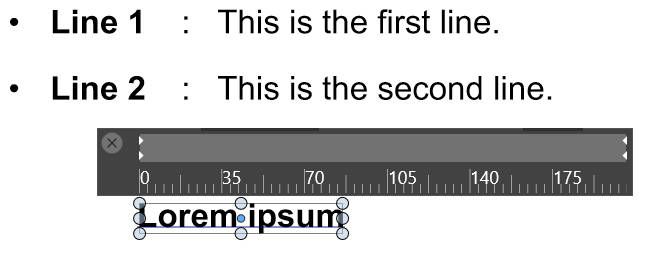
3. New text object does not copy the previously-selected text object's tabs:
To reproduce this bug, select the text object in the file, then create a new text object. Check the new text object's tabs in the Tabs panel (Panels > Text > Tabs):
-
@gotanidea Added this to the backlog.
-
@gotanidea said in Text Object's Tab Problems:
Double-clicking a word should select the whole line where the selected/ highlighted word is located, as in other text editors (e.g. Microsoft Word and Notepad++) and Adobe Illustrator:
I would respectfully vote against this change because currently you can double click to get a whole word and click one more time to get the whole line. it gives you the best of both worlds. I usually need to edit single words within a sentence and the current method works well for that
@gotanidea Have you tried the triple click to select a whole sentence as opposed to a word? Would that work for your purposes?
-
@Boldline Yes, triple-clicking in other text editors and Adobe Illustrator will select one line. I will edit my post

