Were objects dragged into a VS from outside sources set to be links by default now?
-
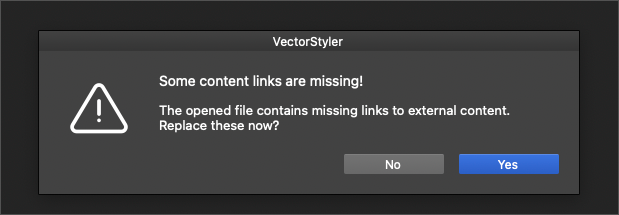
I am noticing I am getting a LOT of link break warnings when I open up existing files where I never had this issue prior to a recent build update. I rarely use linked images and such - my default is to embed them since I use numerous machines and move files around.
I drag in reference images often from other applications and browsers and I also drag in final vector traced art from Vector Magic. I've noticed recently that when I drag in a vector from vector magic, I need to now click on "expand appearance" before it will let me do anything with it - this seems like a regression to meI opened a file with a vector trace result I had dragged in prior from vector magic and expanded and used, but now that piece is missing and I'm getting the link error... so I'm wondering if that is related.
I seem to remember someone recently requested that dragging anything into VS would default to link mode as opposed to embedding it. I am thinking this is related to that request. I understand why they want that but could that be a preferences option? Right now it's causing a lot of issues here with files.
I'm not sure if its related or not, but I noticed the font warning is not popping up anymore when there are live fonts in the existing file being opened. I tried restarting VS, using default preferences, etc. the issue remains.
🍎 macOS Tahoe 26.2, Mac mini (M1, 2020), Chip Apple M1, Memory 16 GB
Cintiq 27QHD Display and LG Ultra HD Display -
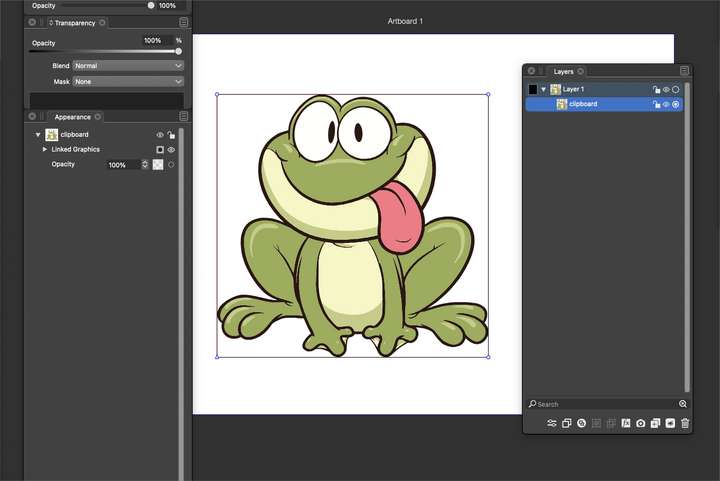
Did some further testing: I pasted a random frog cartoon jpeg into Vector Magic and converted it to vector. I dragged the file into VS in a new clean VS file. I saved the file and closed it and then reopened the file and no broken link warning came up. I closed the VS file again and then also closed Vector Magic completely and tried opening the same VS again and this time got the broken link warning option to relink. so dragging vectors in from other programs is indeed causing them to import as linked images, not actual embedded images
I was unable to release the frog vector result into individual parts. Usually I can ungroup or use "separate path" but those options are greyed out. In the screenshot below, you can see from the appearance panel that it's a linked file and from the layers panel that it is a clipped file also.
here is the working file 0_1675446850310_frog test.vstyler
🍎 macOS Tahoe 26.2, Mac mini (M1, 2020), Chip Apple M1, Memory 16 GB
Cintiq 27QHD Display and LG Ultra HD Display -
@Boldline This has been set to default recently.
I will review what is the best to do in this case. It might end up as an option in preferences.
Holding Option down when dropping the file on the view will import it fully.
-
@VectorStyler said in Were objects dragged into a VS from outside sources set to be links by default now?:
Holding Option down when dropping the file on the view will import it fully.
ok thanks. My unsolicited input is to let the user choose what is "default" while allowing the opposite to occur when the option key is held down.
-
@Boldline said in Were objects dragged into a VS from outside sources set to be links by default now?:
I was unable to release the frog vector result into individual parts.
I think 'Expand Content' from the Styles menu should expand any such linked content:
https://www.vectorstyler.com/documentation/objects/expanding/
-
@b77 Is there something I need to do to unclip it then? It's in a clipping path for some reason when I drag it in to VS whereas prior to a recent build update, I could just ungroup it, All the clipping options are greyed out for me.
were you able to successfully do so with the version i attached in the earlier post on this thread? -
@Boldline Nope, 'Expand Content' is for when the linked content is available and you want to unlink it and expand the content.
-
@b77 said in Were objects dragged into a VS from outside sources set to be links by default now?:
@Boldline Nope, 'Expand Content' is for when the linked content is available and you want to unlink it and expand the content.
oh ok, so that all has to occur prior to any unlinking taking place. That's why it's not working right now because I closed out the source
Is there an option to embed the file at this point (where the source is disconnected already?) I know Illustrator has an "embed" button on the top left side of the screen that allowed it to be converted from a link. maybe there's a panel i need to go open....
-
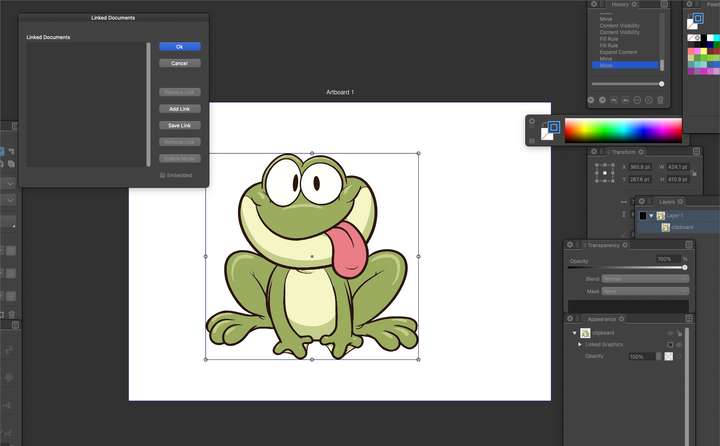
I see where I can view any links in the document here. Is there an existing option to see broken links? If not, that might be really helpful
🍎 macOS Tahoe 26.2, Mac mini (M1, 2020), Chip Apple M1, Memory 16 GB
Cintiq 27QHD Display and LG Ultra HD Display -
@Boldline The "Linked Document" feature is for something else.
it is for reusing styles and symbols of an other document, without importing it. -
@Boldline I think 'Expand Content' is equivalent to AI's 'Embed' button.
-
I did not realize this change had occurred where the default was now to link instead of embed, so I have a number of files from the past week or so that all give me link break warnings every time I open them.
Is there currently a way to know what in the file needs to be reconnected? For files that are accidentally and unknowingly linked to source material that is no longer possible to re-link to? For example, when I have used a 3rd party vector trace and dragged in the result into VS, that trace result is not saved in the third party app to link back to - it's only "staying alive" because I dropped it into a VS file for use there.
What do I need to do with files asking for a re-link when I never intended there to be a link to begin with? @b77 mentioned he thinks 'Expand Content' is equivalent to AI's 'Embed' button; would I need to select everything in the file with the broken link and use "expand content" to be sure there are no hidden objects with broken links?
-
@VectorStyler said in Were objects dragged into a VS from outside sources set to be links by default now?:
@Boldline The "Linked Document" feature is for something else.
it is for reusing styles and symbols of an other document, without importing it.would it make sense to have a dedicated panel for links? In that panel have all links listed with an indicator that signals the status of the link? you could click on that listed link and have it select the object(s) in the document that are broken?
Is there an option that could scan the file for broken links prior during the save process or as an option that can be checkmarked in the save options to do so? I'd love to know when I am saving a file that has a broken link before i close it all out so I can either embed it or make sure it remains linked for later. If a file I open already has a broken link, I'd want to be able to know what is broken and where it is
-
would it make sense to have a dedicated panel for links?
VS has a Links panel (Panels menu > Links).
-
@b77 Thanks I see it in the panels now. I had checked the panels menu first and somehow missed it - then did a search for links in the search box and found the other options like "document links"
I found the documentation on the links panel - really in depth and powerful tools in there. I feel like more could be done to make it easy to follow as a user, but I will check this more often to be sure I don't have link issues
🍎 macOS Tahoe 26.2, Mac mini (M1, 2020), Chip Apple M1, Memory 16 GB
Cintiq 27QHD Display and LG Ultra HD Display -
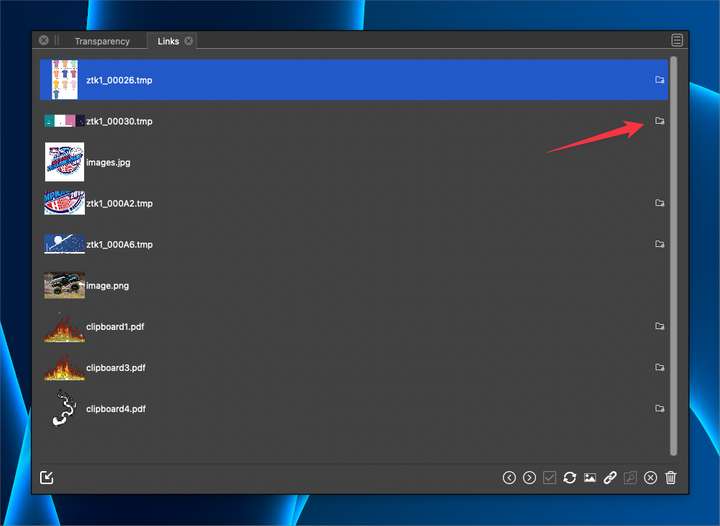
What do these icons here represent? I did not see that in the documentation
🍎 macOS Tahoe 26.2, Mac mini (M1, 2020), Chip Apple M1, Memory 16 GB
Cintiq 27QHD Display and LG Ultra HD Display -
@Boldline Indicates that the link is missing.
-
@Boldline 'Expand Content' has been renamed to 'Expand Linked Files' in 1.1.077.
-
@Boldline Btw, what is the equivalent to AI's 'Embed' in AD?
-
@b77 said in Were objects dragged into a VS from outside sources set to be links by default now?:
@Boldline Btw, what is the equivalent to AI's 'Embed' in AD?
@b77 this is handled through the Resource Manager where can either Link or Embed.


