VectorStyler
    • Categories
    • Unread
    • Recent
    • Tags
    • Popular
    • Register
    • Login

    Were objects dragged into a VS from outside sources set to be links by default now?
    Scheduled Pinned Locked Moved Questions and Support
    21 Posts 4 Posters 27.3k Views 2 Watching
    Loading More Posts
    • Oldest to Newest
    • Newest to Oldest
    • Most Votes
    Reply
    • Reply as topic
    Log in to reply
    This topic has been deleted. Only users with topic management privileges can see it.
    • b77B Offline
      b77 @Boldline
      last edited by

      @Boldline Nope, 'Expand Content' is for when the linked content is available and you want to unlink it and expand the content.

      MacBook Pro (Intel) running Monterey 12.6.4

      BoldlineB 1 Reply Last reply Reply Quote 0
      • BoldlineB Offline
        Boldline @b77
        last edited by Boldline

        @b77 said in Were objects dragged into a VS from outside sources set to be links by default now?:

        @Boldline Nope, 'Expand Content' is for when the linked content is available and you want to unlink it and expand the content.

        oh ok, so that all has to occur prior to any unlinking taking place. That's why it's not working right now because I closed out the source

        Is there an option to embed the file at this point (where the source is disconnected already?) I know Illustrator has an "embed" button on the top left side of the screen that allowed it to be converted from a link. maybe there's a panel i need to go open....

        🍎 macOS Tahoe 26.2, Mac mini (M1, 2020), Chip Apple M1, Memory 16 GB
        Cintiq 27QHD Display and LG Ultra HD Display

        1 Reply Last reply Reply Quote 0
        • BoldlineB Offline
          Boldline
          last edited by

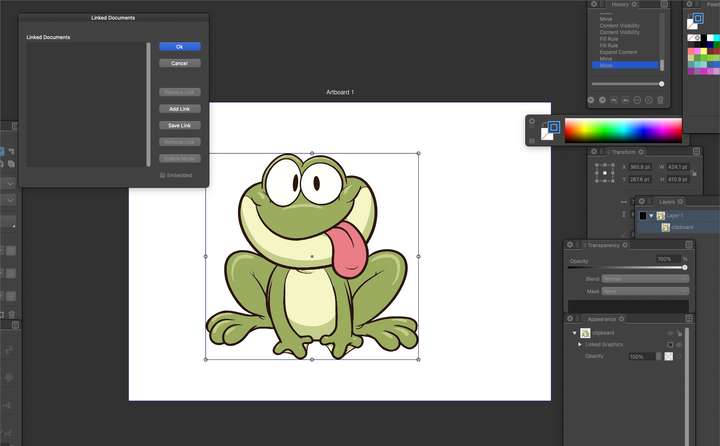
          I see where I can view any links in the document here. Is there an existing option to see broken links? If not, that might be really helpful
          0_1675454095048_72929e18-87f6-4aa7-83cd-b6a98780500b-BLD 2023-02-03 at 14.54.16.png

          🍎 macOS Tahoe 26.2, Mac mini (M1, 2020), Chip Apple M1, Memory 16 GB
          Cintiq 27QHD Display and LG Ultra HD Display

          VectorStylerV b77B 2 Replies Last reply Reply Quote 0
          • VectorStylerV Offline
            VectorStyler @Boldline
            last edited by

            @Boldline The "Linked Document" feature is for something else.
            it is for reusing styles and symbols of an other document, without importing it.

            BoldlineB 1 Reply Last reply Reply Quote 0
            • b77B Offline
              b77 @Boldline
              last edited by b77

              @Boldline I think 'Expand Content' is equivalent to AI's 'Embed' button.

              MacBook Pro (Intel) running Monterey 12.6.4

              1 Reply Last reply Reply Quote 0
              • BoldlineB Offline
                Boldline
                last edited by Boldline

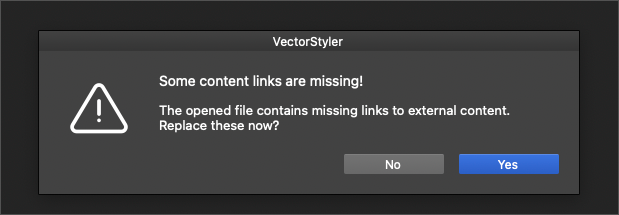
                I did not realize this change had occurred where the default was now to link instead of embed, so I have a number of files from the past week or so that all give me link break warnings every time I open them.

                Is there currently a way to know what in the file needs to be reconnected? For files that are accidentally and unknowingly linked to source material that is no longer possible to re-link to? For example, when I have used a 3rd party vector trace and dragged in the result into VS, that trace result is not saved in the third party app to link back to - it's only "staying alive" because I dropped it into a VS file for use there.

                What do I need to do with files asking for a re-link when I never intended there to be a link to begin with? @b77 mentioned he thinks 'Expand Content' is equivalent to AI's 'Embed' button; would I need to select everything in the file with the broken link and use "expand content" to be sure there are no hidden objects with broken links?

                🍎 macOS Tahoe 26.2, Mac mini (M1, 2020), Chip Apple M1, Memory 16 GB
                Cintiq 27QHD Display and LG Ultra HD Display

                1 Reply Last reply Reply Quote 0
                • BoldlineB Offline
                  Boldline @VectorStyler
                  last edited by

                  @VectorStyler said in Were objects dragged into a VS from outside sources set to be links by default now?:

                  @Boldline The "Linked Document" feature is for something else.
                  it is for reusing styles and symbols of an other document, without importing it.

                  would it make sense to have a dedicated panel for links? In that panel have all links listed with an indicator that signals the status of the link? you could click on that listed link and have it select the object(s) in the document that are broken?

                  Is there an option that could scan the file for broken links prior during the save process or as an option that can be checkmarked in the save options to do so? I'd love to know when I am saving a file that has a broken link before i close it all out so I can either embed it or make sure it remains linked for later. If a file I open already has a broken link, I'd want to be able to know what is broken and where it is

                  🍎 macOS Tahoe 26.2, Mac mini (M1, 2020), Chip Apple M1, Memory 16 GB
                  Cintiq 27QHD Display and LG Ultra HD Display

                  b77B 1 Reply Last reply Reply Quote 0
                  • b77B Offline
                    b77 @Boldline
                    last edited by b77

                    would it make sense to have a dedicated panel for links?

                    VS has a Links panel (Panels menu > Links).

                    MacBook Pro (Intel) running Monterey 12.6.4

                    BoldlineB 1 Reply Last reply Reply Quote 0
                    • BoldlineB Offline
                      Boldline @b77
                      last edited by

                      @b77 Thanks I see it in the panels now. I had checked the panels menu first and somehow missed it - then did a search for links in the search box and found the other options like "document links"

                      I found the documentation on the links panel - really in depth and powerful tools in there. I feel like more could be done to make it easy to follow as a user, but I will check this more often to be sure I don't have link issues

                      🍎 macOS Tahoe 26.2, Mac mini (M1, 2020), Chip Apple M1, Memory 16 GB
                      Cintiq 27QHD Display and LG Ultra HD Display

                      b77B 1 Reply Last reply Reply Quote 0
                      • BoldlineB Offline
                        Boldline
                        last edited by

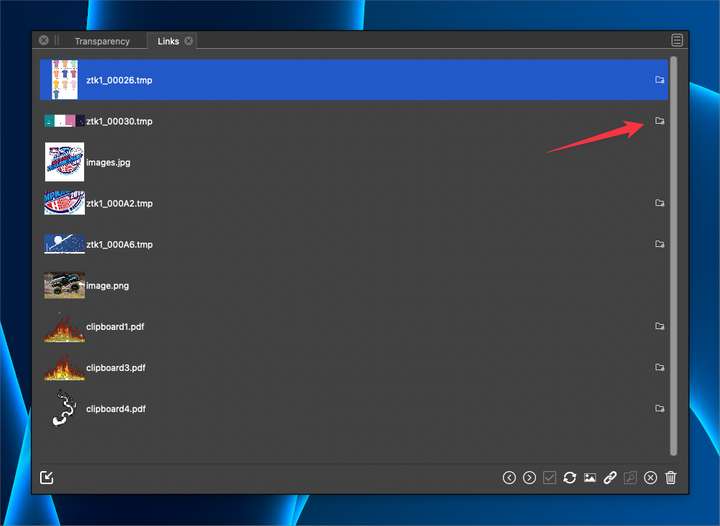
                        What do these icons here represent? I did not see that in the documentation
                        0_1675468406455_a501eae4-2e9d-4ad1-aec4-f310231f072d-BLD 2023-02-03 at 18.52.43.png

                        🍎 macOS Tahoe 26.2, Mac mini (M1, 2020), Chip Apple M1, Memory 16 GB
                        Cintiq 27QHD Display and LG Ultra HD Display

                        VectorStylerV b77B 2 Replies Last reply Reply Quote 0
                        • VectorStylerV Offline
                          VectorStyler @Boldline
                          last edited by

                          @Boldline Indicates that the link is missing.

                          1 Reply Last reply Reply Quote 0
                          • b77B Offline
                            b77 @Boldline
                            last edited by

                            @Boldline 'Expand Content' has been renamed to 'Expand Linked Files' in 1.1.077.

                            MacBook Pro (Intel) running Monterey 12.6.4

                            1 Reply Last reply Reply Quote 1
                            • b77B Offline
                              b77 @Boldline
                              last edited by

                              @Boldline Btw, what is the equivalent to AI's 'Embed' in AD?

                              MacBook Pro (Intel) running Monterey 12.6.4

                              W 1 Reply Last reply Reply Quote 0
                              • W Offline
                                William Kansepa @b77
                                last edited by

                                @b77 said in Were objects dragged into a VS from outside sources set to be links by default now?:

                                @Boldline Btw, what is the equivalent to AI's 'Embed' in AD?

                                @b77 this is handled through the Resource Manager where can either Link or Embed.

                                HP•Windows 11 Pro•11th Gen Intel(R) Core(TM) i7-1165G7 @ 2.80GHz 2.70 GHz• RAM: 16.0 GB (DDR4)

                                b77B 1 Reply Last reply Reply Quote 0
                                • b77B Offline
                                  b77 @William Kansepa
                                  last edited by b77

                                  @William-Kansepa Thanks.

                                  Maybe 'Embed Linked File' is the right word for this instead of 'Expand'.
                                  Besides that, it should help both AI and AD users make the connection.

                                  (I'm also not sure the Styles menu is the right location for it)

                                  MacBook Pro (Intel) running Monterey 12.6.4

                                  1 Reply Last reply Reply Quote 0
                                  • First post
                                    Last post
