VectorStyler
    • Categories
    • Unread
    • Recent
    • Tags
    • Popular
    • Register
    • Login

    Repeater : what do I do wrong ?
    Scheduled Pinned Locked Moved Questions and Support
    51 Posts 4 Posters 124.2k Views 4 Watching
    Loading More Posts
    • Oldest to Newest
    • Newest to Oldest
    • Most Votes
    Reply
    • Reply as topic
    Log in to reply
    This topic has been deleted. Only users with topic management privileges can see it.
    • B Offline
      B-Vs-V @VectorStyler
      last edited by

      @VectorStyler Ok, thanks... will do.

      W11 Pro 25H2 - 12th Gen Intel(R) i7-12700K 3.61 GHz - RAM 64 Go - NVIDIA GF GTX 4070 Ti - Intuos - Dell UP3216Q / Eizo ColorEdge
      W11 Pro 25H2 - 12th Gen Intel(R) i7-12700KF 3.60 GHz -RAM 64 Go - NVIDIA GF GTX 3080 - IntuosPro- ProArt PA329C

      1 Reply Last reply Reply Quote 0
      • B Offline
        B-Vs-V @VectorStyler
        last edited by

        @VectorStyler One other thing to try is to reset VectorStyler, byt holding control+shift+alt at VS starting.

        Fresh instal on w10 and... the same than w11. I now can change the symbol & the changes are well repeated but no drag&drop I'm afraid.

        This combination does not reset the VS UI in w10. I still have the same UI than before.

        W11 Pro 25H2 - 12th Gen Intel(R) i7-12700K 3.61 GHz - RAM 64 Go - NVIDIA GF GTX 4070 Ti - Intuos - Dell UP3216Q / Eizo ColorEdge
        W11 Pro 25H2 - 12th Gen Intel(R) i7-12700KF 3.60 GHz -RAM 64 Go - NVIDIA GF GTX 3080 - IntuosPro- ProArt PA329C

        1 Reply Last reply Reply Quote 1
        • B Offline
          B-Vs-V
          last edited by B-Vs-V

          @VectorStyler @Subpath I have rebuilt the UI and everything is working properly now since the reinstallation of VS. It's true that I always upgrade and never uninstall and reinstall VS. This is now done and I will be able to test the repeater feature ☺

          Edit: no, I wrote too fast. It worked once and I wanted to reproduce this on the same artboard and it doesn't work anymore...

          W11 Pro 25H2 - 12th Gen Intel(R) i7-12700K 3.61 GHz - RAM 64 Go - NVIDIA GF GTX 4070 Ti - Intuos - Dell UP3216Q / Eizo ColorEdge
          W11 Pro 25H2 - 12th Gen Intel(R) i7-12700KF 3.60 GHz -RAM 64 Go - NVIDIA GF GTX 3080 - IntuosPro- ProArt PA329C

          VectorStylerV 1 Reply Last reply Reply Quote 1
          • VectorStylerV Offline
            VectorStyler @B-Vs-V
            last edited by

            @Pat said in Repeater : what do I do wrong ?:

            true that I always upgrade and never uninstall and reinstall VS

            Still, there is a bug somewhere, as previous configurations should not cause this type of issues.
            Upgrading should be working.

            B 2 Replies Last reply Reply Quote 0
            • B Offline
              B-Vs-V @VectorStyler
              last edited by

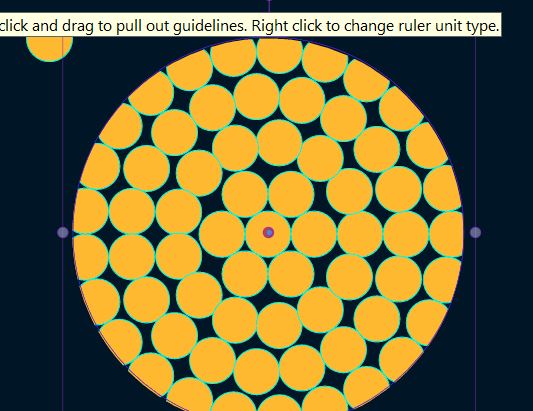
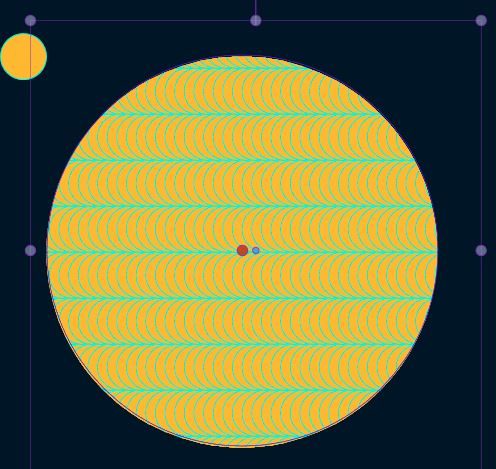
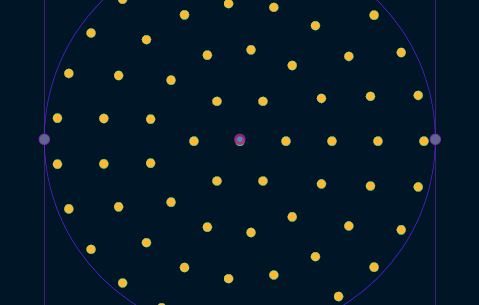
              @VectorStyler Ok I did redo everything and it is working again albeit with some artefacts:

              0_1676652645169_Capture.JPG

              0_1676652648361_Capture2.JPG

              W11 Pro 25H2 - 12th Gen Intel(R) i7-12700K 3.61 GHz - RAM 64 Go - NVIDIA GF GTX 4070 Ti - Intuos - Dell UP3216Q / Eizo ColorEdge
              W11 Pro 25H2 - 12th Gen Intel(R) i7-12700KF 3.60 GHz -RAM 64 Go - NVIDIA GF GTX 3080 - IntuosPro- ProArt PA329C

              1 Reply Last reply Reply Quote 1
              • B Offline
                B-Vs-V @VectorStyler
                last edited by

                @VectorStyler I found another problem. The steps to create a repeat of a symbol is effective with a new document but impossible with an old one that I used to test various VS functions (the one I sent you a week ago).

                W11 Pro 25H2 - 12th Gen Intel(R) i7-12700K 3.61 GHz - RAM 64 Go - NVIDIA GF GTX 4070 Ti - Intuos - Dell UP3216Q / Eizo ColorEdge
                W11 Pro 25H2 - 12th Gen Intel(R) i7-12700KF 3.60 GHz -RAM 64 Go - NVIDIA GF GTX 3080 - IntuosPro- ProArt PA329C

                VectorStylerV 1 Reply Last reply Reply Quote 1
                • VectorStylerV Offline
                  VectorStyler @B-Vs-V
                  last edited by

                  @Pat Got it. I will try to replicate with an existing document.

                  B 3 Replies Last reply Reply Quote 0
                  • B Offline
                    B-Vs-V @VectorStyler
                    last edited by

                    @VectorStyler The problem may have been my old test file from the start. After reinstalling VS, I had created a new file and maybe that's why the repeater function worked. I can't test it anymore but it may have nothing to do with the fact that I uninstalled and reinstalled VS. If it is the file that is the problem, it is also annoying.

                    W11 Pro 25H2 - 12th Gen Intel(R) i7-12700K 3.61 GHz - RAM 64 Go - NVIDIA GF GTX 4070 Ti - Intuos - Dell UP3216Q / Eizo ColorEdge
                    W11 Pro 25H2 - 12th Gen Intel(R) i7-12700KF 3.60 GHz -RAM 64 Go - NVIDIA GF GTX 3080 - IntuosPro- ProArt PA329C

                    1 Reply Last reply Reply Quote 1
                    • B Offline
                      B-Vs-V @VectorStyler
                      last edited by B-Vs-V

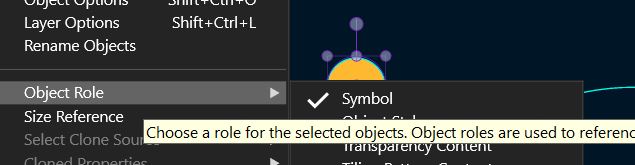
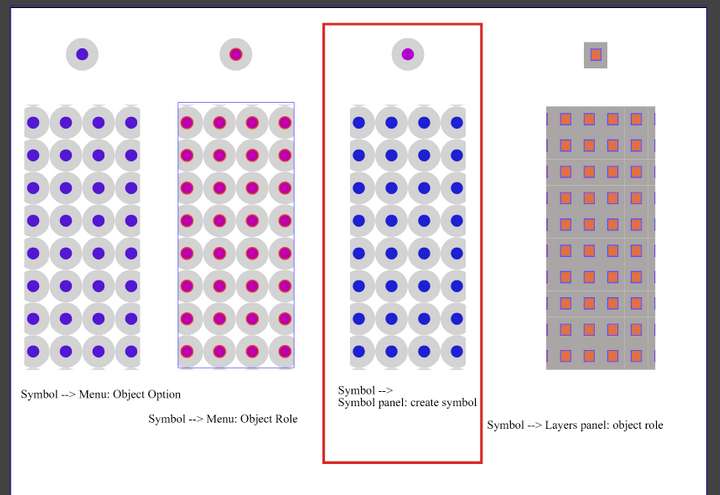
                      @VectorStyler Ok, got it, tested 3 times and reproducible: if the symbol is generated with the menu [Object--> Object menu-->...] as you described above, it is working fine and the change made to the small object is well repeated.

                      However, when the symbol is created via the Symbol panel, the changes are not repeated !!
                      It was impossible for me to be wrong every time.

                      Edit: I did not test through the 'Layers' panel. see below

                      W11 Pro 25H2 - 12th Gen Intel(R) i7-12700K 3.61 GHz - RAM 64 Go - NVIDIA GF GTX 4070 Ti - Intuos - Dell UP3216Q / Eizo ColorEdge
                      W11 Pro 25H2 - 12th Gen Intel(R) i7-12700KF 3.60 GHz -RAM 64 Go - NVIDIA GF GTX 3080 - IntuosPro- ProArt PA329C

                      1 Reply Last reply Reply Quote 0
                      • B Offline
                        B-Vs-V @VectorStyler
                        last edited by B-Vs-V

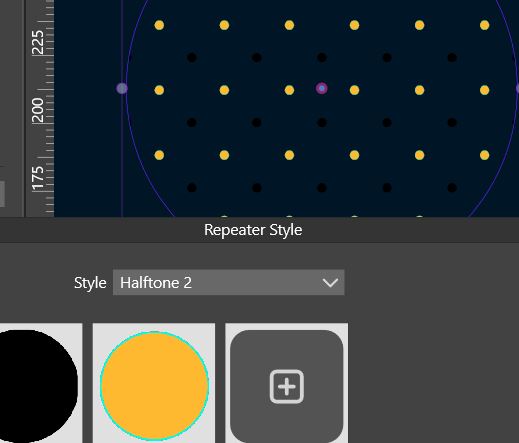
                        @VectorStyler as I found it easier to define a symbol through the Symbol panel, I understand why I could rarely get the expected results... a somewhat tricky bug 🤔

                        0_1676979765343_95ee532b-7cdf-40c5-81c5-1191fa52985b-image.png

                        W11 Pro 25H2 - 12th Gen Intel(R) i7-12700K 3.61 GHz - RAM 64 Go - NVIDIA GF GTX 4070 Ti - Intuos - Dell UP3216Q / Eizo ColorEdge
                        W11 Pro 25H2 - 12th Gen Intel(R) i7-12700KF 3.60 GHz -RAM 64 Go - NVIDIA GF GTX 3080 - IntuosPro- ProArt PA329C

                        1 Reply Last reply Reply Quote 1
                        • First post
                          Last post