VectorStyler
    • Categories
    • Unread
    • Recent
    • Tags
    • Popular
    • Register
    • Login

    Impossible to reuse an old file with .078
    Scheduled Pinned Locked Moved VectorStyler 1.1 Bugs
    19 Posts 3 Posters 14.9k Views 3 Watching
    Loading More Posts
    • Oldest to Newest
    • Newest to Oldest
    • Most Votes
    Reply
    • Reply as topic
    Log in to reply
    This topic has been deleted. Only users with topic management privileges can see it.
    • VectorStylerV Offline
      VectorStyler @B-Vs-V
      last edited by

      @Pat Uploaded the fix.

      B 2 Replies Last reply Reply Quote 1
      • B Offline
        B-Vs-V @VectorStyler
        last edited by

        @VectorStyler Thank you, it was quick ☺

        W11 Pro 25H2 - 12th Gen Intel(R) i7-12700K 3.61 GHz - RAM 64 Go - NVIDIA GF GTX 4070 Ti - Intuos - Dell UP3216Q / Eizo ColorEdge
        W11 Pro 25H2 - 12th Gen Intel(R) i7-12700KF 3.60 GHz -RAM 64 Go - NVIDIA GF GTX 3080 - IntuosPro- ProArt PA329C

        1 Reply Last reply Reply Quote 0
        • B Offline
          B-Vs-V @VectorStyler
          last edited by

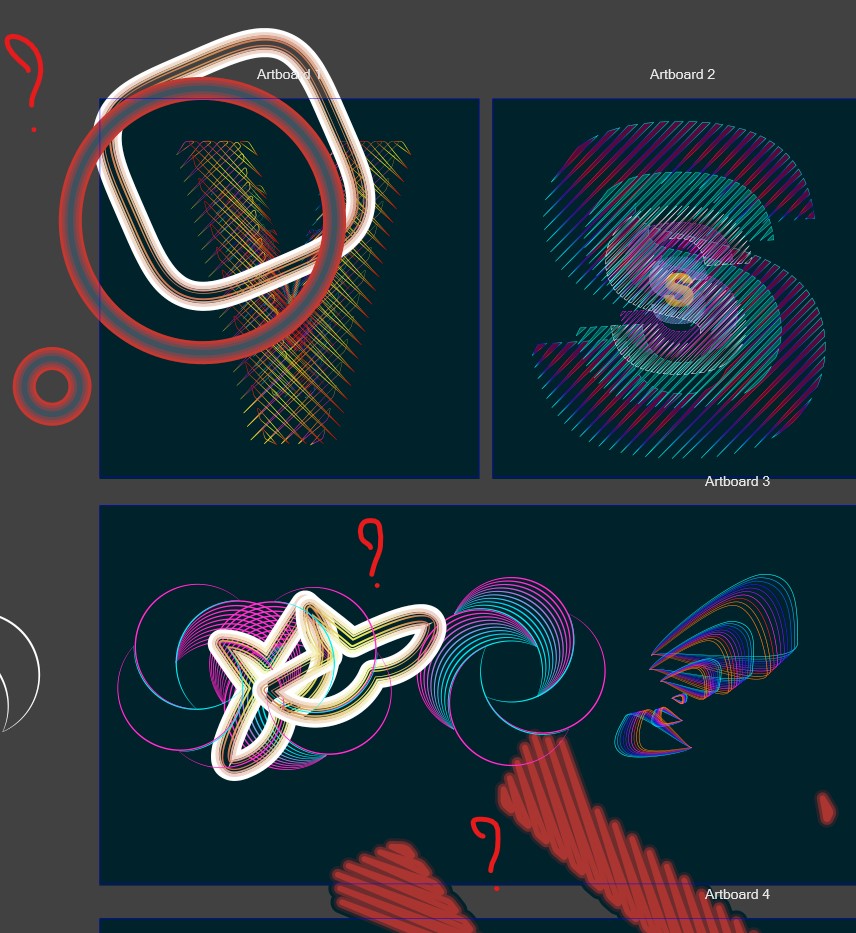
          @VectorStyler There is still a bug with copy/paste:

          I can select & move this object:

          0_1677764861436_1.JPG

          but I can't get it copy with Alt-drag:

          0_1677764877136_2.JPG

          W11 Pro 25H2 - 12th Gen Intel(R) i7-12700K 3.61 GHz - RAM 64 Go - NVIDIA GF GTX 4070 Ti - Intuos - Dell UP3216Q / Eizo ColorEdge
          W11 Pro 25H2 - 12th Gen Intel(R) i7-12700KF 3.60 GHz -RAM 64 Go - NVIDIA GF GTX 3080 - IntuosPro- ProArt PA329C

          VectorStylerV 1 Reply Last reply Reply Quote 0
          • VectorStylerV Offline
            VectorStyler @B-Vs-V
            last edited by

            @Pat Cannot replicate this with the file I have.
            What happens if Command+R refresh us used after duplication?

            B 2 Replies Last reply Reply Quote 0
            • B Offline
              B-Vs-V @VectorStyler
              last edited by

              @VectorStyler I sent you the file.

              W11 Pro 25H2 - 12th Gen Intel(R) i7-12700K 3.61 GHz - RAM 64 Go - NVIDIA GF GTX 4070 Ti - Intuos - Dell UP3216Q / Eizo ColorEdge
              W11 Pro 25H2 - 12th Gen Intel(R) i7-12700KF 3.60 GHz -RAM 64 Go - NVIDIA GF GTX 3080 - IntuosPro- ProArt PA329C

              1 Reply Last reply Reply Quote 0
              • B Offline
                B-Vs-V @VectorStyler
                last edited by

                @VectorStyler I've sent you two files. I've noticed that saving the original file as a temporary one modified the object.

                W11 Pro 25H2 - 12th Gen Intel(R) i7-12700K 3.61 GHz - RAM 64 Go - NVIDIA GF GTX 4070 Ti - Intuos - Dell UP3216Q / Eizo ColorEdge
                W11 Pro 25H2 - 12th Gen Intel(R) i7-12700KF 3.60 GHz -RAM 64 Go - NVIDIA GF GTX 3080 - IntuosPro- ProArt PA329C

                VectorStylerV 2 Replies Last reply Reply Quote 1
                • VectorStylerV Offline
                  VectorStyler @B-Vs-V
                  last edited by

                  @Pat yes, the duplication is can be replicated. I will try to fix this ASAP.

                  1 Reply Last reply Reply Quote 0
                  • VectorStylerV Offline
                    VectorStyler @B-Vs-V
                    last edited by

                    @Pat Seems to be a mistaken configuration in the release.

                    A workaround until the next build would be to fix this in the configure.xml file.

                    On Windows, this can be found in the VectorStyler1.0\vector\data\resource\ installation folder

                    Search for "allownodestackreseting" in the XML file and set it to "no".

                    B 1 Reply Last reply Reply Quote 1
                    • B Offline
                      B-Vs-V @VectorStyler
                      last edited by B-Vs-V

                      @VectorStyler Thanks but no way (VS doesn't allow me to change the file). I'll wait for the fix.

                      W11 Pro 25H2 - 12th Gen Intel(R) i7-12700K 3.61 GHz - RAM 64 Go - NVIDIA GF GTX 4070 Ti - Intuos - Dell UP3216Q / Eizo ColorEdge
                      W11 Pro 25H2 - 12th Gen Intel(R) i7-12700KF 3.60 GHz -RAM 64 Go - NVIDIA GF GTX 3080 - IntuosPro- ProArt PA329C

                      b77B 1 Reply Last reply Reply Quote 1
                      • b77B Offline
                        b77 @B-Vs-V
                        last edited by b77

                        @Pat The configure.xml file can be edited in a text editor like Notepad or similar.
                        I edited it here – you can download it from https://www.dropbox.com/s/7sx6iove90t346m/configure.xml?dl=0

                        MacBook Pro (Intel) running Monterey 12.6.4

                        B 2 Replies Last reply Reply Quote 2
                        • B Offline
                          B-Vs-V @b77
                          last edited by

                          @b77 Thanks ☺ yes, I did find the file, right-click to edit in Notepad/Wordpad but I can't save the file.

                          W11 Pro 25H2 - 12th Gen Intel(R) i7-12700K 3.61 GHz - RAM 64 Go - NVIDIA GF GTX 4070 Ti - Intuos - Dell UP3216Q / Eizo ColorEdge
                          W11 Pro 25H2 - 12th Gen Intel(R) i7-12700KF 3.60 GHz -RAM 64 Go - NVIDIA GF GTX 3080 - IntuosPro- ProArt PA329C

                          1 Reply Last reply Reply Quote 0
                          • B Offline
                            B-Vs-V @b77
                            last edited by

                            @b77 I could replace the file with yours and copying in VS is working fine 👍 Thanks.

                            W11 Pro 25H2 - 12th Gen Intel(R) i7-12700K 3.61 GHz - RAM 64 Go - NVIDIA GF GTX 4070 Ti - Intuos - Dell UP3216Q / Eizo ColorEdge
                            W11 Pro 25H2 - 12th Gen Intel(R) i7-12700KF 3.60 GHz -RAM 64 Go - NVIDIA GF GTX 3080 - IntuosPro- ProArt PA329C

                            1 Reply Last reply Reply Quote 0
                            • First post
                              Last post
