Groups made in "customize toolbar" panel do not show as extendable/retractable options in new toolbar
-
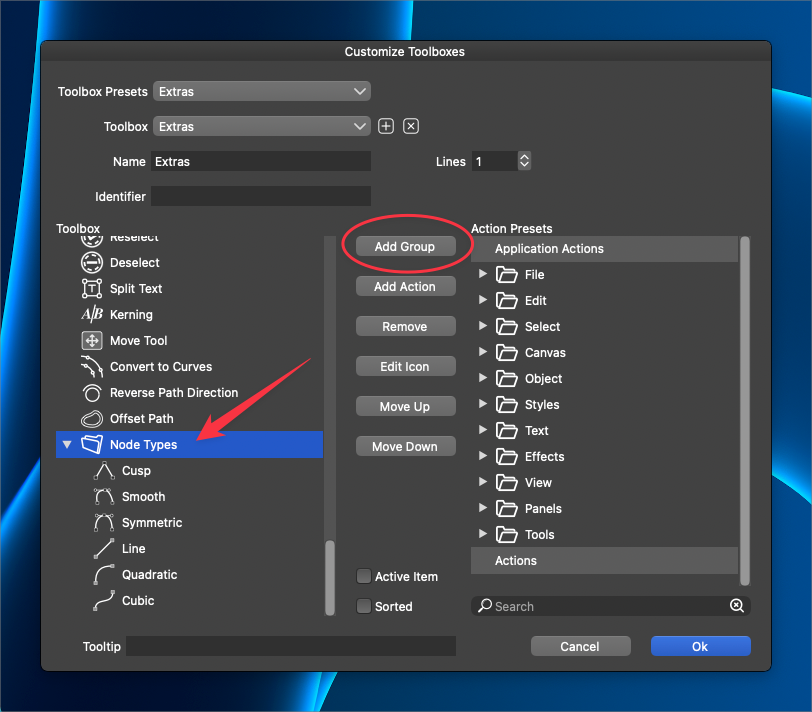
I was experimenting with customizing toolboxes and added a group folder to the new toolbox set. I really love the level of customization that VS allows the user to have in designing out custom toolbars and the like. It's such a great way to help each individual user create the most efficient work solution
A couple things I noticed that might help improve the user experience:
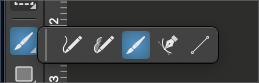
It was hard to know when I was successfully adding new tools within the new folder because there was not a visual indicator that I was locked on target. The first time I attempted to drag some items in, it did not work. I tried again and waited longer and it worked when I checked afterward.The other issue I noticed was when I closed out of the "custom toolboxes" panel and activated the new toolbox I had made, the items did not display in the new toolbar like a collapsible folder with the little arrow icon in the lower right corner like the traditional pen tool set or text tool set do in the regular toolbar. Maybe this is not a bug and just not a feature available in the "customize toolbars" yet? If not, I'd love to see that option added
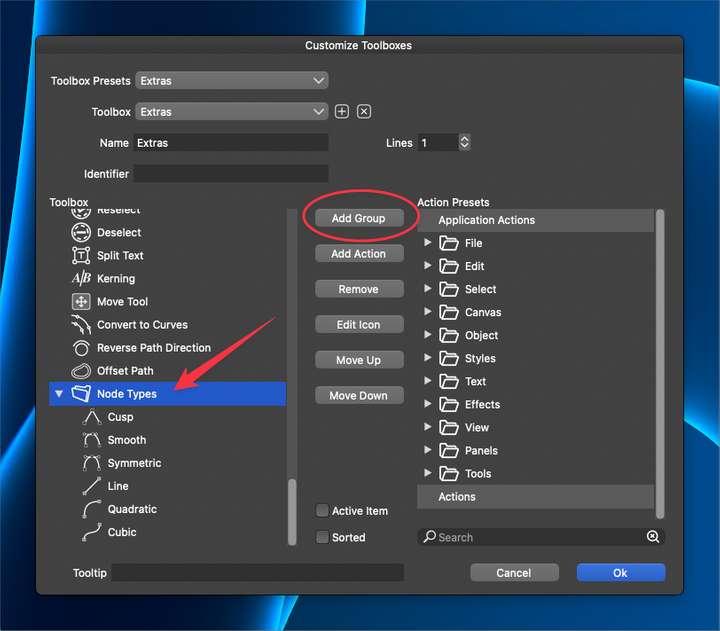
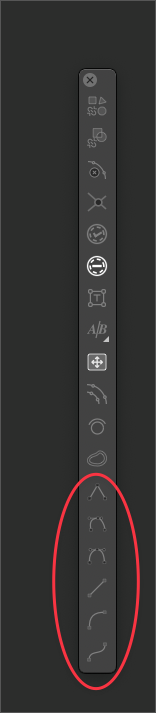
This is how I'd like to see custom created groups made in the toolbar "customize toolboxes" panel act in the custom toolbar
-
@Boldline Added this to the backlog. There are some customization improvements already planned, I will try to improve this view also.
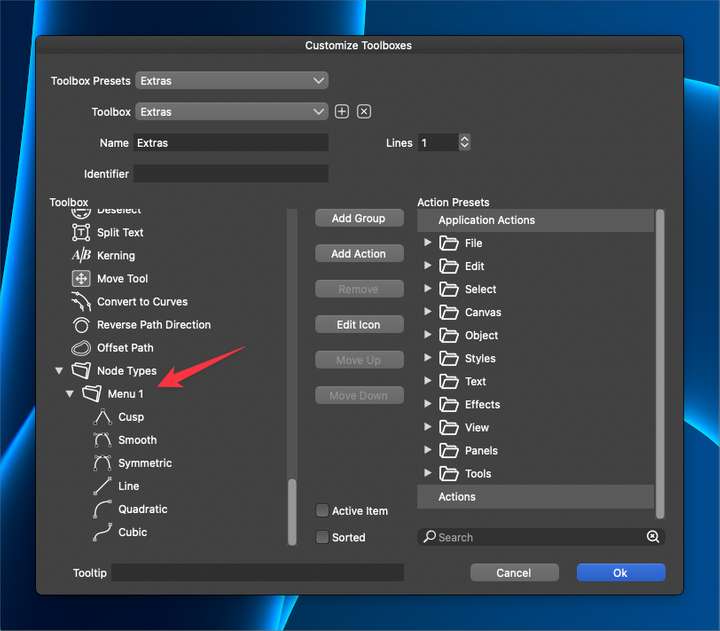
As for the Folder thing: this is actually a feature. The first level of folders will be groups visible in the toolbox. The second folder level is the collapsible group.
-
@VectorStyler said in Groups made in "customize toolbar" panel do not show as extendable/retractable options in new toolbar:
The first level of folders will be groups visible in the toolbox. The second folder level is the collapsible group.
ok I can understand that being a feature - the first level would keep the list of items in the customize toolbar panel shorter and the second level sub-folder could be the collapsible group.
i tried doing that now and it did not result for me with a collapsible group in the custom toolbar

-
@Boldline I open a bug on this one.

