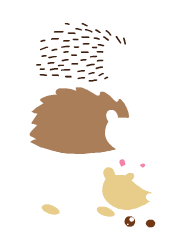
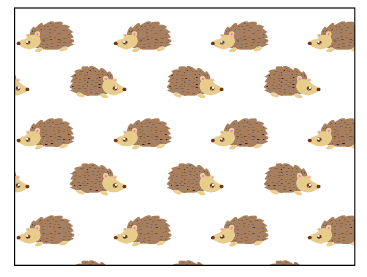
VectorStyler
    • Categories
    • Unread
    • Recent
    • Tags
    • Popular
    • Register
    • Login

    Creating seamless Pattern for Pattern Fills

    Scheduled Pinned Locked Moved Tutorials
    10 Posts 3 Posters 12.8k Views 3 Watching
    Loading More Posts
    • Oldest to Newest
    • Newest to Oldest
    • Most Votes
    Reply
    • Reply as topic
    Log in to reply
    This topic has been deleted. Only users with topic management privileges can see it.
    • S Offline
      Subpath
      last edited by Subpath

      Thought it would be interesting for anyone, how to
      create seamless Patterns for Pattern Fills in VS.
      Which is what this Tutorial is about.

      Here is the video showing my steps, re-upload
      .
      .
      Made already a Tutorial how to create a Pattern fill
      with clipped Shapes. Which can be found in Tutorials.
      .
      .
      The video also contains a few explanations
      it is 2:45 min long and contains four parts

      0:00 to 0:45
      the advantage of using grouped shapes
      and clone them for seamless pattern making

      0:45 to 1:30
      why the clones are created in one go and
      how to arrange them

      1:30 to 2:00
      how to get the general shape for the
      pattern filling from the clones

      2:00 to 2:45
      finally creating the pattern filling
      and the result the seamless pattern filling

      Have fun being creative 🙂

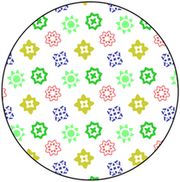
      0_1682426166787_Seamless Pattern-1.png

      .
      .
      Important Note about using nested groups.
      Creating a seamless pattern with nested groups could cause
      several problems if you clone them like here.

      For cloning and positioning, you could take stylized objects
      and then replace them with the original before cutting.

      Or you could try to use the "Tiling Pattern Content" role. How
      to do this is described in the manual.

      Win 11
      CPU: AMD Ryzen 5 9600X, 6-core.
      GPU: Nvidia Geforce RTX 5070.

      1 Reply Last reply Reply Quote 8
      • S Offline
        Subpath
        last edited by Subpath

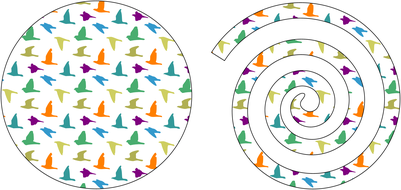
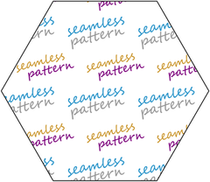
        seamless pattern, a few other tries

        0_1682503051835_birds-pattern-1.png

        0_1682503060222_text-pattern-1.png

        Win 11
        CPU: AMD Ryzen 5 9600X, 6-core.
        GPU: Nvidia Geforce RTX 5070.

        1 Reply Last reply Reply Quote 5
        • F Offline
          fewerjunk
          last edited by

          Here's what I got, first try. I think I'm missing something.
          0_1683562816804_Objects_Clone_Group_MESS_VS.vstyler

          VectorStylerV S 2 Replies Last reply Reply Quote 0
          • VectorStylerV Offline
            VectorStyler @fewerjunk
            last edited by

            @fewerjunk Was the pattern expanded in this file?

            1 Reply Last reply Reply Quote 0
            • S Offline
              Subpath @fewerjunk
              last edited by Subpath

              @fewerjunk

              To create pattern fills in the way I have described here
              I think it's better to stylize the shapes, for position the pattern
              you like and replace them then with the original before cutting them.
              But its also possible to create the Pattern without this Step.
              .
              .
              There are two reasons for this

              First,
              I use the "Select Transformed Members of a Group" Tool.
              This Tool selects a single object in a group rather than a
              single or multiple groups.

              0_1683570589716_Select-members-group.png

              But it is possible to use the Freehand Lasso tool
              to select the group you want to move.
              .
              .
              Secondly
              Moving groups within groups, mirror or rotating groups which contain
              groups can cause transformation problems in Vectorstyler.
              Especially when you clone them. For example, the groups don't
              move the way you expect.
              .
              .
              It can also be helpful if you combine shapes with the same color.
              You get groups that are easier to handle.
              .
              .
              Here some Pictures and a Pattern Result

              Cutting Scheme and Stylize Shape
              0_1683570833489_Cutting-Scheme and Stylize-Shape.png
              .
              .
              combined shapes
              0_1683570920622_combined shapes.png
              .
              .
              Pattern Template for the Preset after cutting
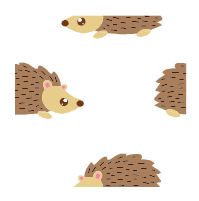
              0_1683571012301_Pattern Template after cutting.png
              .
              .
              the pattern
              0_1683571065169_the pattern.png

              Win 11
              CPU: AMD Ryzen 5 9600X, 6-core.
              GPU: Nvidia Geforce RTX 5070.

              1 Reply Last reply Reply Quote 1
              • S Offline
                Subpath
                last edited by Subpath

                @fewerjunk

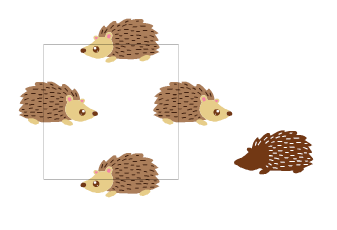
                This pattern was created using the "Pattern Tiling Content" Role
                which is easier to do than the method I show in my tutorial above.
                I used the Hex Grid, the outline could be disabled
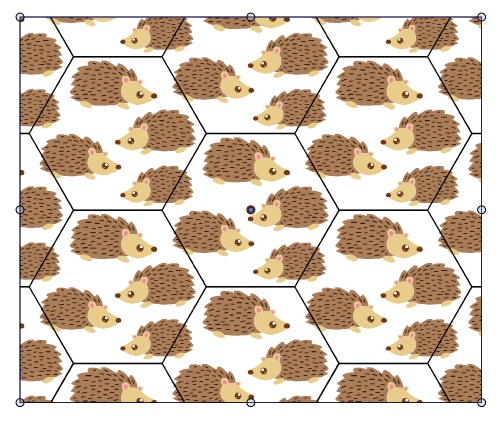
                0_1683579434487_Tiling-Pattern-Content-1.png

                Win 11
                CPU: AMD Ryzen 5 9600X, 6-core.
                GPU: Nvidia Geforce RTX 5070.

                1 Reply Last reply Reply Quote 2
                • F Offline
                  fewerjunk
                  last edited by

                  Here's what I got for my efforts:

                  0_1683586533730_6e9be9b6-d908-497c-a481-17c28d08310b-image.png

                  1 Reply Last reply Reply Quote 0
                  • F Offline
                    fewerjunk
                    last edited by

                    This doesn't appear to "just work". Working depends on what you do and how you do it which varies depending on what you're trying to do. Procedurally this seems to work a lot easier, but with fewer options and more effort.
                    Programmatically, this isn't working for me. It could be something I'm doing or not doing or not understanding. Or it could be the program. Or some combination of the two.

                    I like what VectorStyler is trying to do. It's the trying to do it that's causing me problems.

                    VectorStylerV 2 Replies Last reply Reply Quote 0
                    • VectorStylerV Offline
                      VectorStyler @fewerjunk
                      last edited by

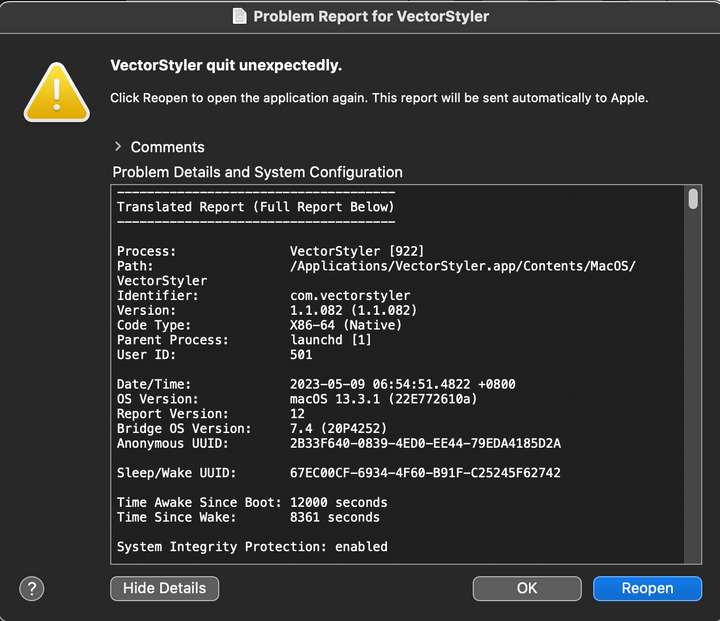
                      @fewerjunk Got the crash report. I will try to find the issue and have a fix as soon as possible.
                      Were there some specific steps that lead to this crash.

                      1 Reply Last reply Reply Quote 0
                      • VectorStylerV Offline
                        VectorStyler @fewerjunk
                        last edited by

                        @fewerjunk Managed to replicate the crash. The fix will be in the next build.

                        1 Reply Last reply Reply Quote 0
                        • First post
                          Last post