Anchor Point Tool - Unexpected Behaviour (1.1.084 Win 11)
-
Hello,
I was attempting to understand how the Anchor tool works and if it could be incorporated into a workflow. The only information on it is that it is "used to adjust the anchor points of paths". I theorized that perhaps it allows adjustment of a node's handles/anchors without moving the nodes.When I try to move the anchors, I get a new node extending from the last drawn node on the curve and positioning itself on the anchor:
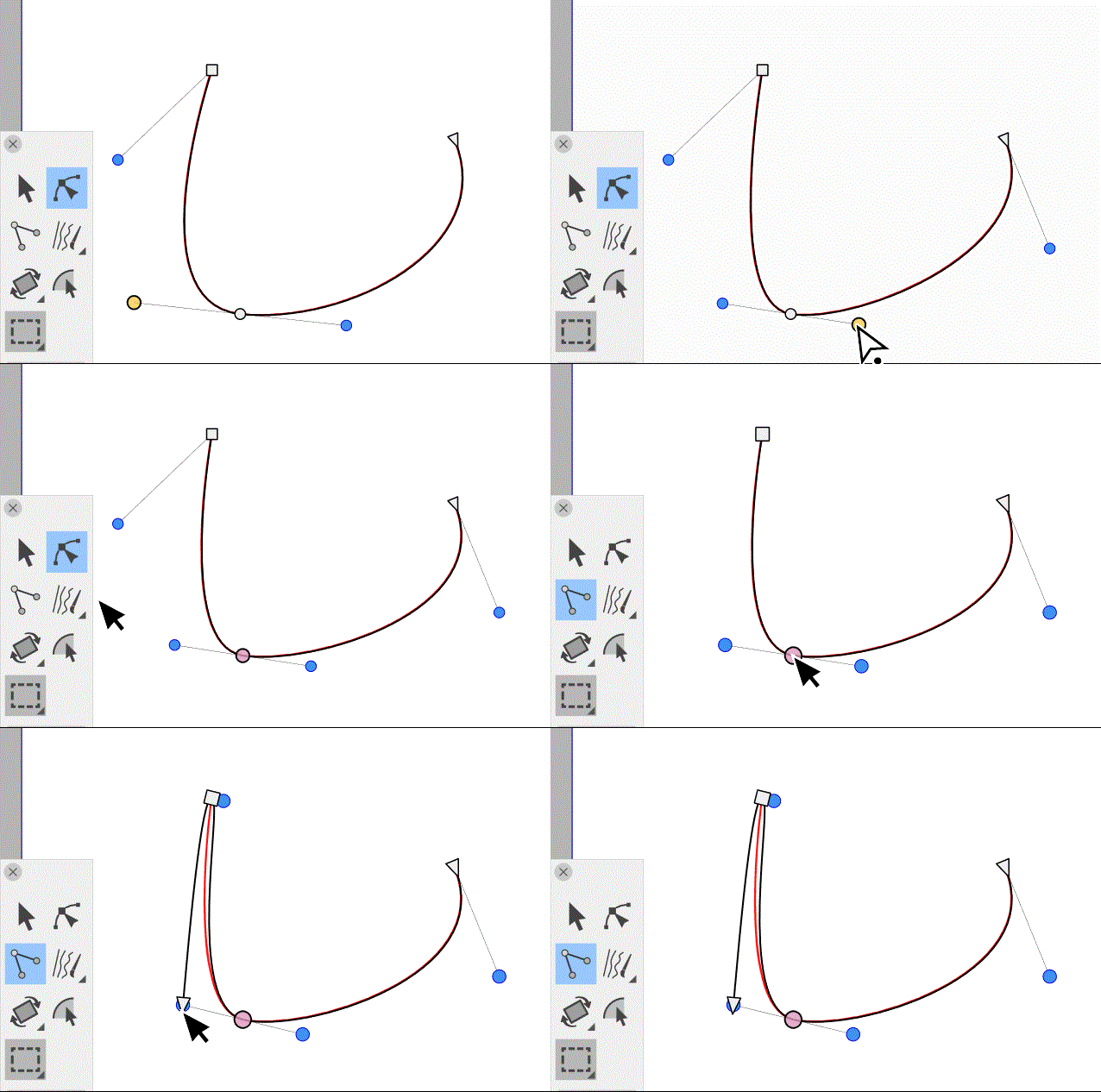
I am not sure if this is supposed to happen, but when I switch back to the shape editor, the new node disappears.
I hope that helps you isolate the problem.
Also:
@VectorStyler what is this tool intended for?
When clicking-drag on a node, I get the anchors of the smooth node, when I click on a smooth or curve node it changes to to a cusp node. Any other features or functionality in this tool that is not apparent?Thanks.
-
@Victor-Vector It's similar to the Convert Anchor Point tool in AI — converts
cusp node to symmetric by click-and-drag the node, and converts smooth
or symmetric node to cusp by clicking it.It was added sometime after version 1.0, so it's not explained well enough
in the documentation.@VectorStyler It looks like there is a refresh bug where clicking a node still
displays the curved segments instead of the straight ones.@Victor-Vector Maybe there's some other issue you discovered?
-
@b77 Okay, understanding it like a convert anchor point tool makes a lot of sense.
Thanks for identifying the refresh bug. There were no other issues I discovered. I think will be able to dig into this tool more, once the refresh issue is out of the way.Thank you,
VV

