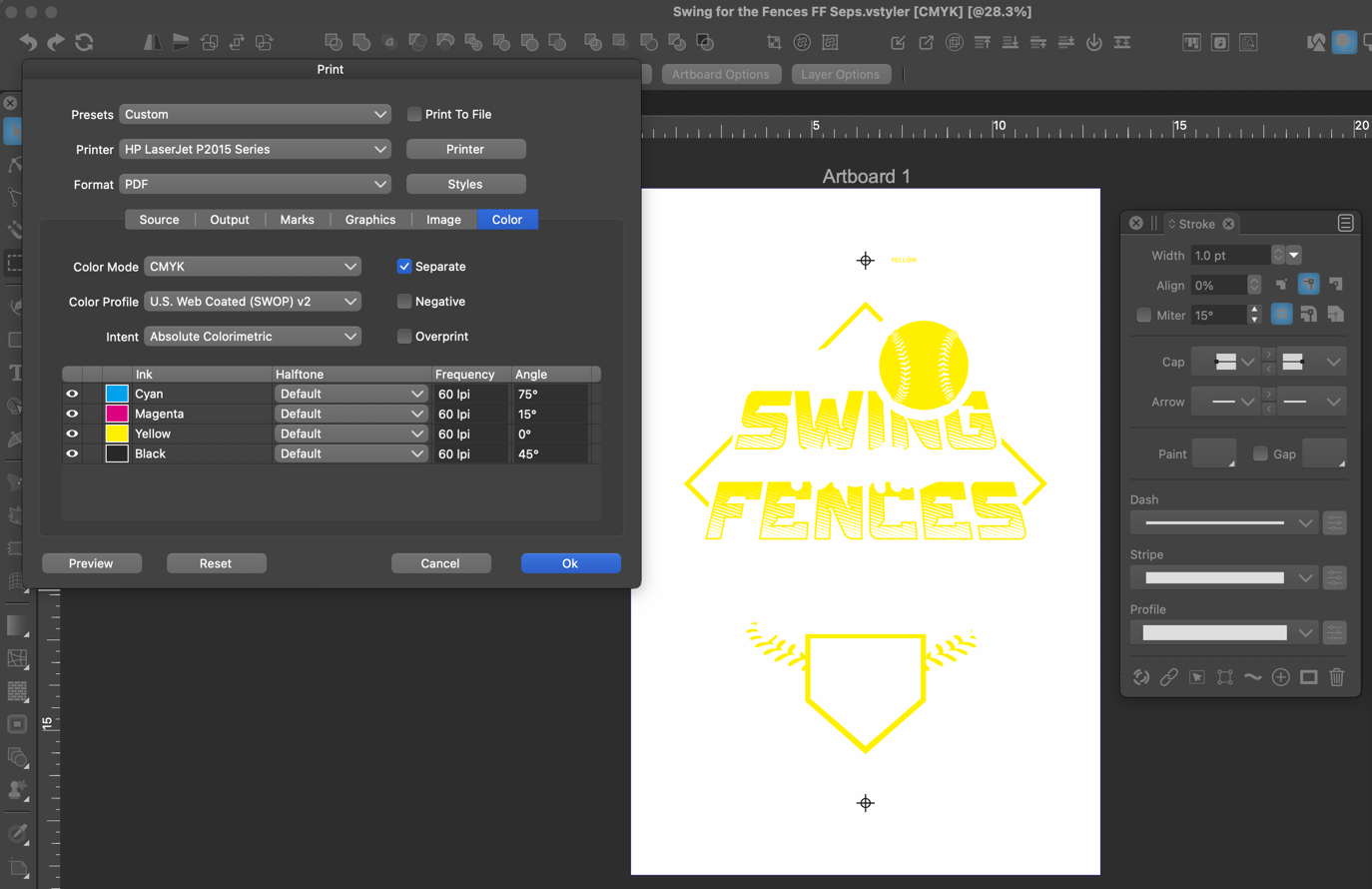
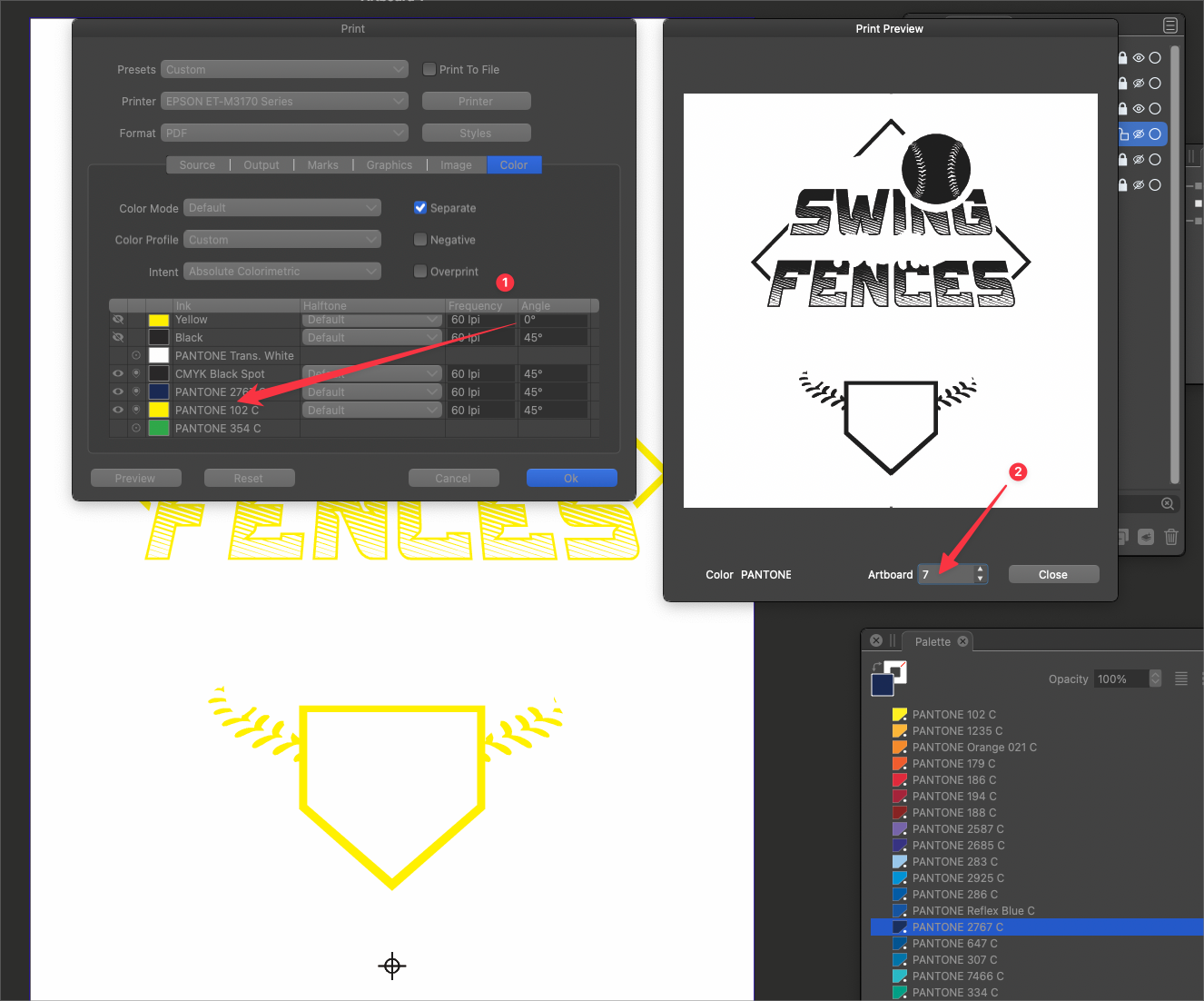
File shows spot colors in separations panel on main computer but not on other computers
-
@Boldline The colors were saved in CMYK (and RGB) mode in the attached file. Were they converted?
-
@VectorStyler in the creation of the design, I used spot colors from my custom spot color palette I had made the file's default palette as well as the same palette file used in the color bar. I've had some issues frequently where colors chosen from the secondary palette still show up in the main palette as a new color, even as it's already in that palette (since they are the same palette file opened twice)
In thinking that through now, I probably do not need the same palette open twice, I liked the ability to grab colors quickly without the color palette pixel always visible.Regardless of how it happened, some of the colors were not necessarily a spot color but were changed right before printing.
The yellow for example, was not originally a spot color and I switched it to be so.Is there something else I need to do before printing if I initially have a mix of rgb and cmyk colors in my file? Especially if I already went through and converted each color to a spot?
-
@Boldline said in File shows spot colors in separations panel on main computer but not on other computers:
Is there something else I need to do before printing if I initially have a mix of rgb and cmyk colors in my file? Especially if I already went through and converted each color to a spot?
No need to do anything (other than selecting the Separate checkbox), if the colors are already spot.
-
@VectorStyler said in File shows spot colors in separations panel on main computer but not on other computers:
No need to do anything (other than selecting the Separate checkbox), if the colors are already spot.
ok that's good. the issue still remains that it shows the spot color options on my main computer but on the client's computer and my secondary machine, it does not offer any spot color options at all. is that something you are still figuring out or is it something else?
-
@Boldline said in File shows spot colors in separations panel on main computer but not on other computers:
the issue still remains that it shows the spot color options on my main computer but on the client's computer and my secondary machine, it does not offer any spot color options at all
What happens when the file is closed and opened again in the main computer? And could it be that it is a different version of this file?
-
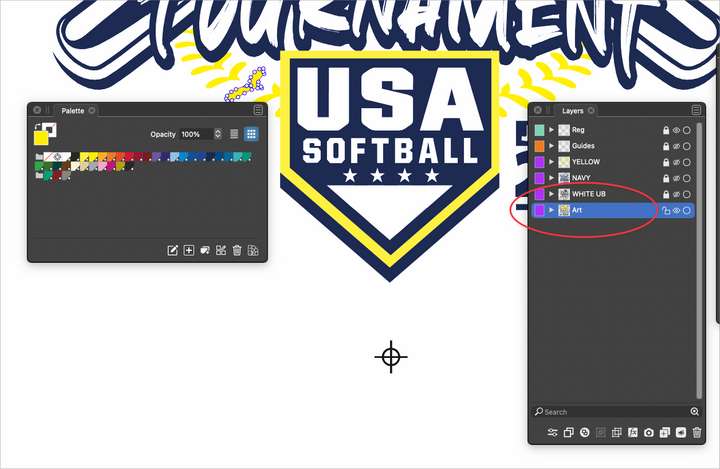
Just thought about this - I had to remove some layers to get the file to upload to the forum. it was just over the 4mb limit. So I had removed the original art layer. All colors in this layer are NOT spot colors... this layer was turned off and locked when I was sending it to print. could that be a factor?
-
@VectorStyler said in File shows spot colors in separations panel on main computer but not on other computers:
@Boldline said in File shows spot colors in separations panel on main computer but not on other computers:
the issue still remains that it shows the spot color options on my main computer but on the client's computer and my secondary machine, it does not offer any spot color options at all
What happens when the file is closed and opened again in the main computer? And could it be that it is a different version of this file?
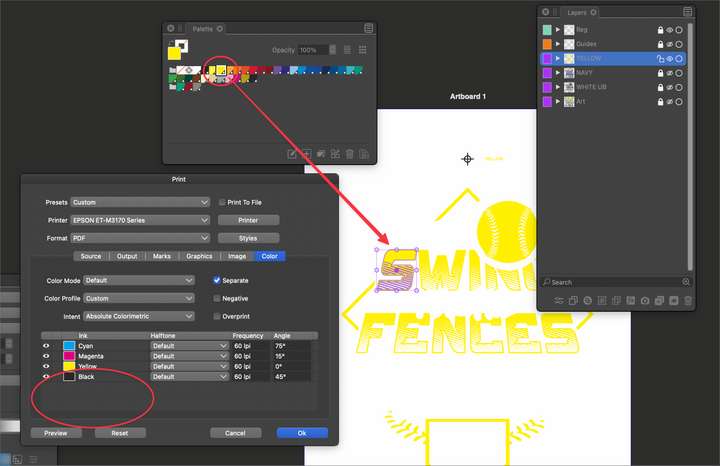
Interesting, when I start VS fresh and open the same file now, I get the version without options for spot colors in the print panel, even though I am using spot colors in the art
-
@Boldline If the color is highlighted in the palette, that does not yet mean that it is a spot color.
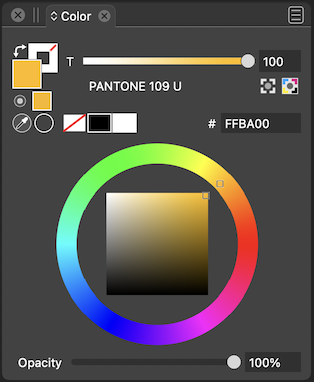
One way to check for spot colors is to look in the Color panel if the color has a single component "T" -
@VectorStyler said in File shows spot colors in separations panel on main computer but not on other computers:
One way to check for spot colors is to look in the Color panel if the color has a single component "T"
Would you be willing to elaborate more on this? Where in the color panel am I looking for the "component T"?
My understanding was that if there was a small white dot within a black triangle in the corner of the swatch in the color panel, it was spot - also by double clicking the color swatch and seeing the mode there is set to "spot"I'm reading through the documentation about the color selector now
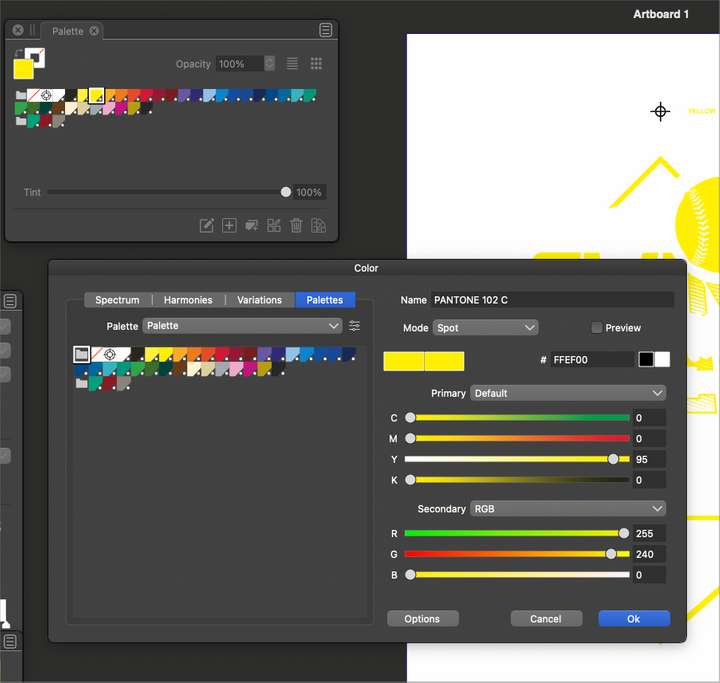
🍎 macOS Tahoe 26.2, Mac mini (M1, 2020), Chip Apple M1, Memory 16 GB
Cintiq 27QHD Display and LG Ultra HD Display -
@Boldline said in File shows spot colors in separations panel on main computer but not on other computers:
Would you be willing to elaborate more on this?
Open then Color panel with the Panels -> Color command. There it should have a single component when the object is selected.
-
@Boldline Here:
-
@Boldline It could be that your custom palette was made from Pantone files that
didn't import correctly?
If you know which ones were used, send one in the original format (.acb, .csv,
whatever) to the developer. -
@VectorStyler @b77 Thanks for the help. For some reason, some of the colors were not showing the "T" and were just CMYK.. With the objects selected, double clicking on the color swatch converted it back from CMYK to a "T". Is this the right way to go about switching it to a spot?
Out of curiosity, I opened a brand new VS file that has the same custom palette file set as default and checked the colors there and all were showing a "T" correctly. I'm trying to figure out how the colors in the main file were switched away from being spot colors?
I don't know what the answer would be, but it gets confusing when colors in the color panel palette have the white circle in a black triangle in the corner that traditionally represents it being a spot color and then when you double click the color and the mode says "spot", why there could be a third place to check to be 100% sure .
Do the other two places I mentioned serve a purpose I am overlooking? VS always has deeper options than the competition. @VectorStyler is playing chess while the others play checkers, so I respect that there could be other uses. Right now from my simple mind its hard to follow -
@Boldline said in File shows spot colors in separations panel on main computer but not on other computers:
Is this the right way to go about switching it to a spot?
Yes (T means Tint)
I'm trying to figure out how the colors in the main file were switched away from being spot colors?
I was thinking that this might have been caused by some bug. If you see this again please let me know.
when colors in the color panel palette have the white circle in a black triangle in the corner that traditionally represents it being a spot color and then when you double click the color and the mode says "spot", why there could be a third place to check to be 100% sure
No need to check, if the color is applied from the palette as a spot color, it should stay spot (unless expanded).
But again, there might be a bug somewhere here.


