VectorStyler
    • Categories
    • Unread
    • Recent
    • Tags
    • Popular
    • Register
    • Login

    Bug or invalid geometrie
    Scheduled Pinned Locked Moved VectorStyler 1.1 Bugs
    13 Posts 2 Posters 11.3k Views 2 Watching
    Loading More Posts
    • Oldest to Newest
    • Newest to Oldest
    • Most Votes
    Reply
    • Reply as topic
    Log in to reply
    This topic has been deleted. Only users with topic management privileges can see it.
    • AyoA Offline
      Ayo
      last edited by Ayo

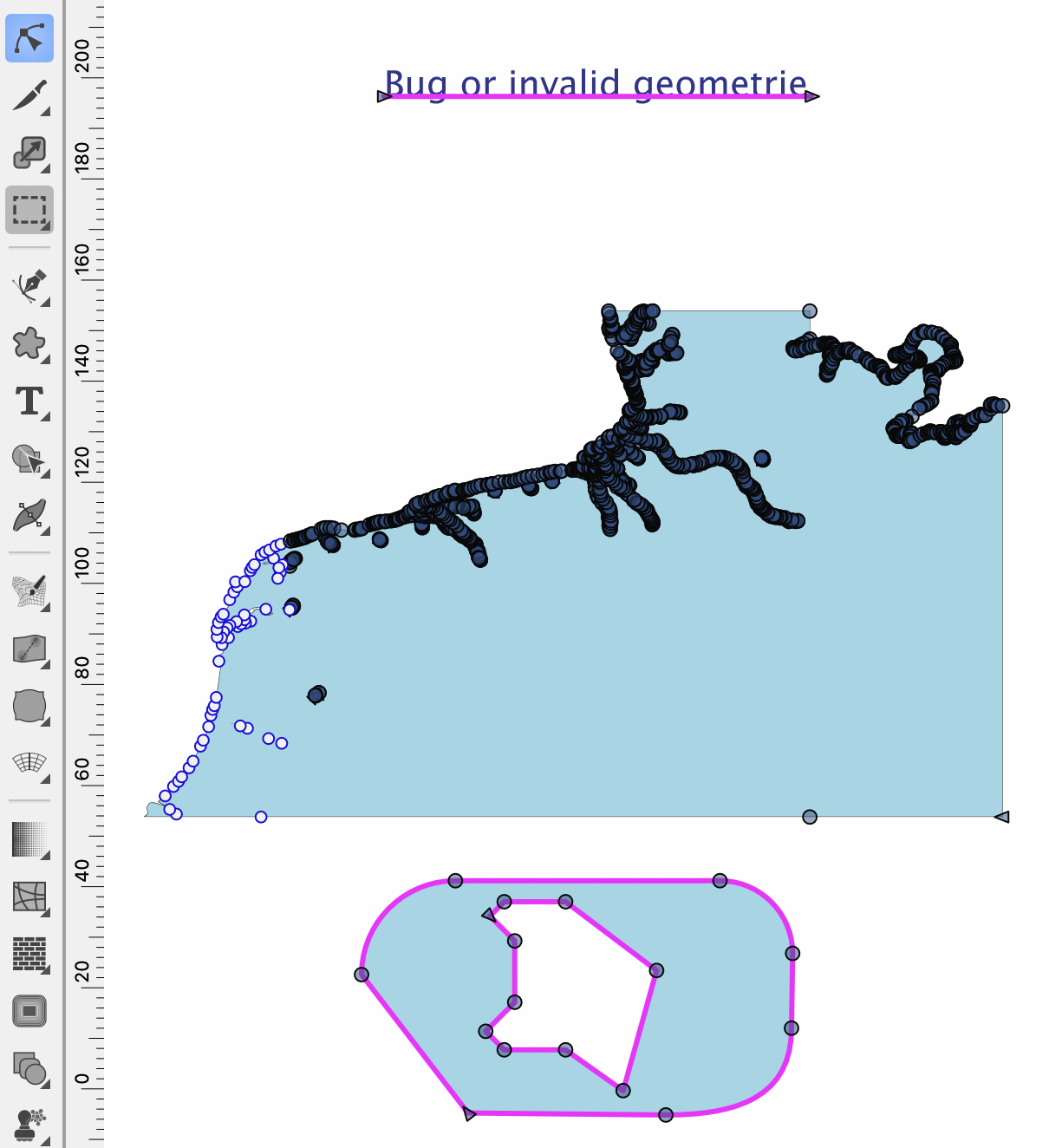
      Found out that the visibility threshold is 513 nodes.
      512 = visible
      513 = invisible

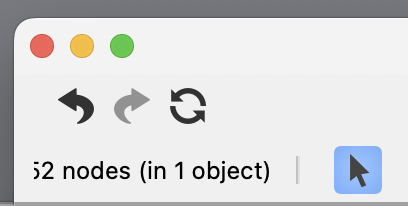
      Node info readout window is to small if number exceeds 1 digit.

      Did my measurement in PathScribe.
      0_1689927226033_5244879f-e021-48d7-8680-718d6abf01ec-image.png

      VectorStylerV 1 Reply Last reply Reply Quote 2
      • VectorStylerV Offline
        VectorStyler @Ayo
        last edited by

        @Ayo Yes, there is a threshold for outline visibility.

        I will fix the node readout widget width.

        1 Reply Last reply Reply Quote 1
        • AyoA Offline
          Ayo
          last edited by

          @VectorStyler said in Bug or invalid geometrie:

          Yes, there is a threshold for outline visibility.

          Will that change in the future or will it stay?

          VectorStylerV 1 Reply Last reply Reply Quote 0
          • VectorStylerV Offline
            VectorStyler @Ayo
            last edited by

            @Ayo said in Bug or invalid geometrie:

            @VectorStyler said in Bug or invalid geometrie:

            Yes, there is a threshold for outline visibility.

            Will that change in the future or will it stay?

            It will stay for showing the nodes, but the outline should be visible.

            AyoA 1 Reply Last reply Reply Quote 0
            • AyoA Offline
              Ayo @VectorStyler
              last edited by

              @VectorStyler said in Bug or invalid geometrie:

              It will stay for showing the nodes, but the outline should be visible.

              Good to hear, a relief.
              Nodes threshold might be a setting. Does what is workable depend on the processor/ram memory on the user side?

              VectorStylerV 1 Reply Last reply Reply Quote 0
              • VectorStylerV Offline
                VectorStyler @Ayo
                last edited by

                @Ayo said in Bug or invalid geometrie:

                Nodes threshold might be a setting. Does what is workable depend on the processor/ram memory on the user side?

                I avoided adding this as a settings, but it is configurable yes (but not by the user).

                Yes it depends on what the user computer can handle. These nodes are drawn using cocoa apis on MacOS, and that can be very slow.

                AyoA VectorStylerV 2 Replies Last reply Reply Quote 0
                • AyoA Offline
                  Ayo @VectorStyler
                  last edited by

                  @VectorStyler said in Bug or invalid geometrie:

                  cocoa apis

                  Sounds tasty

                  The reason why I come back to this is that it is nice to be able to see the nodes especially with high density of nodes. You can then clearly see the structure and density and, for example, see whether simplification is desirable.

                  Illustrator splits the visibility. Slightly different:
                  Hovering with the Direct Selection Tool shows only the outline.
                  Selection shows outline and (all)nodes.

                  AyoA 1 Reply Last reply Reply Quote 0
                  • VectorStylerV Offline
                    VectorStyler @VectorStyler
                    last edited by

                    @VectorStyler said in Bug or invalid geometrie:

                    cocoa apis

                    That is a Mac programming thing 🙂

                    1 Reply Last reply Reply Quote 0
                    • AyoA Offline
                      Ayo @Ayo
                      last edited by

                      @Ayo said in Bug or invalid geometrie:

                      Illustrator splits the visibility. Slightly different:
                      Hovering with the Direct Selection Tool shows only the outline.
                      Selection shows outline and (all)nodes.

                      This works and feels very nice as a clear (just line) navigation preview without Node noise.
                      Idea...
                      Could the EditingOptions-2 setting "Show Nodes when Hovering" also be made applicable to the Shape Editor mode?

                      VectorStylerV 1 Reply Last reply Reply Quote 0
                      • VectorStylerV Offline
                        VectorStyler @Ayo
                        last edited by

                        @Ayo said in Bug or invalid geometrie:

                        Could the EditingOptions-2 setting "Show Nodes when Hovering" also be made applicable to the Shape Editor mode?

                        Not sure if this will work. Currently, if the shape is already selected, then the nodes are shown regardless of hovering or node
                        If not selected then only when hovering (regardless of option) to indicate node selection.

                        AyoA 1 Reply Last reply Reply Quote 0
                        • AyoA Offline
                          Ayo @VectorStyler
                          last edited by

                          @VectorStyler

                          Could the EditingOptions-2 setting "Show Nodes when Hovering" also be made applicable to the Shape Editor mode?

                          What I want to achieve with this is the opposite. The ability to disable Show Nodes in this mode when hovering. Show nodes/handles when I click/select a shape similar to how it is now. Actually a kind of intermediate step.


                          1 Reply Last reply Reply Quote 1
                          • First post
                            Last post