VectorStyler
    • Categories
    • Unread
    • Recent
    • Tags
    • Popular
    • Register
    • Login

    Ideas to improve the Vectorstyler Layers Panel

    Scheduled Pinned Locked Moved Features and Ideas
    50 Posts 8 Posters 125.0k Views 6 Watching
    Loading More Posts
    • Oldest to Newest
    • Newest to Oldest
    • Most Votes
    Reply
    • Reply as topic
    Log in to reply
    This topic has been deleted. Only users with topic management privileges can see it.
    • AyoA Offline
      Ayo @Ingolf
      last edited by

      @Ingolf said in Ideas to improve the Vectorstyler Layers Panel:

      I don't lock, colour or hide objects all the time

      I do!

      Keep it simple!

      Totally agree!

      1 Reply Last reply Reply Quote 0
      • b77B Offline
        b77 @b77
        last edited by b77

        @Ayo If the developer would implement 'Auto-lock' for inactive layers (meaning that
        you can select objects only on the active layer(s) and switching to another layer can be
        done simply by Cmd-clicking an object on that other layer), the 'lock' button for layers
        could be left somewhere on the right.

        And btw, since you work in cartography, would an optional 'Auto-hide' for the objects
        on inactive layers go well with this auto-locking of layers?

        @Ingolf If possible, can you include two screenshots with v1 and v2 of AD's Layers panel?
        I searched them a bit but I'm not sure those I found are not from AD's Pixel "Persona",
        which might look different (I guess).

        MacBook Pro (Intel) running Monterey 12.6.4

        AyoA IngolfI 2 Replies Last reply Reply Quote 0
        • AyoA Offline
          Ayo @b77
          last edited by

          @b77 said in Ideas to improve the Vectorstyler Layers Panel:

          Auto-lock' for inactive layers

          I'm not that fond of 'Auto' or self-thinking functions

          b77B 1 Reply Last reply Reply Quote 1
          • b77B Offline
            b77 @Ayo
            last edited by b77

            @Ayo Not clear if you did work in an app that has this alternative mode and didn't like it,
            but all right…

            I'm asking because auto-locking of layers makes both restricted selecting of objects
            and jumping to another layer much easier and faster, since you don't need to walk
            the mouse all the way to the Layers panel, and locking other objects to avoid selecting
            them becomes unnecessary most of the time.

            So in this case at least these buttons can be left on the right side of the Layers panel.

            (I'm not advising for this mode to be enabled by default, but… with big monitors these
            days I think it would help a lot).

            MacBook Pro (Intel) running Monterey 12.6.4

            1 Reply Last reply Reply Quote 0
            • IngolfI Offline
              Ingolf @b77
              last edited by Ingolf

              @b77 said in Ideas to improve the Vectorstyler Layers Panel:

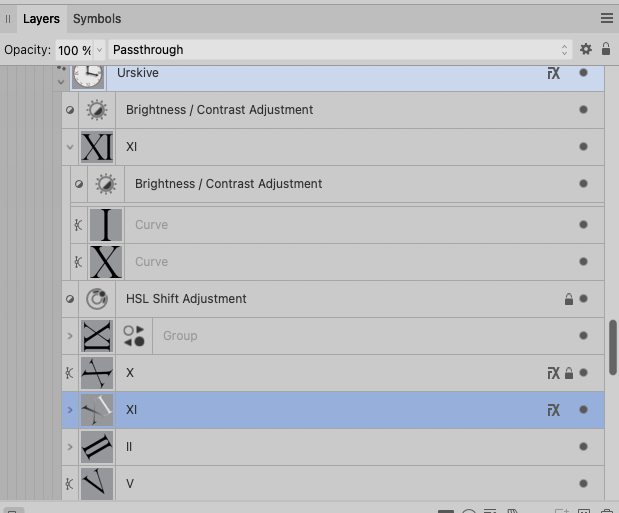
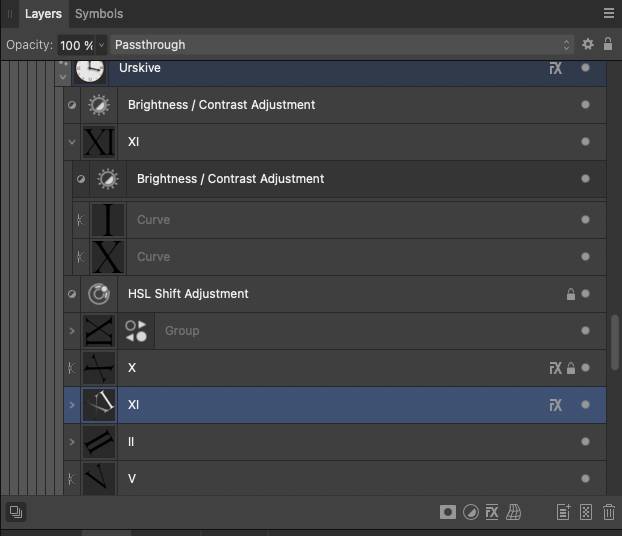
              @Ingolf If possible, can you include two screenshots with v1 and v2 of AD's Layers panel?
              I searched them a bit but I'm not sure those I found are not from AD's Pixel "Persona",
              which might look different (I guess).

              Version 2:
              0_1689855465335_d860f5f9-c2e8-4f07-ab8a-eab33b8a382d-image.png
              0_1689855500935_637d29b3-a846-4c82-a8cb-92a344809189-image.png

              Pure crap UI:
              0_1689855536723_1f5b3bd5-ebdc-4c38-afdb-60c2e7cb7cac-image.png

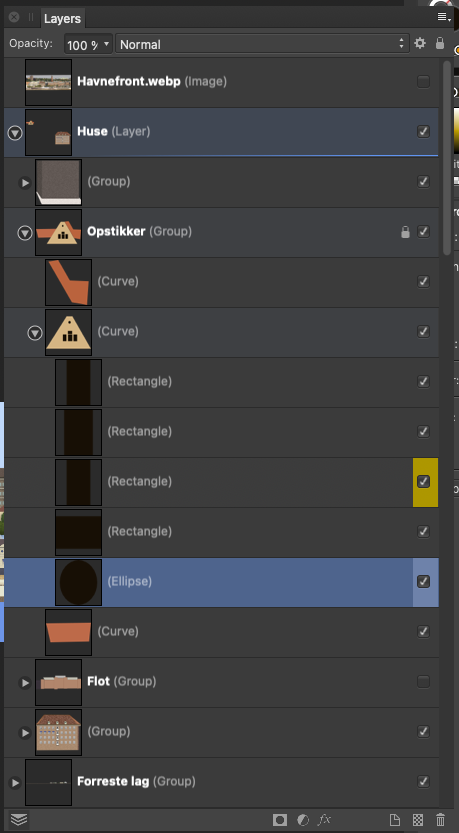
              Compared to the absolute calm and no nonsense interface in version 1 I NEVER had trouble using or navigating in. Everything from this point and 'up' should be opt-in.
              0_1689856038838_ceeb4a76-5cdc-4704-9ad7-f8e95a69de8e-image.png

              🍏 macOS Sequoia Apple Silicon

              1 Reply Last reply Reply Quote 1
              • F Offline
                fde101 Global Moderator @b77
                last edited by

                @b77 said in Ideas to improve the Vectorstyler Layers Panel:

                Well, I personally still like the filled eye better.

                My own take on it: checkmark for visible and printable/exportable, eye for visible but non-printing, printer or paper icon for printing/exporting but not visible in normal edit mode, none for invisible and non-printing.

                Normal left click toggles between none and whatever it was set to of the three other options. Right click opens context menu to pick from all four options.

                b77B 1 Reply Last reply Reply Quote 1
                • b77B Offline
                  b77 @fde101
                  last edited by

                  @fde101 I'm not sure a 'printable' button is needed? Currently if something is
                  not visible it doesn't get printed or exported.

                  Except for the grid and guidelines. Hmm… 🤔

                  In any case, I would say that…

                  'Printable' → small printer button → no reading of the manual needed.

                  CDR has it like that — a 'printer' button for objects, guidelines and for the grid in its
                  Layers panel (named 'Object Manager'), along the 'eye' and 'lock' buttons.

                  MacBook Pro (Intel) running Monterey 12.6.4

                  F 1 Reply Last reply Reply Quote 1
                  • AyoA Offline
                    Ayo @b77
                    last edited by

                    @b77 said in Ideas to improve the Vectorstyler Layers Panel:

                    Are there other graphics apps using a validation sign in the Layers panel?

                    Came across this.
                    Nice variation. Layers panel –I suppose– on the left hand side this time. On/off (with checkmarks) on the panels right side, close to the users working center.

                    From earlier post today: Toucan
                    Home/General Discussion/The first vector graphics editor built for generative design
                    0_1690047764425_75d70415-19d1-40a7-bb4f-36c364a8ccb5-image.png

                    1 Reply Last reply Reply Quote 1
                    • AyoA Offline
                      Ayo
                      last edited by

                      a final argument for the checkmark : )

                      0_1690055575133_83246dd4-d928-43e2-bba6-b3052ceeffa0-image.png

                      b77B BoldlineB 2 Replies Last reply Reply Quote 2
                      • b77B Offline
                        b77 @Ayo
                        last edited by

                        @Ayo I beg to differ, the eye is staring you in the face. 🙂

                        0_1690056838087_s.png

                        ……
                        …
                        .

                        MacBook Pro (Intel) running Monterey 12.6.4

                        b77B 1 Reply Last reply Reply Quote 0
                        • b77B Offline
                          b77 @b77
                          last edited by b77

                          All right… in all seriousness, I have to acknowledge that there are indeed
                          vector-based apps that use a checkmark for layer and object visibility
                          (and export) instead of an eye. Some because the functionality of their Layers
                          panel is simple, some other despite the complexity (Affinity, I guess).

                          To me a checkmark still seems too generic (it doesn't scream 'visibility').
                          Besides that, there are other places in the app where the concept of 'visibility'
                          is used (Hidden object, Show All Objects, New View, Select All Inside View),
                          and I don't think using a checkmark in the icons of these commands would work.

                          (I'm trying to make icons for these commands as well, so we could continue
                          the discussion when I post them on the forum. The icons won't be perfect,
                          I'm sure).

                          OK, said enough about this, I rest my case. 🙂

                          MacBook Pro (Intel) running Monterey 12.6.4

                          AyoA 1 Reply Last reply Reply Quote 0
                          • AyoA Offline
                            Ayo @b77
                            last edited by

                            @b77 Don't take it too seriously. Was just a design joke. We are all in the first place designers, aren't we?

                            b77B 1 Reply Last reply Reply Quote 0
                            • b77B Offline
                              b77 @Ayo
                              last edited by

                              @Ayo Absolutely!

                              MacBook Pro (Intel) running Monterey 12.6.4

                              1 Reply Last reply Reply Quote 0
                              • BoldlineB Offline
                                Boldline @Ayo
                                last edited by Boldline

                                No offense @b77 , I do like the streamlined look of the one @Ayo whipped up. It would be cool with some special effects and the cursor cross icon in there

                                🍎 macOS Tahoe 26.2, Mac mini (M1, 2020), Chip Apple M1, Memory 16 GB
                                Cintiq 27QHD Display and LG Ultra HD Display

                                b77B 1 Reply Last reply Reply Quote 0
                                • b77B Offline
                                  b77 @Boldline
                                  last edited by b77

                                  @Boldline Ayo made a joke, I also made one — that's it, nothing more.

                                  MacBook Pro (Intel) running Monterey 12.6.4

                                  BoldlineB 1 Reply Last reply Reply Quote 0
                                  • BoldlineB Offline
                                    Boldline @b77
                                    last edited by

                                    @b77 joking aside there's some real potential there

                                    🍎 macOS Tahoe 26.2, Mac mini (M1, 2020), Chip Apple M1, Memory 16 GB
                                    Cintiq 27QHD Display and LG Ultra HD Display

                                    b77B 1 Reply Last reply Reply Quote 0
                                    • b77B Offline
                                      b77 @Boldline
                                      last edited by b77

                                      @Boldline Let's not go off-topic and mess up Ayo's thread.

                                      MacBook Pro (Intel) running Monterey 12.6.4

                                      1 Reply Last reply Reply Quote 1
                                      • F Offline
                                        fde101 Global Moderator @b77
                                        last edited by

                                        @b77 said in Ideas to improve the Vectorstyler Layers Panel:

                                        @fde101 I'm not sure a 'printable' button is needed? Currently if something is
                                        not visible it doesn't get printed or exported.

                                        I'm not suggesting a separate button to waste space on the panel. I am suggesting a four-way checkbox, which allows for all four possible visibility combinations: visible on screen and printer, visible on screen but not printer, visible on printer but not screen, invisible on both screen and printer.

                                        In most cases having these ganged together is fine, but there are special cases where you might want to override that, and moving this to a context menu on the control makes these special cases readily available when they are needed without taking up extra space against the more general usage of the panel.

                                        You might want something visible on the screen but not the printer if you are sharing a document with others and want to provide them with instructions on how to finish something but do not want those instructions included in the final output; you may also use this to leave notes for yourself that are only available in the editing view.

                                        A bit more rare of a special case, but one example of when you might want something to print but not be visible on the screen would be if you have some kind of framing that is distracting or making selection harder while working on the core part of the document, but which you don't want to forget to include when printing it - you could add simple guides to keep your place then mark the framing as print only, using the guides to keep the content aligned, and to see the end result would simply do a print or print preview. While in many cases you could also accomplish this by grouping the framing and toggling the global visibility, if you have a complex layering structure and parts of the framing are both above and below the core content, this avoids scrolling the layers panel; it also hides the guides you are working with (when performing a print preview), allowing you to do everything in one step.

                                        b77B 1 Reply Last reply Reply Quote 2
                                        • b77B Offline
                                          b77 @fde101
                                          last edited by b77

                                          @fde101 I don't disagree that a checkbox/button for 'printable' would be nice — I already wondered
                                          about the guidelines and the grid (I mentioned CDR). 👍

                                          But I'm not sure a four-way checkbox is best — how should the icons for the first and the last of these four states look?

                                          • visible on screen and printer
                                          • visible on screen but not printer
                                          • visible on printer but not screen
                                          • invisible on both screen and printer

                                          MacBook Pro (Intel) running Monterey 12.6.4

                                          F 1 Reply Last reply Reply Quote 1
                                          • F Offline
                                            fde101 Global Moderator @b77
                                            last edited by

                                            @b77 that is what I was answering in my earlier post:

                                            @fde101 said in Ideas to improve the Vectorstyler Layers Panel:

                                            My own take on it: checkmark for visible and printable/exportable, eye for visible but non-printing, printer or paper icon for printing/exporting but not visible in normal edit mode, none for invisible and non-printing.

                                            b77B 1 Reply Last reply Reply Quote 1
                                            • First post
                                              Last post