VectorStyler
    • Categories
    • Unread
    • Recent
    • Tags
    • Popular
    • Register
    • Login

    Color slider bar display problem
    Scheduled Pinned Locked Moved VectorStyler 1.1 Bugs
    8 Posts 3 Posters 8.6k Views 3 Watching
    Loading More Posts
    • Oldest to Newest
    • Newest to Oldest
    • Most Votes
    Reply
    • Reply as topic
    Log in to reply
    This topic has been deleted. Only users with topic management privileges can see it.
    • 861475_VctSt8 Offline
      861475_VctSt
      last edited by

      MacBook Air 13'' MId 2012 / os 10.15.7
      VS 1.1.099

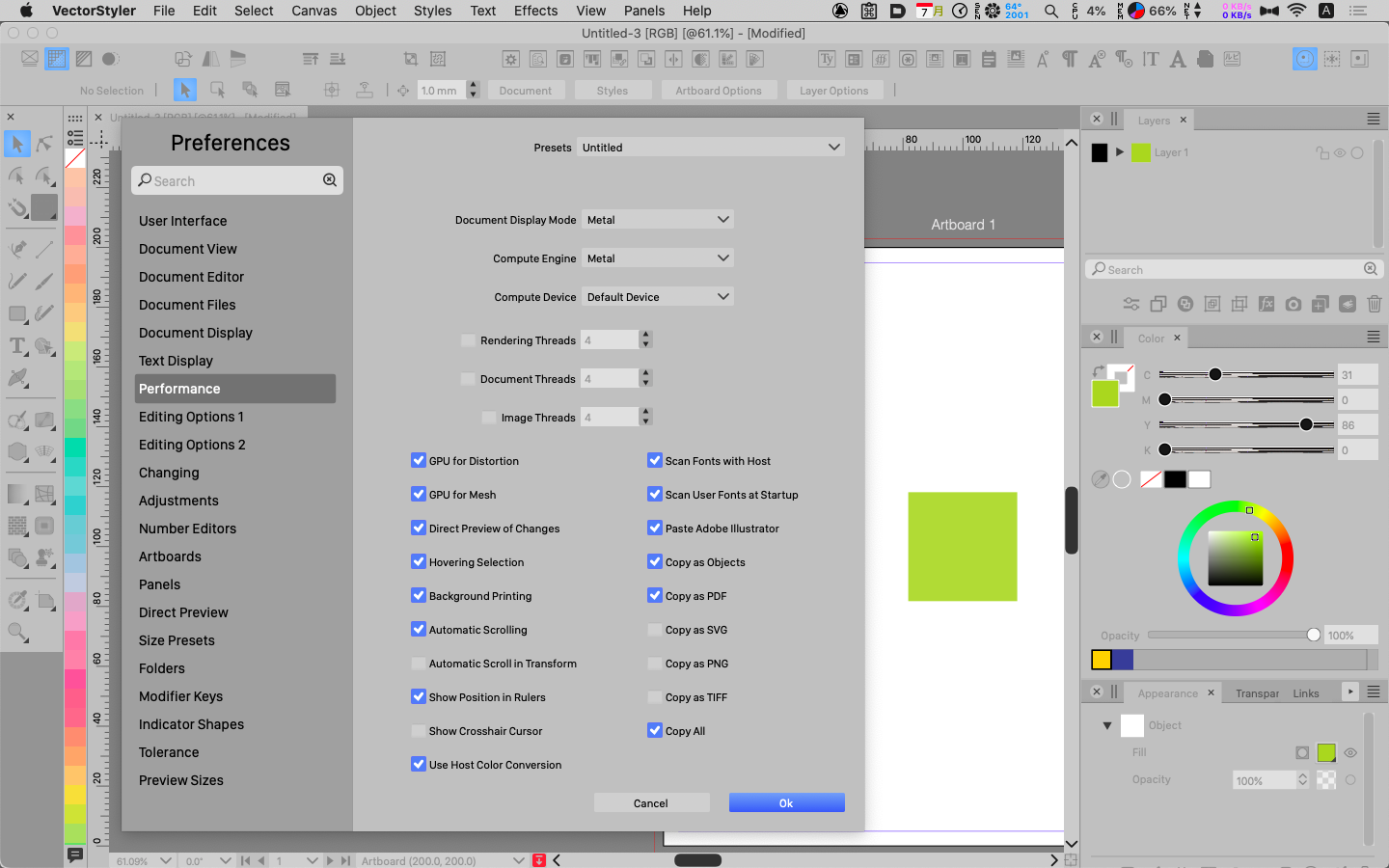
      The slider display appears as follows

      fig
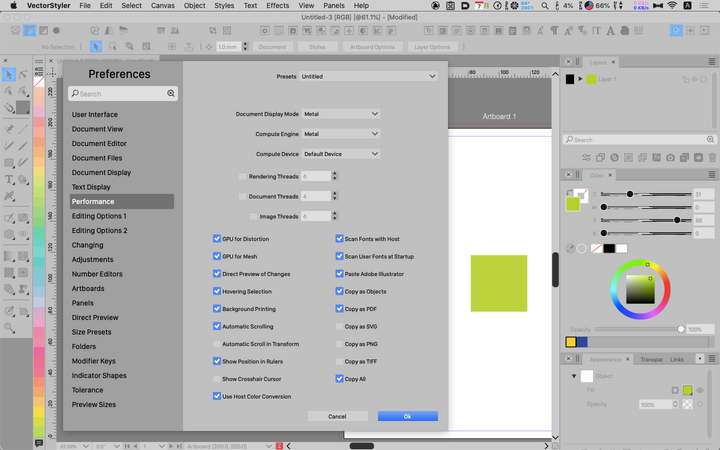
      0_1691451879063_08-07 17.png

      MacBook Pro 14'' 2023, / os 13.3
      This does not happen on

      I have not posted this for a long time because I had given up on it being the fault of my vintage mac.
      This issue has been around since before ver 1.

      To avoid this, I use the following settings
      Document Display Mode: OpenGL
      Compter Engine: Software

      Can this be addressed as a bug?

      LIc. 0 OS10.15.8
      MacBook Air (13-inch, Mid 2012) / Intel Core i5, 8GB / Intel HD Graphics 4000
      LIc. 1 OS15.7.4
      MacBook Pro (14-inch, 2023) / Apple M2 Pro, 16GB / Apple GPU

      VectorStylerV 1 Reply Last reply Reply Quote 0
      • VectorStylerV Offline
        VectorStyler @861475_VctSt
        last edited by

        @861475_VctSt Yes it does look like a bug. I will try to replicate this.

        What happens if you set OpenCL for the Compute Engine, and leave the display mode to Metal?

        861475_VctSt8 1 Reply Last reply Reply Quote 0
        • 861475_VctSt8 Offline
          861475_VctSt @VectorStyler
          last edited by

          @VectorStyler

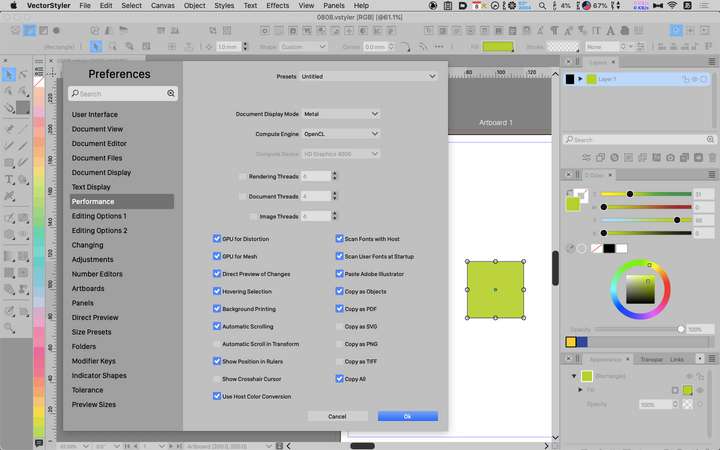
          This setting does not disturb me.
          😄

          0_1691477201610_08-08 15.png

          Is it too much for my vintage mac to rely on the GPU?
          Which is the best setting for my mac?

          LIc. 0 OS10.15.8
          MacBook Air (13-inch, Mid 2012) / Intel Core i5, 8GB / Intel HD Graphics 4000
          LIc. 1 OS15.7.4
          MacBook Pro (14-inch, 2023) / Apple M2 Pro, 16GB / Apple GPU

          VectorStylerV 1 Reply Last reply Reply Quote 0
          • VectorStylerV Offline
            VectorStyler @861475_VctSt
            last edited by

            @861475_VctSt Using the GPU should be fine.

            I have tested VectorStyler here on a 2010 iMac and it should work, but it is important to know that Metal compute is not working well on older models (metal is not working on my 2010 imac at all).

            Metal was introduced in 2014 and the compute part does not have a very good backward compatibility.

            With this combination it will use Metal for display of the drawing (that should be fine) and OpenCL GPU compute for image effects and gradients.

            861475_VctSt8 2 Replies Last reply Reply Quote 0
            • 861475_VctSt8 Offline
              861475_VctSt @VectorStyler
              last edited by

              @VectorStyler

              Metal / Metal: This setting is not good.

              I will try the following settings for the time being.
              D.D.M.: Metal
              C.E.: OpenCL

              What settings does everyone else have? 🎤
              Also, if there is a best setting depending on the machine, please let me know.

              LIc. 0 OS10.15.8
              MacBook Air (13-inch, Mid 2012) / Intel Core i5, 8GB / Intel HD Graphics 4000
              LIc. 1 OS15.7.4
              MacBook Pro (14-inch, 2023) / Apple M2 Pro, 16GB / Apple GPU

              P 1 Reply Last reply Reply Quote 1
              • P Offline
                pentool @861475_VctSt
                last edited by

                @861475_VctSt said in Color slider bar display problem:

                What settings does everyone else have? 🎤

                Metal/Metal - but mine is 2015 so it's a few years younger than yours so it works ok.

                MacBook Pro 13" early 2015 8G | Intel Iris Graphics 6100 1536 MB | macOS Monterey 12.7.6

                1 Reply Last reply Reply Quote 1
                • 861475_VctSt8 Offline
                  861475_VctSt @VectorStyler
                  last edited by

                  @VectorStyler

                  1.1.101

                  Looks like it's fixed.
                  Thanks😃

                  LIc. 0 OS10.15.8
                  MacBook Air (13-inch, Mid 2012) / Intel Core i5, 8GB / Intel HD Graphics 4000
                  LIc. 1 OS15.7.4
                  MacBook Pro (14-inch, 2023) / Apple M2 Pro, 16GB / Apple GPU

                  861475_VctSt8 1 Reply Last reply Reply Quote 1
                  • 861475_VctSt8 Offline
                    861475_VctSt @861475_VctSt
                    last edited by

                    @861475_VctSt

                    It appears to be software normal.
                    😃
                    Initially, the display was normal.
                    However, as the work progresses and memory gets tighter, the display becomes erratic, and Finder seems to be affected.
                    😂
                    I should not use this combination on my 8G old mac.
                    I have reverted back to the Metal, OpenCL combination.

                    LIc. 0 OS10.15.8
                    MacBook Air (13-inch, Mid 2012) / Intel Core i5, 8GB / Intel HD Graphics 4000
                    LIc. 1 OS15.7.4
                    MacBook Pro (14-inch, 2023) / Apple M2 Pro, 16GB / Apple GPU

                    1 Reply Last reply Reply Quote 1
                    • First post
                      Last post