VectorStyler
    • Categories
    • Unread
    • Recent
    • Tags
    • Popular
    • Register
    • Login

    (Win beta 1.0.030) Panel text and buttons
    Scheduled Pinned Locked Moved Resolved Issues
    6 Posts 2 Posters 6.3k Views
    Loading More Posts
    • Oldest to Newest
    • Newest to Oldest
    • Most Votes
    Reply
    • Reply as topic
    Log in to reply
    This topic has been deleted. Only users with topic management privileges can see it.
    • J Offline
      Jono
      last edited by Jono

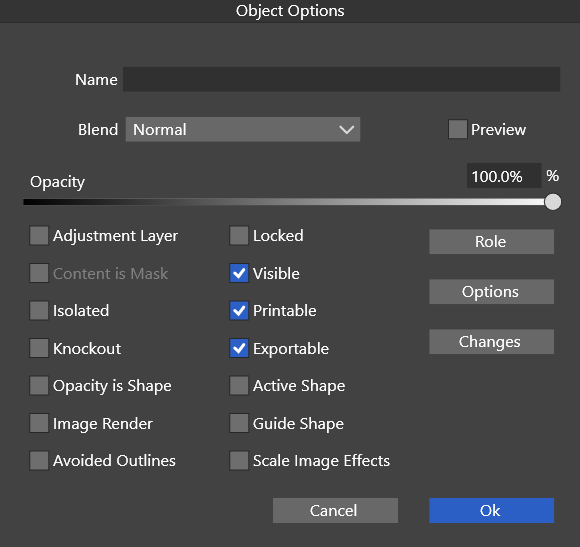
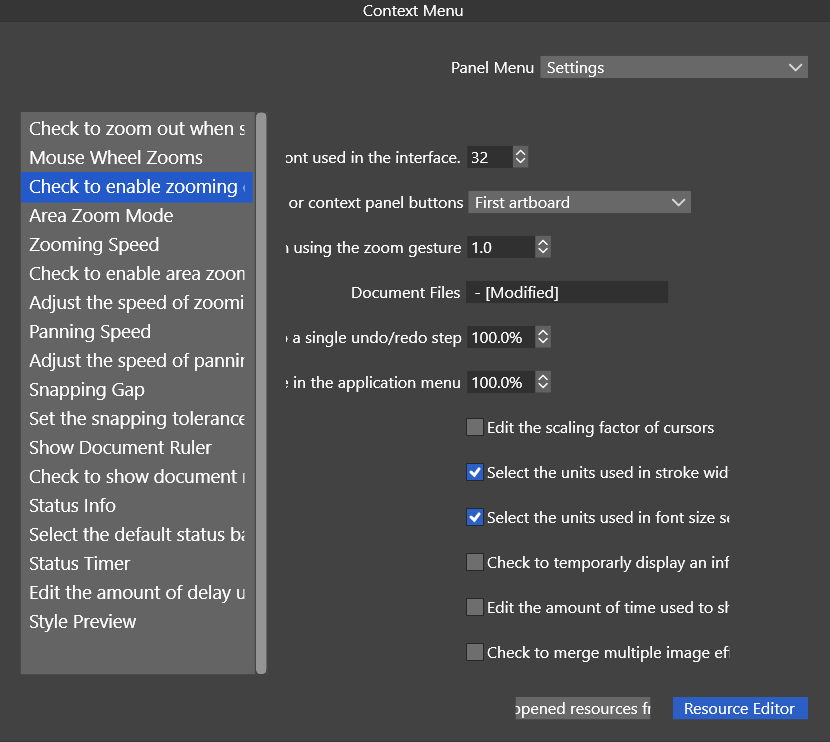
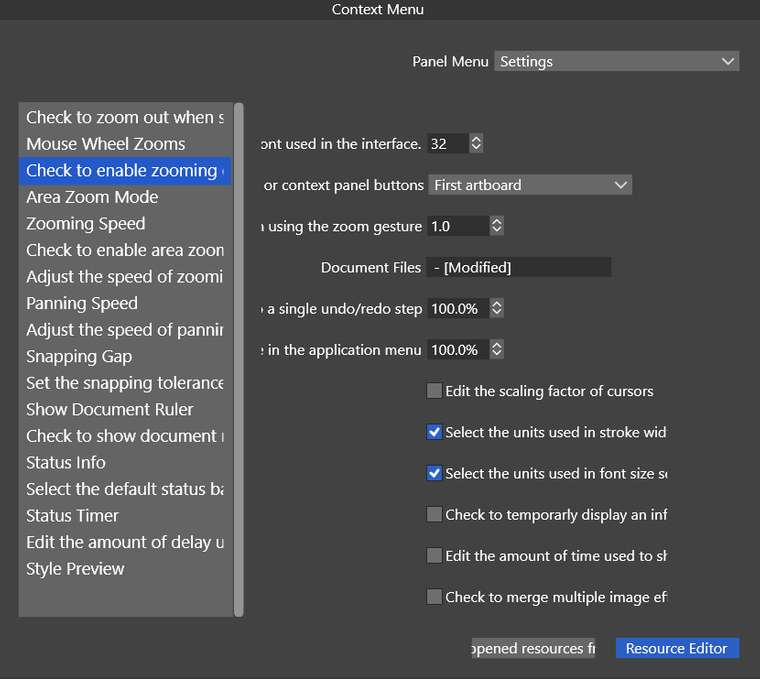
      I have Windows scaling set to 125% and experience some text within panels being slightly clipped. Also there doesn't seem to be a button to close a panel.
      0_1622550356548_object-options.png

      0_1622550365695_preferences panel.png

      Mac mini (M1, 2020) | Tahoe 26.1 | Wacom Cintiq 16 (1920 x 1080 px)

      VectorStylerV 2 Replies Last reply Reply Quote 0
      • VectorStylerV Offline
        VectorStyler @Jono
        last edited by

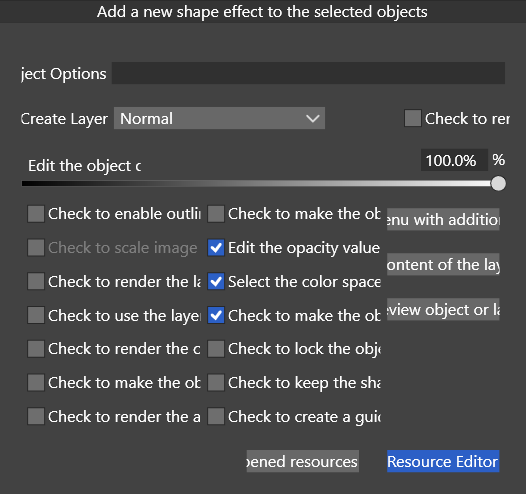
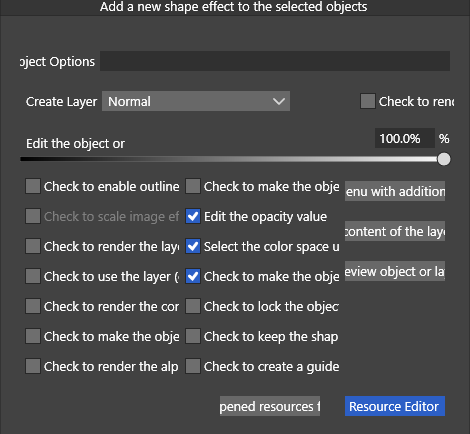
        @Jono Something is really wrong here, it shows the tool tip texts instead of the labels.

        1 Reply Last reply Reply Quote 0
        • VectorStylerV Offline
          VectorStyler @Jono
          last edited by

          @Jono Try to do a restore settings and restore workspace. And if that does not work, remove the c:/Users/<username>/NumericPath/ folder (contains settings, workspace, etc).

          1 Reply Last reply Reply Quote 0
          • J Offline
            Jono
            last edited by

            I couldn't workout how to restore settings or workspace, but I removed the folder as per instruction.

            As an experiment I also tried returning Windows scaling to 100% (screenshot below).
            0_1622555252991_object-options-100pc-scaling.png

            Mac mini (M1, 2020) | Tahoe 26.1 | Wacom Cintiq 16 (1920 x 1080 px)

            VectorStylerV 1 Reply Last reply Reply Quote 0
            • VectorStylerV Offline
              VectorStyler @Jono
              last edited by VectorStyler

              @Jono Something is still broken. Try to uninstall VectorStyler, download the MSI installer and install again. The way it looks is that either the text resource files, or the UI resource files are from a different version.
              Also, if the folder was removed, the UI should have returned to 100% (assuming the app was not running when the folder is removed).

              I tested the latest build on Windows and it seems to be ok.

              1 Reply Last reply Reply Quote 0
              • J Offline
                Jono
                last edited by

                Uninstalled, downloaded, reinstalled - all good 😀

                0_1622584559443_all-good.png

                Mac mini (M1, 2020) | Tahoe 26.1 | Wacom Cintiq 16 (1920 x 1080 px)

                1 Reply Last reply Reply Quote 1
                • First post
                  Last post