VectorStyler
    • Categories
    • Unread
    • Recent
    • Tags
    • Popular
    • Register
    • Login

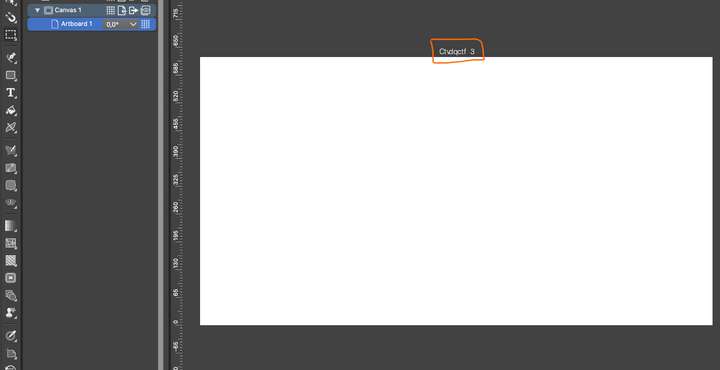
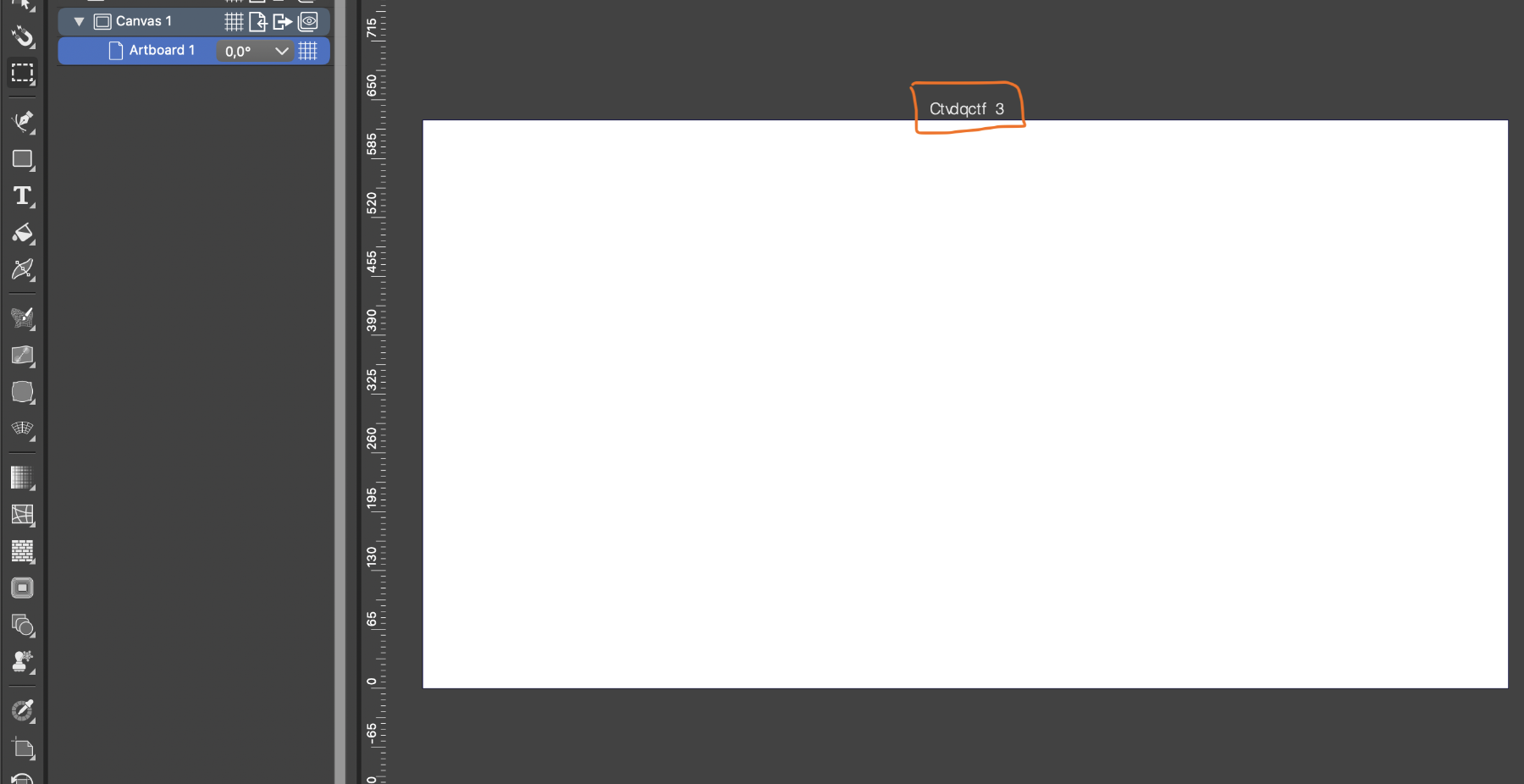
    Artboard name issue. Looks like gibberish
    Scheduled Pinned Locked Moved Resolved 1.2 bugs
    3 Posts 2 Posters 3.6k Views 2 Watching
    Loading More Posts
    • Oldest to Newest
    • Newest to Oldest
    • Most Votes
    Reply
    • Reply as topic
    Log in to reply
    This topic has been deleted. Only users with topic management privileges can see it.
    • P Offline
      Paola_B
      last edited by Paola_B

      Hola! New user here. I'm having some trouble with the artboard name visualization. It looks like gibberish at the moment. If this is not a bug, could you please give some advice regarding how to fix that? Thank you0_1712674912271_vectorstyler_artboard_name_issue.png

      VectorStylerV 1 Reply Last reply Reply Quote 0
      • VectorStylerV Offline
        VectorStyler @Paola_B
        last edited by

        @Paola_B It does look like a bug. It should be displaying the same name as in the Canvas panel.

        Can you describe what system you have (Mac, Windows)? It might be that the default font used to display the artboard name is missing.

        Also: you can change the font used here, in Settings -> Artboards (scroll down on the left side list), and click the Artboard Label button to select font, size, and color for the artboard label.

        P 1 Reply Last reply Reply Quote 0
        • P Offline
          Paola_B @VectorStyler
          last edited by

          @VectorStyler I changed the Artboard Label font as suggested, and it worked. By the way, I'm using a M1 Silicon Mac with Ventura 13.6.3. Thank you!

          1 Reply Last reply Reply Quote 1
          • First post
            Last post