Using node Tool nodes have only half the size of the size using the transform tool
-
Hello,
I adjusted the "editor node scaling" to 200% (in preferences/path editor) and set all path indicators to "large" (in preferences/indicator styles) for use on a hires screen.
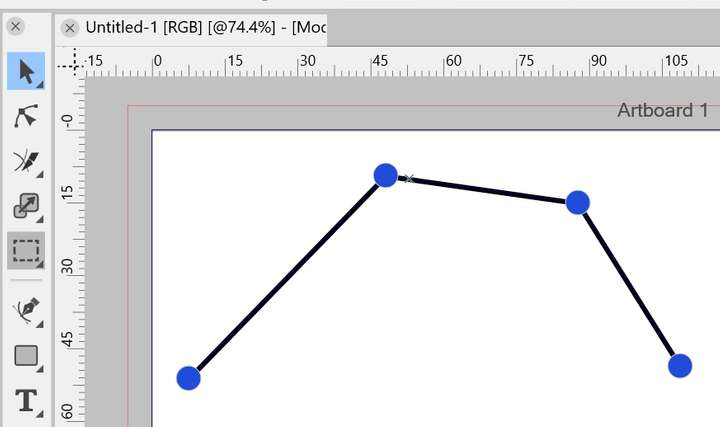
Using the transform tool or the pen tool the nodes and indicators are now shown really big (too big ).
).
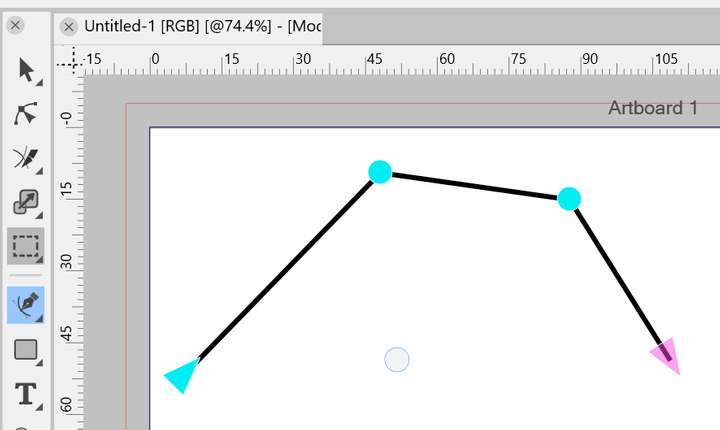
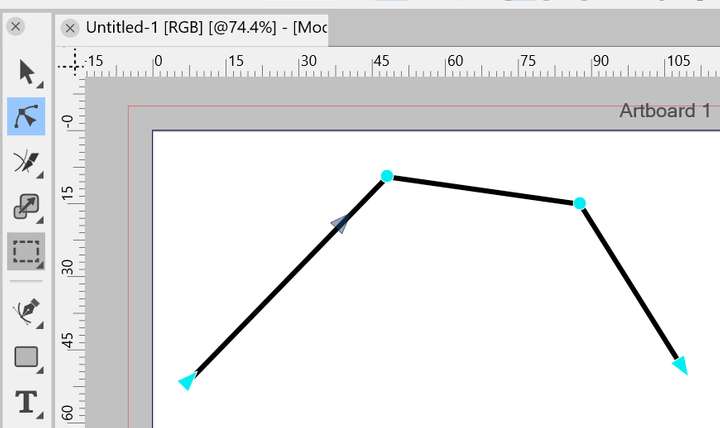
But when I switch to the node tool those nodes and indicators now have just half of the size (except directly after closing the preferences window), which is now the size I would prefer. Switching back to one of the other both tools makes them large again, same with hovering over a path.
It would be nice, if the scale of the nodes would be consistent for all tools. -
@chessboard Some changes can be also made in the Settings -> Indicator Style section, by selecting the Large shapes for path nodes.
Or (scrolling down) to the "Transform Selection Node" and setting "Small Circle"
-
@VectorStyler Thanks for your quick answering. Unfortunately, that doesn't help. I have already set all the indicators to large. Setting the one for the transform tool back to small has not made any difference here.
I'll send you a few screenshots for better clarification.Node size using pen tool:
Node size when hovering with transform tool:
Node size using node tool (seems to be half the size):
Indicator size of transform tool:
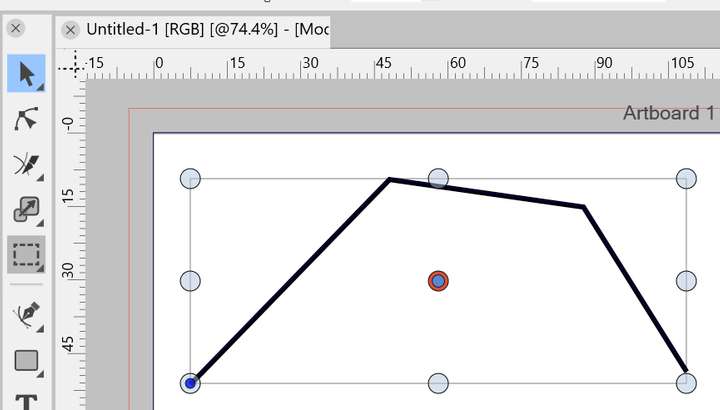
As said, I adjusted all indicators I could find to their large scale.
-
@chessboard I will add a small increase for the default path node indicator size in the next build.
-
@VectorStyler That sounds good! Thank you!