Expand the color choosing options for the Bucket Fill Tool
-
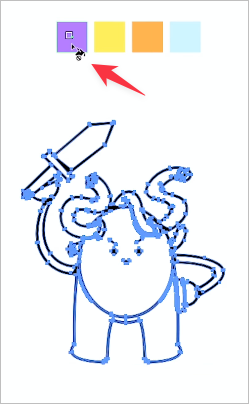
I really love using the Bucket Fill Tool - It works so well! That said, could we expand the color choosing options for the Bucket Fill Tool?
In the latter part of this Instagram video, the user is able to sample a color from the artboard to alter the color filled with the Bucket Fill Tool.
They also mention in the comments section, Make swatches and easily switch color with arrow keys". It reminded me of the options in the equivalent "Bucket Fill Tool" in Illustrator; the user could press the arrow keys to select through the different swatches in the active color palette and then use the Bucket Fill Tool to apply that new color of the fill. (I can record video of this in CS6 if that is helpful)Looking at the VS Bucket Fill Tool documentation, it mentions, "The shapes created with the Bucket Fill tool are styled with the current fill and stroke styles." The limitation I see with this is that the current fill and stroke styles will switch to whatever the targeted shape exhibits. So unless I am missing a step, I am unable to preemptively choose the color I want the selected shape to be filled with.
-
@Boldline said in Expand the color choosing options for the Bucket Fill Tool:
So unless I am missing a step, I am unable to preemptively choose the color I want the selected shape to be filled with.
I think that changing the color will work after the first bucket fill click. The problem is indeed that selecting the objects will update the current color.
I will try to improve this.

