Hairline Stroke and Outline removal
-
Thanks for the feedback:
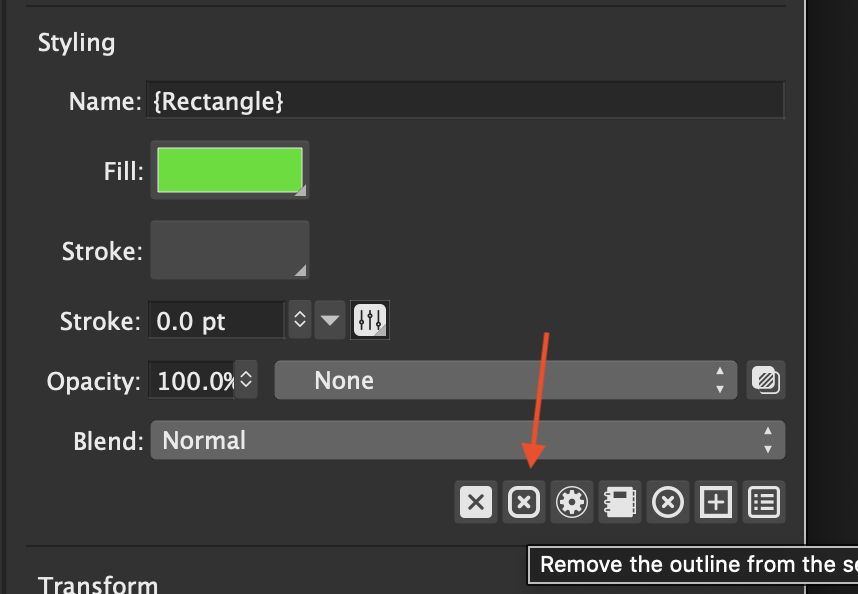
If the default stroke is no outline, then we need a fill for new objects. This can be done easily (added to the backlog).
The 0.0 width stroke (hairline) is a feature, as this means that it is as thin as possible regardless of zoom level.- "None" option can be added.
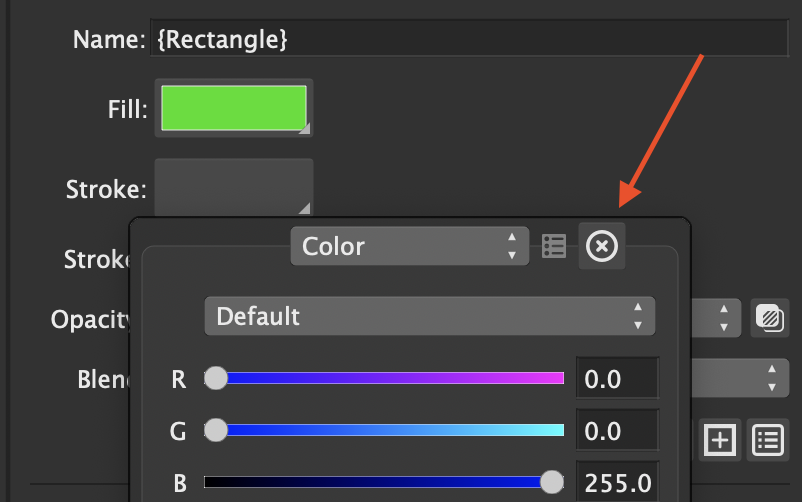
- The icons will be made the same. Will consider the red slash line icon for this.
- If I understand this you mean moving the "remove stroke/fill" buttons next to the "Fill:" and "Stroke:" dropdown fields. This can also be done easily.
Added these to the backlog (task list) should not be a problem.
-
@vectoradmin said in Hairline Stroke and Outline removal:
The 0.0 width stroke (hairline) is a feature, as this means that it is as thin as possible regardless of zoom level.
Hmm.. This is interesting, but I don't understand the feature exactly. Setting the export resolution on raster based files results in hairlines are supposed to be width of the pixel dimension, but are being exported looking like transparent strokes because of antialiasing? or some variation sub-pixel rendering? Even when using black color, the hairline is transparent grey. Maybe I need to experiment more and get the objects set on a pixel grid? Would like to know what the use case was for this.
-
Hairlines are rendered as 1 subpixel (of antialising that is 5X3 subpixels inside a pixel by default).
This makes them transparent.
I think using an other pixel (or subpixel) width for hairlines is possible to implement. -
Hi.
The above discussed issues should be fixed in build 154.
The hairline stroke width can be set (in pixels) in the View -> Display Options -> Precision view.The default fill/stroke for objects can be set to fill (gray) or stroke (thin black) in Preferences -> Editing. It is set to gray by default.
-
@vectoradmin This all seems to be working nicely! thank you. "No Fill/Stroke" swatches look great

-
Following up on this. V 154 allows the user to select "None" under stroke width, but the object never retains that setting. Instead it defaults back to "Hairline". This is a problem since the numeric field still shows 0.0
-
About the stroke after selecting None: could not replicate this, maybe there are some other conditions.
Could you check the content of the Appearance panel? does it contain a Stroke after selecting None ? -
BTW: saw the crashes, will investigate more.
Is there an example document with the shapes causing crashes with the Combine operation? -
@vectoradmin Interesting. Seems to be a disconnected "Transparency" showing in the Appearance panel.
https://vimeo.com/443103640/a2bb7ad79e -
@vectoradmin I believe this is the document that was originally causing crashes when trying to union the vader shapes. For now, it's been behaving with no crashes - though sometimes I see the vader shapes either flipped or transformed to being upside down. Strange.
https://www.dropbox.com/s/zoh9nq0qi1szg3o/vader.vstyler?dl=1 -
@badcat The transparency thing is by design.
The bottom one (visible before opening the Fill) is the object level transparency (for everything in the object).
And each individual style on the object (multiple fill or stroke, object content, etc) can have its own separate transparency setting, applied only to that style.

