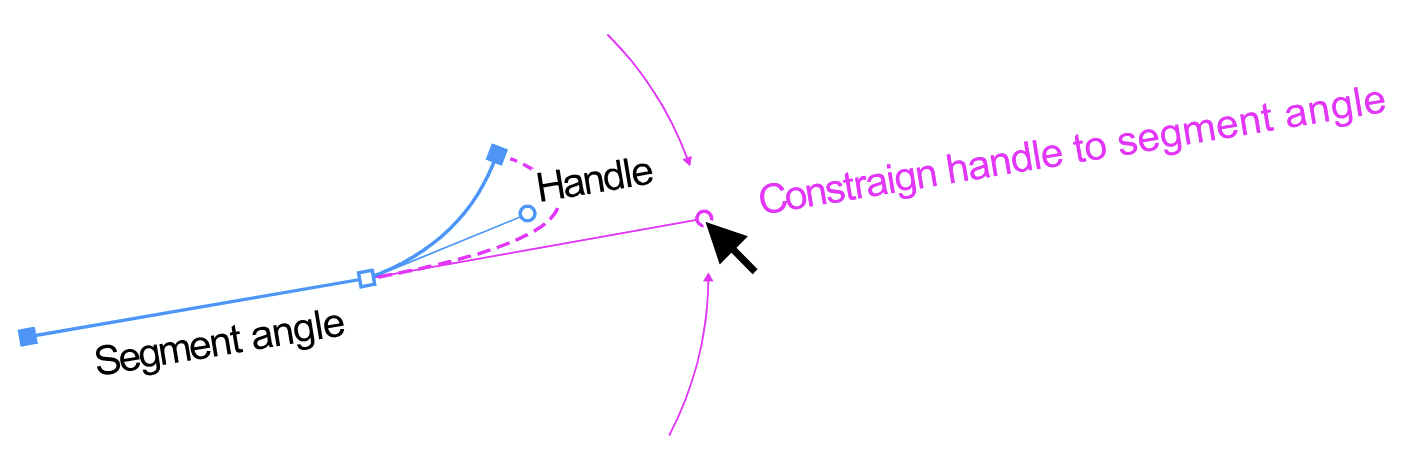
Constraign handle to previous segment angle
-
@larsherold said in Constraign handle to previous segment angle:
But could you "measure" the direction of the straight segment and apply the angle to the handle direction in the Path Panel?
Nice but a bit too cumbersome indeed
A Connector Point displayed as a triangle.
Connector Point transition is indeed the property I am looking for
Holding the Alt-key you can pull a retracted handle out of a point in FH. Miss that / haven't found in VS.
Also I have not yet succeeded in pulling out a handle. Nor the other way around, manually putting it back/putting it away in the point itself, which works with most vector apps. There are two buttons for this: "Retract the anchor node before/after selected node". But it is difficult to determine which is in front and which is behind, especially if the starting node and path direction have been made invisible (new option). Let alone that the path is a maze or very long.
A reference card like summary for working with nodes and handles would be helpful to get a good complete picture. Basics...
-
@Ayo said in Constraign handle to previous segment angle:
Retract the anchor node
I found a way: double click anchor node. Then it's gone. Simple!
-
The "Anchor Point Tool" is a lot like it's Illustrator counterpart. You can use to to pull out handles from a cusp node or to immediately retract handles on a non-cusp node.

Also, double clicking a node handle will auto-retract that handle.
-
@Boldline said in Constraign handle to previous segment angle:
retract handles on a non-cusp
Another tool...
 Using the Anchor point tool turns a cusp node instantly into a smooth node. Normal?
 -
@Ayo said in Constraign handle to previous segment angle:
@Boldline said in Constraign handle to previous segment angle:
retract handles on a non-cusp
Using the Anchor point tool turns a cusp node instantly into a smooth node. Normal?
As opposed to leaving it a cusp node but making handles available?
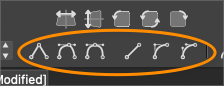
Another option is to use the shortcuts at the top of the screen and their keyboard shortcuts to convert a cusp node (L) to a smooth node (U) or a symmetric node (Y)
or the (1) key to change a path to a line or using the (3) key to make it a cubic segmentThe cubic segment option will allow a cusp node to remain as such but also give handles that allow an individual side of the node to be edited
🍎 macOS Tahoe 26.2, Mac mini (M1, 2020), Chip Apple M1, Memory 16 GB
Cintiq 27QHD Display and LG Ultra HD Display -
@Boldline said in Constraign handle to previous segment angle:
leaving it a cusp node but making handles available
Yes exactly. We can alway convert to smooth or symmetric.
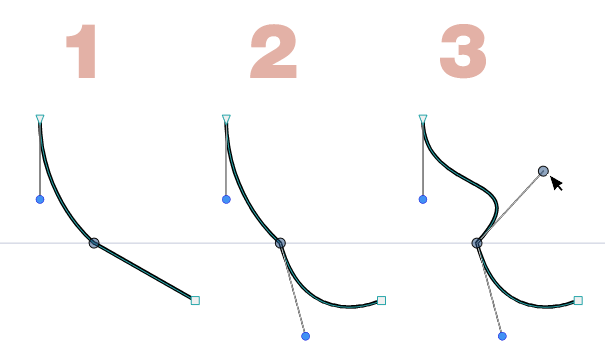
Leaving it cusp and affecting only the side(s) of the curve that the pulled handle(s) control(s). Like this:- Middle node is Cusp with retracted handles
- Outgoing handle pulled to affect lower part of curve
- Ingoing handle pulled to affect upper part of curve
-
@Ayo Unfortunately, there are not enough modifiers for all these features. You need to enable "Constrain Line Angle" in Settings -> Constraint to have the angle restricted by Shift
-
Lots of advanced buttons but...
may I ask summarising my question below how to realise this simple action?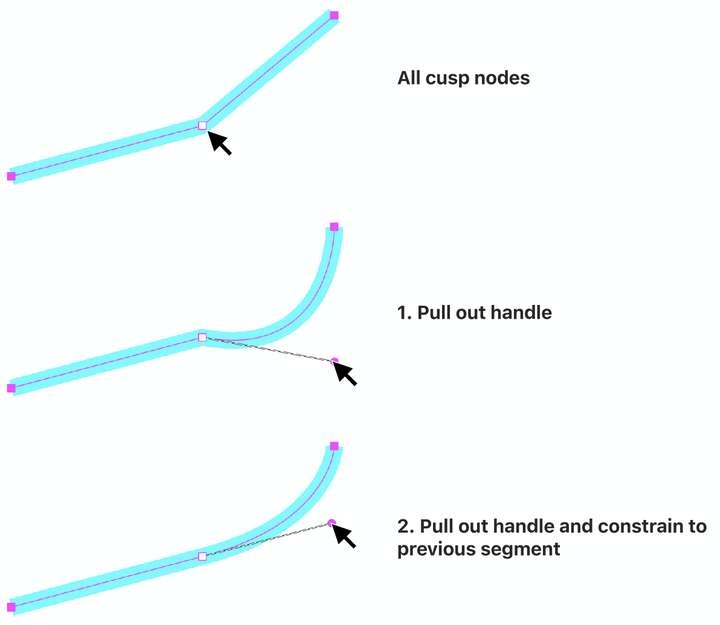
-
@VectorStyler said in Constraign handle to previous segment angle:
You need to enable "Constrain Line Angle"
Thanks! When I disable "Constrain Line Angle" it works. Left me how to pull out a handle.
-
@Ayo To convert a line to cubic segment without the buttons, just drag the line, not from the node but from some location along the line.
-
@Ayo But case (2) of handle pull out is not possible directly.
-
@VectorStyler said in Constraign handle to previous segment angle:
just drag the line, not from the node but from some location along the line
Yes, but then you still have to push the other back


