Deactivate preset folder but keep it in sight?
-
Trying to get rid of the tons of silly* arrow shapes I managed to create a new group and put existing default arrows in a separate folder. Contents of both folders remain visible in my Preset panel. Can I deactivate this folder so that it still exists but is no longer visible but keep it in sight?
*That sounds judgmental dirty. That's the case. Would prefer a smaller, solid, usable basic arrow/ending set and leave the fantasy variants to the user. Looks much more professional.
Streamlining Naming
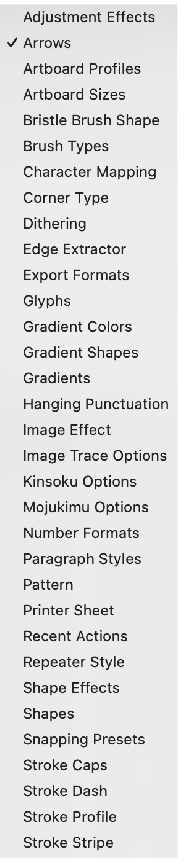
In the Preset Manager menu list:
shouldn't Arrows become Stroke Arrows?See bottom list Stroke family
-
@Ayo The default preset group will always be visible, the only way to deal with this to create the restricted presets in the default group.
A group can be "hidden" using the (x) button at the end of the group title row.
A Preset panel can be detached to show a single preset type only, by dragging from the preset type heading (gray background).
I will rename the "Arrows" thing.
-
@VectorStyler said in Deactivate preset folder but keep it in sight?:
create the restricted presets in the default group
How to do that
A group can be "hidden" using the (x) button at the end of the group title row.
Oops! now I have removed the Arrows group from the presets panel. Don't know how to get it back now
Deactivate–Activate
This was my suggestion / idea to make life easier.
For notification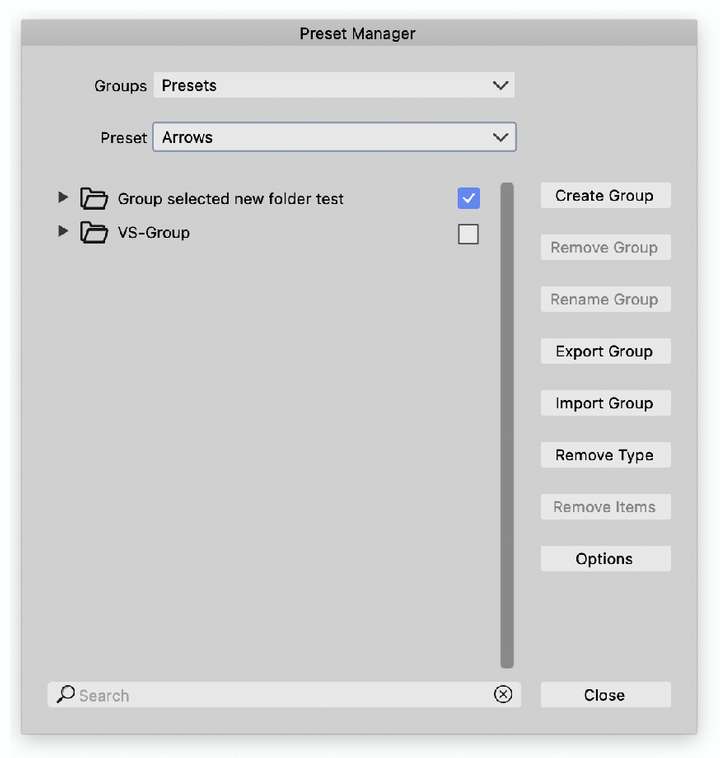
-
@Ayo said in Deactivate preset folder but keep it in sight?:
Oops! now I have removed the Arrows group from the presets panel. Don't know how to get it back now
If preset groups were hidden, the Presets panel menu will contain a "Reveal Hidden Presets" that resets the whole thing to all groups visible.
-
@Ayo said in Deactivate preset folder but keep it in sight?:
Don't know how to get it back now
Got it back!
Presets Menu > Reveal Hidden PresetsIf not applicable > not visible
Other inapplicable options in that list are gayed-out by the way.
Prefer grayed out. For notification -
@Ayo said in Deactivate preset folder but keep it in sight?:
Prefer grayed out. For notification
EDIT: this I have to think it over. There are a lot of other menus showing/hiding depending on availability.
Cannot have them all showing in grayed out mode.Some commands are prioritized for info, and those will show greyed.
-
Tried keeping the default arrow set (Export Group) to see if I could delete the group as well.
Did export and get a very long list of all presets? including selected. Is this correct?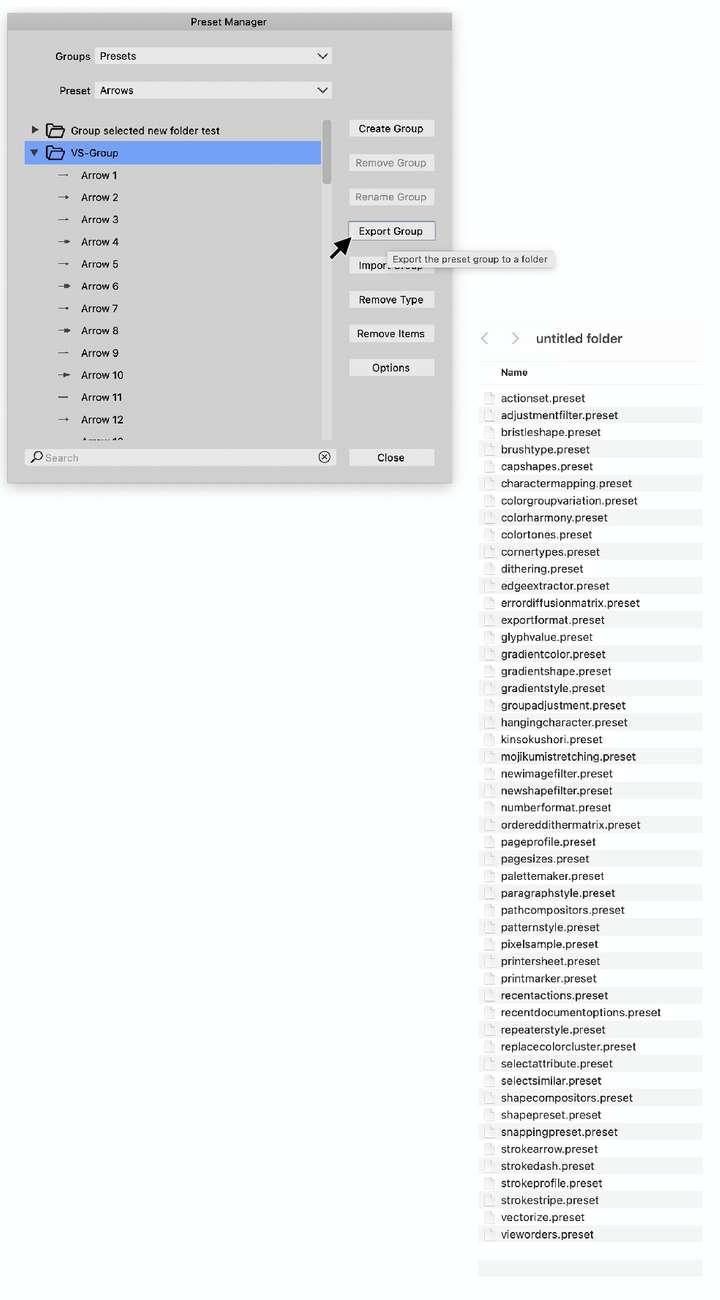
-
@Ayo said in Deactivate preset folder but keep it in sight?:
Did export and get a very long list of all presets?
Yes, all the presets were copied from that group (exports the whole group).
The Options button opens other exporting options.
-
@VectorStyler
Getting a little confused by the term 'Group'. Does this have two meanings in Presets?Preset Group folder (Create Preset Group) & Presets Group as a whole?
-
@Ayo said in Deactivate preset folder but keep it in sight?:
Does this have two meanings in Presets?
It has a single meaning, it is a Group (or collection) of presets of all kinds of types.
A group of presets is stored in a folder, with each preset type (arrow, dash, pattern, brush, etc) in a separate file.
You can create new groups that are always loaded / stored in a folder. When storing presets in these user folders, it is easier to back them up, share them, etc.
-
@VectorStyler
I know what a group means, but it's about naming in the menus, panels and documentation to keep things apart. Let me explain...Presets Group n.1
If I say 'Create New Folder' in the Preset Manager menu, I get a popup with 'Create New Group'. The pre-filled text then says 'Group'. You can then complete the name yourself. For example, I create 'Group my Arrows' folder.Presets Group n.2
Button 'Export Group' in the Preset Manager means export the whole group of all the presets. All 51 types that exist, arrows, gradients, patterns etc. Not 'Group my Arrows'This is confusing
Suggestion:
Preset folders & Preset Groups -
@Ayo said in Deactivate preset folder but keep it in sight?:
Button 'Export Group' in the Preset Manager means export the whole group of all the presets
This should export only the types in the current group. I will open a bug on this to verify it.

