Gradient Color Presets menu issues
-
Windows 11, VectorStyler 1.2.034
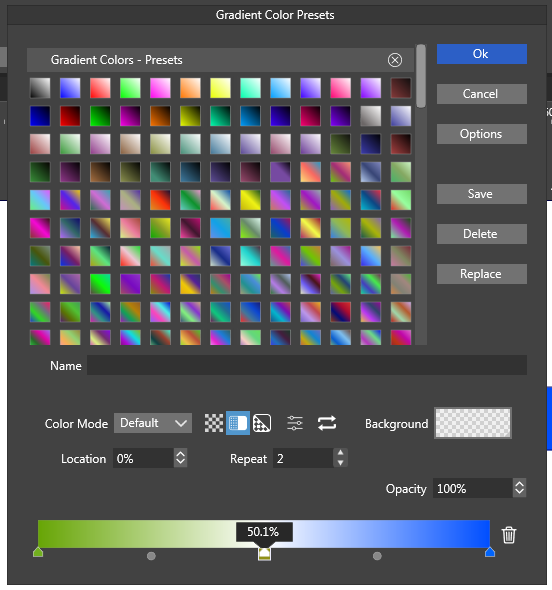
I have found certain peculiarities in the Gradient Color Presets menu.
-
If I click on a preset in the grid, the gradient at the bottom does not immediately update. I have to click on yet another preset item for the bottom gradient to update.
-
If I click Options → Create Empty Folder…, I can name a folder that is not immediately visible here. I have to go to the Preset Manager to even realise that I have created a folder.
-
I can hide the presets with no immediate way to restore it without going to the Presets panel. Not really a bug, but from a UI perspective this is really confusing.
-
Nothing seems to change if I modify the value in the Location attribute. It doesn't change the colour stop's position. The same applies to the gradient editor in Preset Manager.
-
-
@nocturnalYL Yes, these can be replicated, I opened a bug on these.
-
As of version 1.2.035:
- The 2nd and 3rd points I brought up were solved by removing the confusing options from the UI.
- The 4th point was solved. "Location" now works as intended.
That means only the 1st point remains applicable. Thanks, @VectorStyler!
-
@nocturnalYL said in Gradient Color Presets menu issues:
That means only the 1st point remains applicable
I will try to fix this for the next build.

