VectorStyler
    • Categories
    • Unread
    • Recent
    • Tags
    • Popular
    • Register
    • Login

    Pucker tool like functionality.

    Scheduled Pinned Locked Moved Features and Ideas
    7 Posts 3 Posters 7.0k Views 3 Watching
    Loading More Posts
    • Oldest to Newest
    • Newest to Oldest
    • Most Votes
    Reply
    • Reply as topic
    Log in to reply
    This topic has been deleted. Only users with topic management privileges can see it.
    • K Offline
      Kumr
      last edited by

      Is it possible to have tool or functionality similar to pucker tool (deflates objects shape by moving control points towards the cursor, kinda opposite to circular bump tool) in illustrator? It's helpful in illustration works. May be it's possible to achieve the same with already existing tools by changing some settings and I havent figured it how.
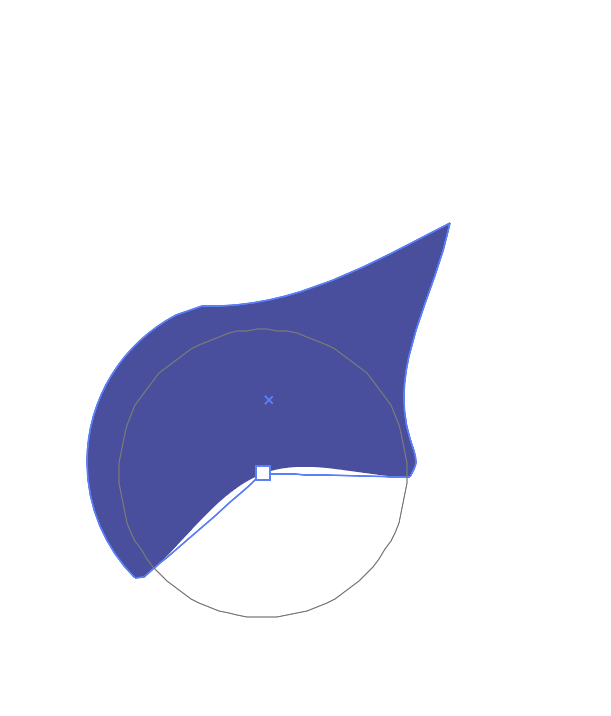
      0_1722702650058_Screenshot 2024-08-03 at 10.00.00 PM.png

      M1 MacBook Air, 16GB, macOS Sonoma 14.4.1

      S 1 Reply Last reply Reply Quote 0
      • S Offline
        Subpath @Kumr
        last edited by

        @Kumr

        look here, double click on the Tool
        to change the size and to get further settings
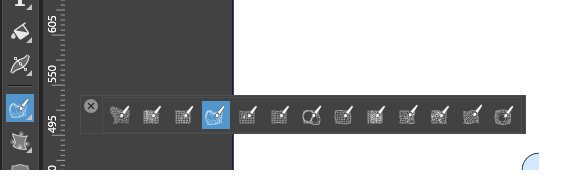
        0_1722710915600_Pucker Tool.png

        Win 11
        CPU: AMD Ryzen 5 9600X, 6-core.
        GPU: Nvidia Geforce RTX 5070.

        K 1 Reply Last reply Reply Quote 1
        • K Offline
          Kumr @Subpath
          last edited by

          @Subpath @vectorstyler Thanks for the reply. I couldn't figure out settings to get similar functionality of the pucker tool. ( eg https://www.youtube.com/shorts/I0J5roYfHLQ)

          Options in VS brush tool .
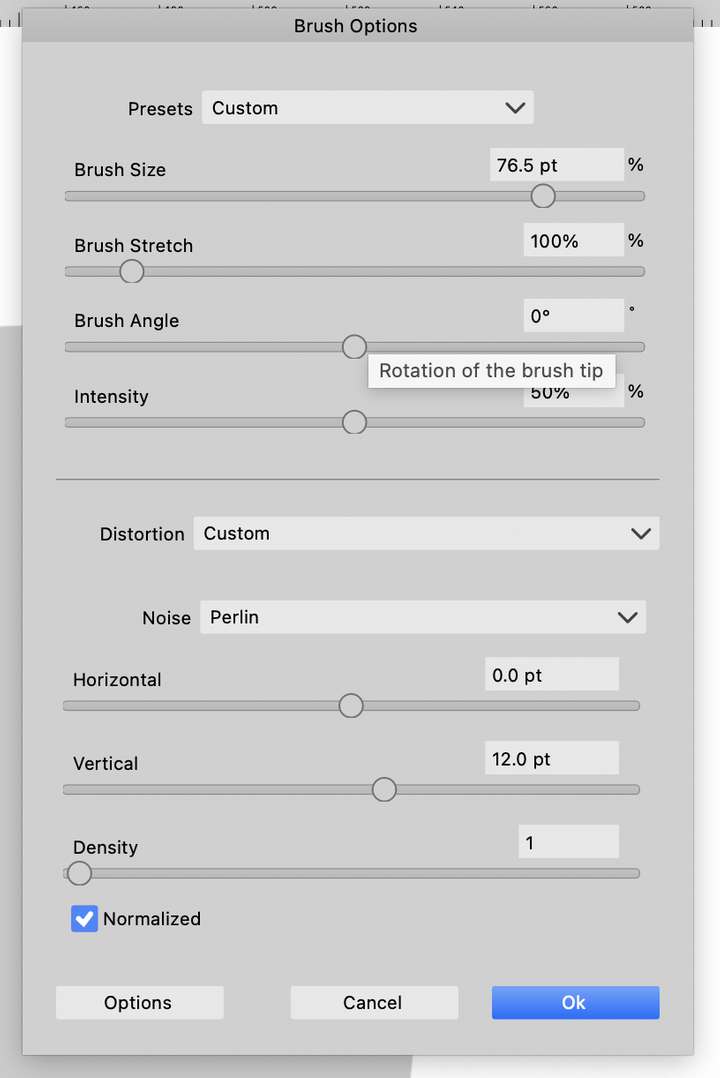
          0_1722732490987_03cec1a5-7c4b-46d4-891c-835f2ef602c5-image.png

          Any help appreciated, Thanks

          M1 MacBook Air, 16GB, macOS Sonoma 14.4.1

          VectorStylerV S 2 Replies Last reply Reply Quote 0
          • VectorStylerV Offline
            VectorStyler @Kumr
            last edited by

            @Kumr Try the Circular Bump tool (last one in the distortion tools). And set the Amount to -100.

            S 1 Reply Last reply Reply Quote 0
            • S Offline
              Subpath @Kumr
              last edited by Subpath

              @Kumr

              Made a video that also shows also the settings.
              In my tries i am using the "Liquify Tool" instead of
              the "Circular Bump Tool" but i show both in the Video.

              In general don't move too fast, if a brush seems to don't work
              try to move a bit slower. VS Distortion Tools are not as fluid
              as the Plucker Tool in Illustrator, at least in my attempts.

              I forgot, save a preset as soon as you have found a good setting
              and use the name of the Tool you used in the preset name.

              Here the Video - Distortion Tools and Settings

              Win 11
              CPU: AMD Ryzen 5 9600X, 6-core.
              GPU: Nvidia Geforce RTX 5070.

              K 1 Reply Last reply Reply Quote 1
              • S Offline
                Subpath @VectorStyler
                last edited by

                @VectorStyler

                On Monday I post a few things that I noticed
                when using the distortion tools.

                Win 11
                CPU: AMD Ryzen 5 9600X, 6-core.
                GPU: Nvidia Geforce RTX 5070.

                1 Reply Last reply Reply Quote 0
                • K Offline
                  Kumr @Subpath
                  last edited by

                  @Subpath @VectorStyler Thank you very much for the help. Needed this function for a project work. I can use both the circular and liquify brush settings shared here. I agree illustrator tools are very fluid over VS brushes, may to find the right settings and speed as you pointed out.

                  M1 MacBook Air, 16GB, macOS Sonoma 14.4.1

                  1 Reply Last reply Reply Quote 2
                  • First post
                    Last post