VectorStyler
    • Categories
    • Unread
    • Recent
    • Tags
    • Popular
    • Register
    • Login

    Unexpected Results when Merging Shapes
    Scheduled Pinned Locked Moved Resolved 1.2 bugs
    4 Posts 3 Posters 4.7k Views 2 Watching
    Loading More Posts
    • Oldest to Newest
    • Newest to Oldest
    • Most Votes
    Reply
    • Reply as topic
    Log in to reply
    This topic has been deleted. Only users with topic management privileges can see it.
    • debraspicherD Offline
      debraspicher
      last edited by

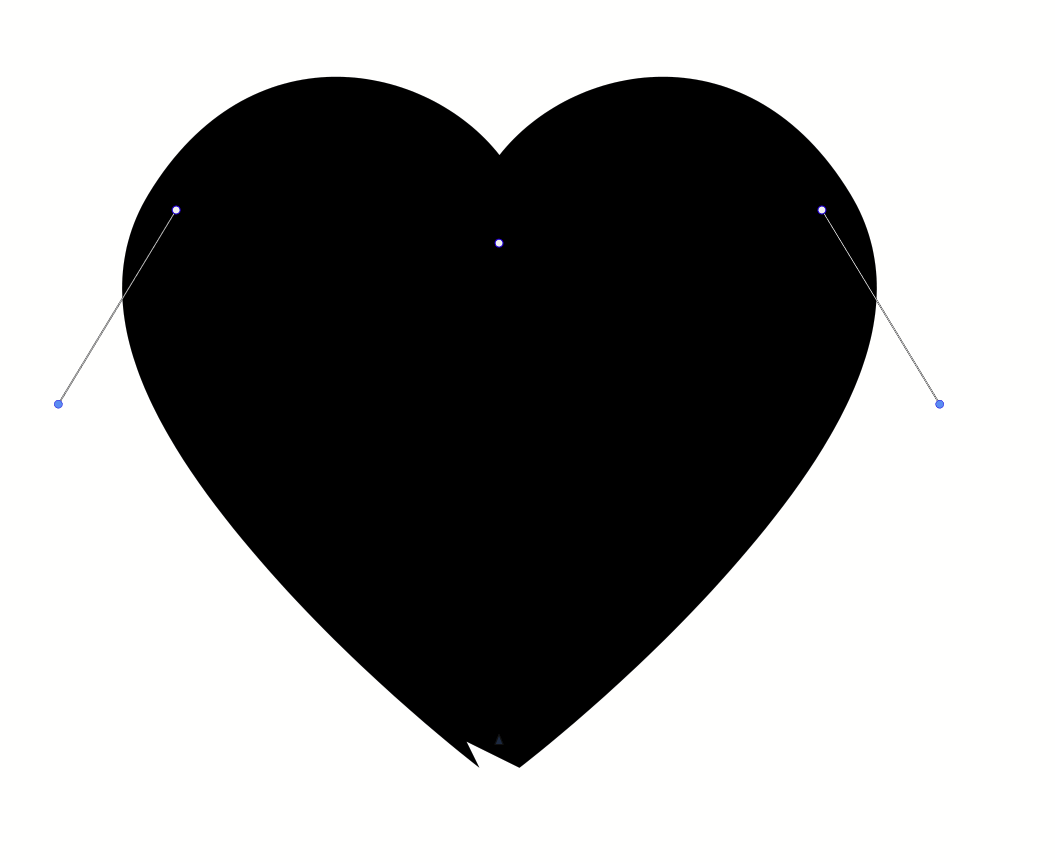
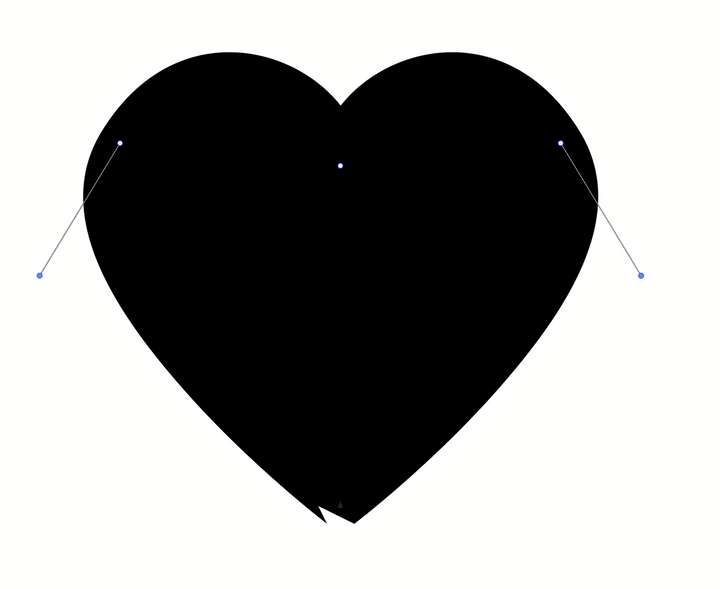
      I checked points individually and everything should line up, as expected after a snap job. I attached the file before the merge: .vstyler

      Going to that point and re-selecting it as a Sharp Node fixes it though.
      0_1722990289301_00171af0-dd9a-471c-8bf6-ab5a7e2c92f6-image.png

      Video: https://1drv.ms/u/s!AuWHX0h5bAoRipcH3pUPnNJ_GXexBg?e=13lNtV

      Windows 11 Build 26200.7171 (25H2)
      AMD Ryzen 7 9700X with Gigabyte X870E Aorus Pro Ice
      32GB RAM @ 6000MHz
      PNY NVIDIA RTX 5070 Ti 16GB; Display 1: 4K @150%; Display 2: 4K @200%
      Wacom Intuos Pro L (2025); Wacom Intuos Pro M; Epson ET-8550; Siser Romeo

      BoldlineB VectorStylerV 2 Replies Last reply Reply Quote 0
      • BoldlineB Offline
        Boldline @debraspicher
        last edited by Boldline

        @debraspicher did you expand the stroke to make it a fill before attempting to merge the two pieces? I downloaded your file and when I expanded the strokes it then merged correctly.

        If you were aiming to keep the stroke active and have a unified shape within, then using the "unite" boolean does accomplish this but with the issue you mentioned - so I agree that aspect should get fixed

        🍎 macOS Tahoe 26.2, Mac mini (M1, 2020), Chip Apple M1, Memory 16 GB
        Cintiq 27QHD Display and LG Ultra HD Display

        debraspicherD 1 Reply Last reply Reply Quote 0
        • debraspicherD Offline
          debraspicher @Boldline
          last edited by

          @Boldline Repressing the button for "Sharp node" on the bottom node fixed it, so there was no need to do a pre-expansion. That would've been the next thing to try. I'm just reporting the broken method here so that it can get patched.

          Windows 11 Build 26200.7171 (25H2)
          AMD Ryzen 7 9700X with Gigabyte X870E Aorus Pro Ice
          32GB RAM @ 6000MHz
          PNY NVIDIA RTX 5070 Ti 16GB; Display 1: 4K @150%; Display 2: 4K @200%
          Wacom Intuos Pro L (2025); Wacom Intuos Pro M; Epson ET-8550; Siser Romeo

          1 Reply Last reply Reply Quote 1
          • VectorStylerV Offline
            VectorStyler @debraspicher
            last edited by

            @debraspicher The retracted handles at the end of the path cause a stroke glitch. The union seems to be correct, but the stroke at that bottom node is wrong. I will try to find a solution for this.

            1 Reply Last reply Reply Quote 1
            • First post
              Last post
