VectorStyler
    • Categories
    • Unread
    • Recent
    • Tags
    • Popular
    • Register
    • Login

    Cosmetic issue - "Preset... Style..." menu order
    Scheduled Pinned Locked Moved Bugs in VectorStyler
    2 Posts 2 Posters 3.2k Views 2 Watching
    Loading More Posts
    • Oldest to Newest
    • Newest to Oldest
    • Most Votes
    Reply
    • Reply as topic
    Log in to reply
    This topic has been deleted. Only users with topic management privileges can see it.
    • P Offline
      pentool
      last edited by

      This is just a cosmetic issue.

      1. Go to the Gradient Panel, or any place where you can create/edit gradients
      2. Open the panel menu
      3. There are menu commands listed, like
      • Save Gradient Color Preset
      • Save Gradient Color Style

      • Save Gradient Shape Preset
      • Save Gradeitn Shape Style
      • etc... and there are more

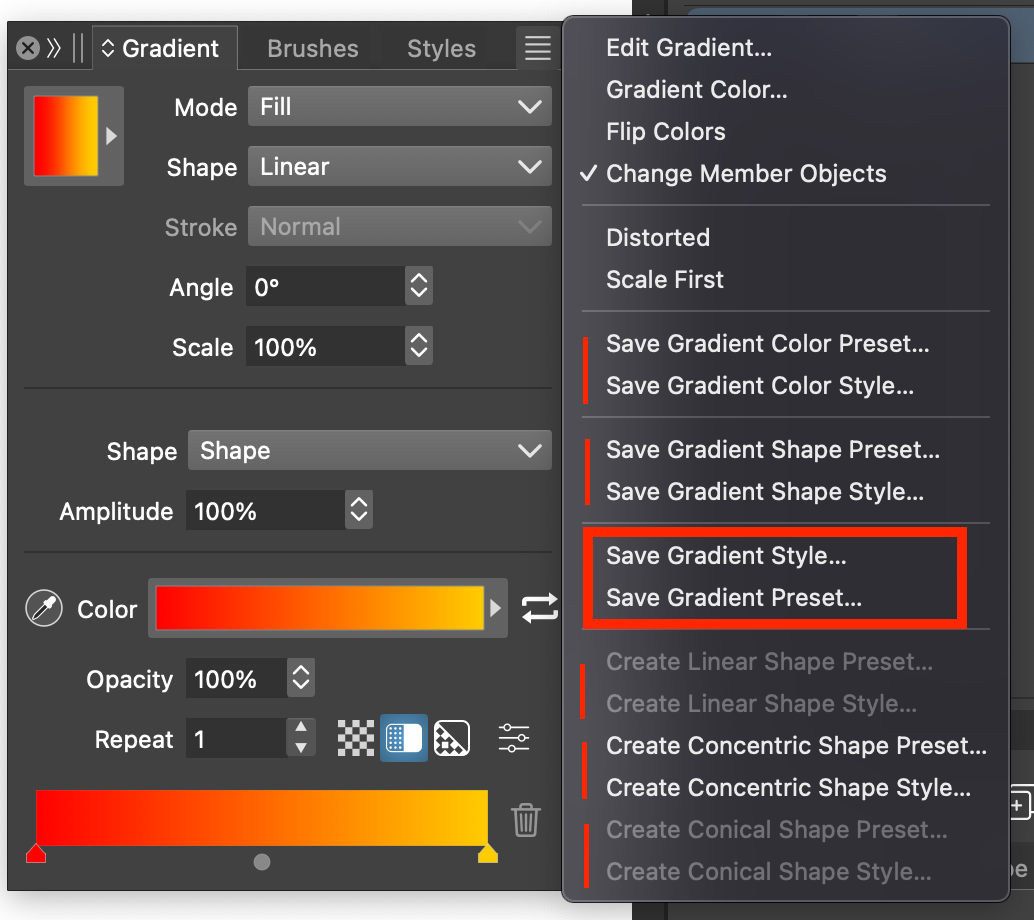
      Notice that these menu commads always come in the order of first "Preset" then "Style" except for "Save Gradient Style" and "Save Gradient Preset". These seem to be backwards and break the "rhythm". I think they should be reversed so they will align with all the other saving options (eg Preset... Style... Preset... Style... Preset... Style)
      0_1727277882382_Screen Shot 2024-09-25 at 5.16.07 PM.png

      MacBook Pro 13" early 2015 8G | Intel Iris Graphics 6100 1536 MB | macOS Monterey 12.7.6

      VectorStylerV 1 Reply Last reply Reply Quote 2
      • VectorStylerV Offline
        VectorStyler @pentool
        last edited by

        @pentool Will be fixed!

        1 Reply Last reply Reply Quote 1
        • First post
          Last post
