Change Ruler Origin Point with Click and Drag from Upper Left hand Side of the Rulers Intersection
-
@vectoradmin
User Interface Improvement:
I like to see VectorStyler add the ability to change the Ruler Origin Point with Click and Drag from the upper left hand side of the Rulers where the Horizontal and Vertical Rulers intersect.
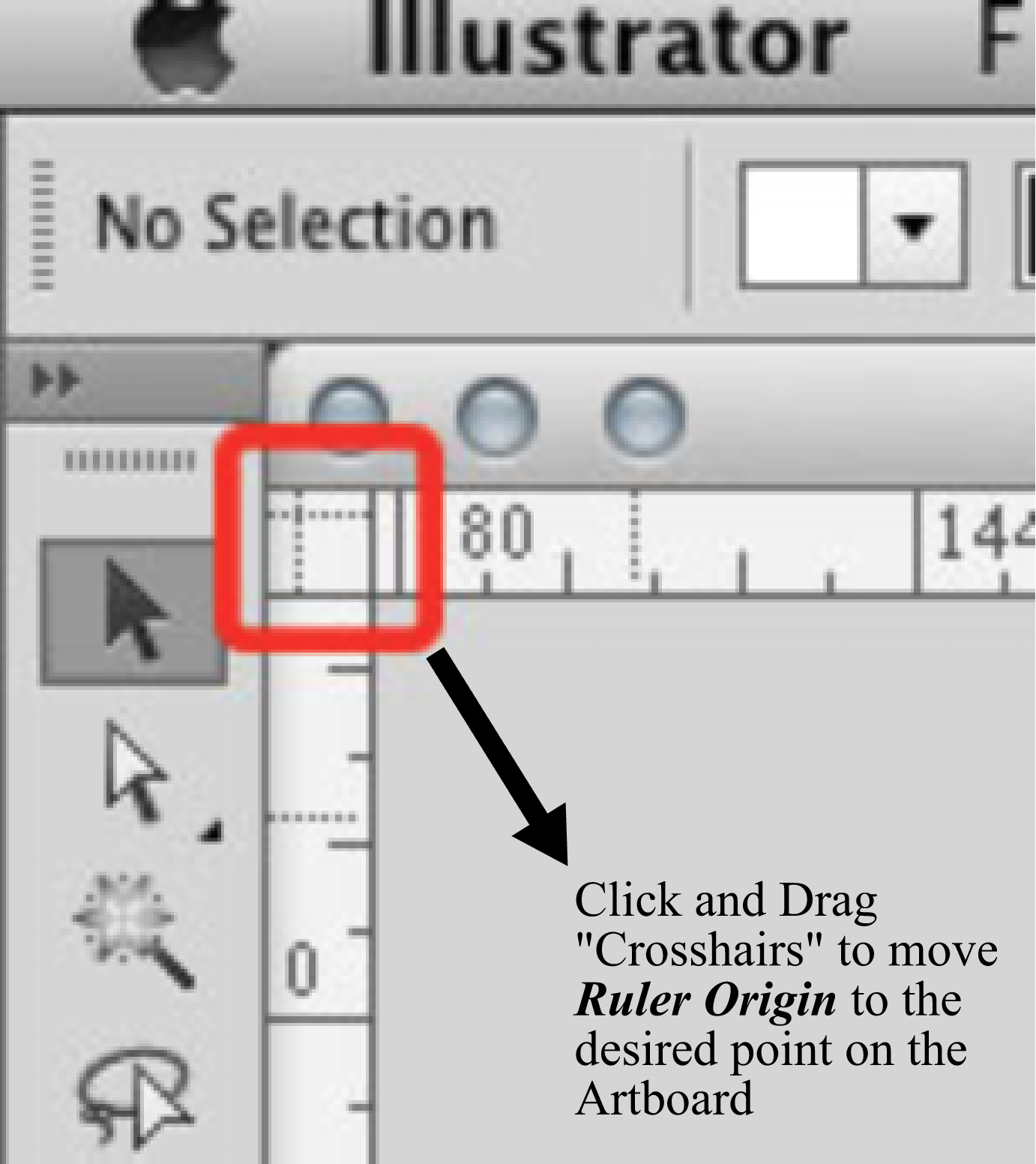
Adobe Illustrator has “crosshairs” at the horizontal and vertical ruler intersection that you simply pull to set the Ruler Origin Point to whatever location you want on the Artboard.
It looks like this:
-
This would be a good improvement
-
@Vector-Rock and @Boldline Option-dragging from the corner where the rulers intersect does this.
@vectoradmin Maybe Vector-Rock and Boldline tried this but pressed Option after beginning to drag, so they concluded it doesn't work. If possible, make it also work with drag + Option.
-
@b77 @Vector-Rock @Boldline Once the dragging starts (without Option+) it will add two guidelines.
I will think of a solution if it can be swapped (by pressing Option) to ruler origin mode. -
@vectoradmin said in Change Ruler Origin Point with Click and Drag from Upper Left hand Side of the Rulers Intersection:
@b77 @Vector-Rock @Boldline Once the dragging starts (without Option+) it will add two guidelines.
I will think of a solution if it can be swapped (by pressing Option) to ruler origin mode.@vectoradmin Simple dragging from the corner adds two guidelines — I don't see any conflict here with pressing Option after dragging.
The app is already more "forgiving" when the user presses Option after beginning to drag an object (to create a copy of it), so why not here also.

-
@vectoradmin said in Change Ruler Origin Point with Click and Drag from Upper Left hand Side of the Rulers Intersection:
@b77 @Vector-Rock @Boldline Once the dragging starts (without Option+) it will add two guidelines.
I will think of a solution if it can be swapped (by pressing Option) to ruler origin mode.@vectoradmin,
In the solution you come up with. Two questions:
-
Could you add an Icon or some type of visual indicator (Adobe Illustrator uses a "Crosshair") to show there indeed is actually a feature in the upper left hand corner of the ruler intersection rather than simply a random "blank area" in the Workspace?
-
Could you add a "tool tip" when hovering the cursor over the Icon region pointing out what it does and the options?
Such as "Click and drag to simultaneously pull out a pair of Horizontal and Vertical Guidelines. Hold down Option before dragging to Change the Ruler Origin Point".....or something like that.
Small thing things like this will go a long way in the continued Improvement of the VectorStyler User Interface.
-
-
@Vector-Rock Both 1 and 2 can be done.
-
@vectoradmin,
Awesome and well done. Another User Interface Improvement!

The Ruler Origin Point Icon at the intersection of the Rulers looks nice. Users will know there is a feature there now!
I'm biased , but gotta say I love the new Tool Tip when hovering over the Ruler Origin Point Icon as well.


