VectorStyler
    • Categories
    • Unread
    • Recent
    • Tags
    • Popular
    • Register
    • Login

    Strange Behavior with UI in Settings Panel

    Scheduled Pinned Locked Moved Bugs in VectorStyler
    6 Posts 2 Posters 5.0k Views 2 Watching
    Loading More Posts
    • Oldest to Newest
    • Newest to Oldest
    • Most Votes
    Reply
    • Reply as topic
    Log in to reply
    This topic has been deleted. Only users with topic management privileges can see it.
    • debraspicherD Offline
      debraspicher
      last edited by

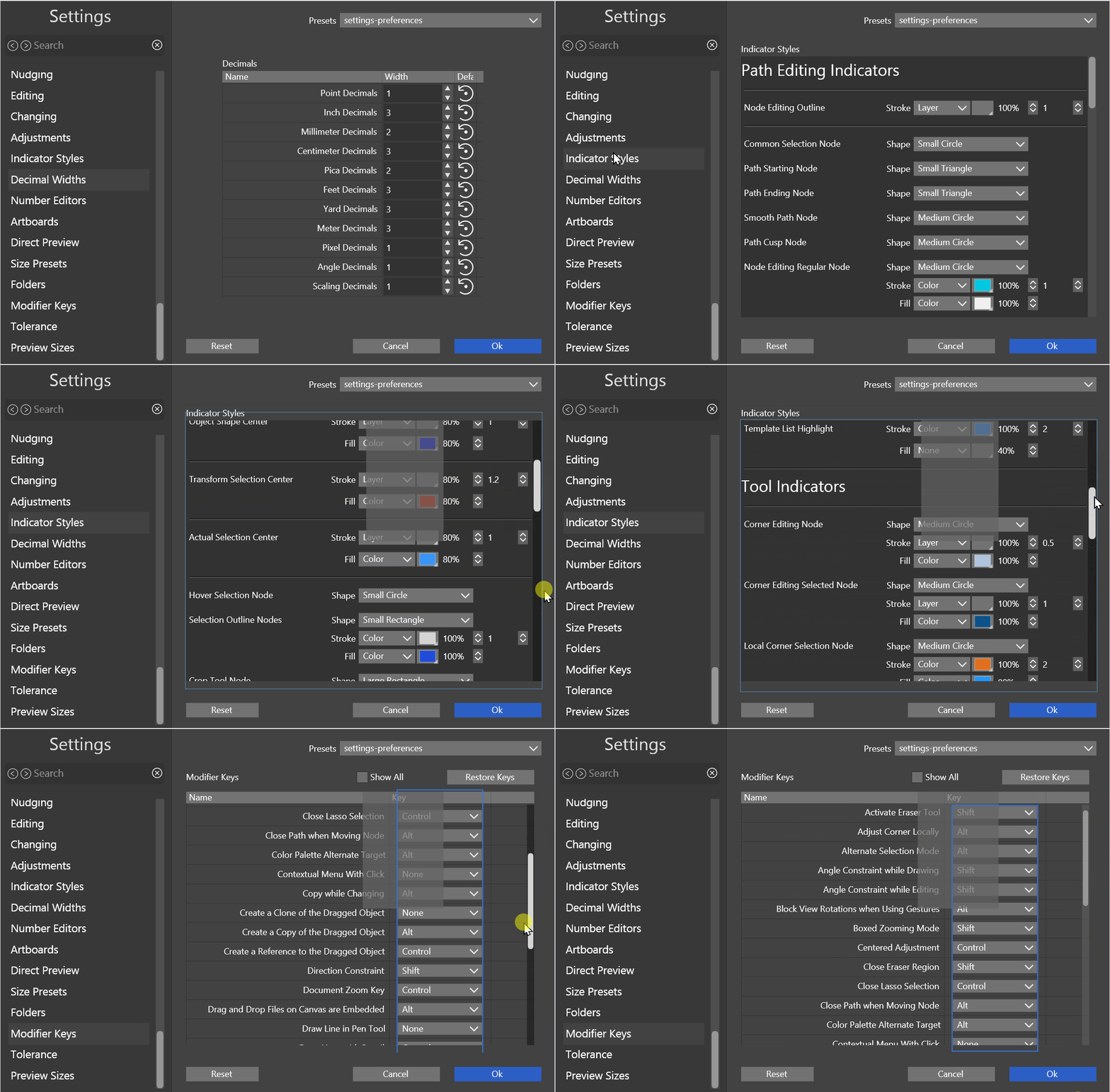
      Just discovered this just now going to check Keyboard shortcuts. There is a blue line randomly appearing along elements when working with scrollbars as well as an overlay block. I restarted VS and it is still there. (ver. 1.2.050)
      alt text

      Windows 11 Build 26200.7171 (25H2)
      AMD Ryzen 7 9700X with Gigabyte X870E Aorus Pro Ice
      32GB RAM @ 6000MHz
      PNY NVIDIA RTX 5070 Ti 16GB; Display 1: 4K @150%; Display 2: 4K @200%
      Wacom Intuos Pro L (2025); Wacom Intuos Pro M; Epson ET-8550; Siser Romeo

      VectorStylerV 1 Reply Last reply Reply Quote 1
      • VectorStylerV Offline
        VectorStyler @debraspicher
        last edited by

        @debraspicher Will be fixed

        1 Reply Last reply Reply Quote 0
        • debraspicherD Offline
          debraspicher
          last edited by

          Gotcha. It does appear in other dialogs/windows that utilize the same interface schema. Sorry, I can't remember which one it was. I was in the middle of working on something.

          Windows 11 Build 26200.7171 (25H2)
          AMD Ryzen 7 9700X with Gigabyte X870E Aorus Pro Ice
          32GB RAM @ 6000MHz
          PNY NVIDIA RTX 5070 Ti 16GB; Display 1: 4K @150%; Display 2: 4K @200%
          Wacom Intuos Pro L (2025); Wacom Intuos Pro M; Epson ET-8550; Siser Romeo

          VectorStylerV 1 Reply Last reply Reply Quote 0
          • VectorStylerV Offline
            VectorStyler @debraspicher
            last edited by

            @debraspicher said in Strange Behavior with UI in Settings Panel:

            it does appear in other dialogs/windows that utilize the same interface schema

            I will try to find this.

            1 Reply Last reply Reply Quote 0
            • debraspicherD Offline
              debraspicher
              last edited by

              This is on a different machine:

              Windows 11 23H2 Build 22631.4179
              Intel i7-11800H on MSI Katana GF76 11UD
              16GB RAM
              MSI NVIDIA RTX 3050 Ti Laptop 1080p @ 100%

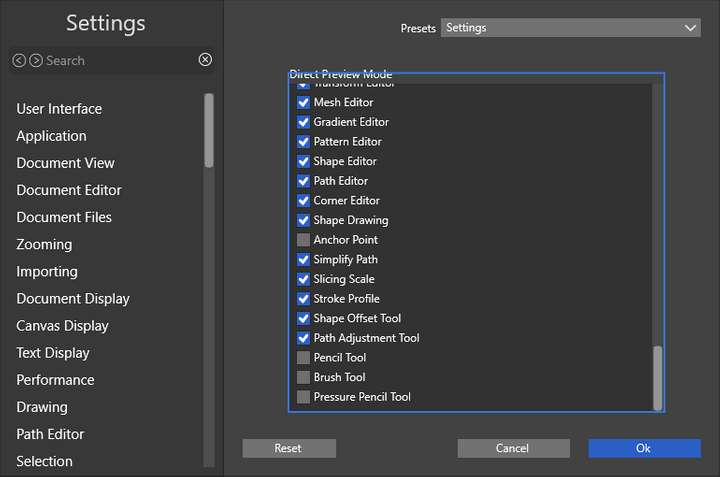
              This blue line is visible in Settings and the Label is being clipped:
              0_1734040219386_83b575b1-e77e-4c7e-b874-80230e8dcc46-image.png

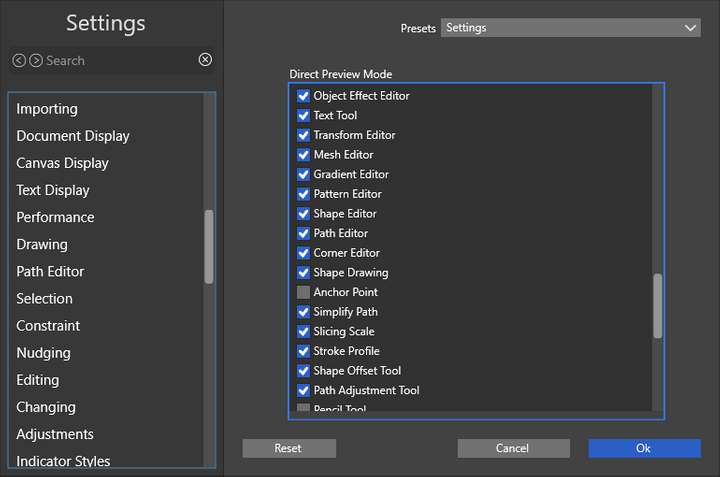
              When adjusting on the left side, can also see this dimmer version of the blue line also appearing:
              0_1734040274736_8dc533eb-82f0-404e-bf16-01600d2bf64c-image.png

              Windows 11 Build 26200.7171 (25H2)
              AMD Ryzen 7 9700X with Gigabyte X870E Aorus Pro Ice
              32GB RAM @ 6000MHz
              PNY NVIDIA RTX 5070 Ti 16GB; Display 1: 4K @150%; Display 2: 4K @200%
              Wacom Intuos Pro L (2025); Wacom Intuos Pro M; Epson ET-8550; Siser Romeo

              VectorStylerV 1 Reply Last reply Reply Quote 1
              • VectorStylerV Offline
                VectorStyler @debraspicher
                last edited by

                @debraspicher said in Strange Behavior with UI in Settings Panel:

                This blue line is visible in Settings and the Label is being clipped

                I will try to fix this.

                1 Reply Last reply Reply Quote 1
                • First post
                  Last post
