About page
-
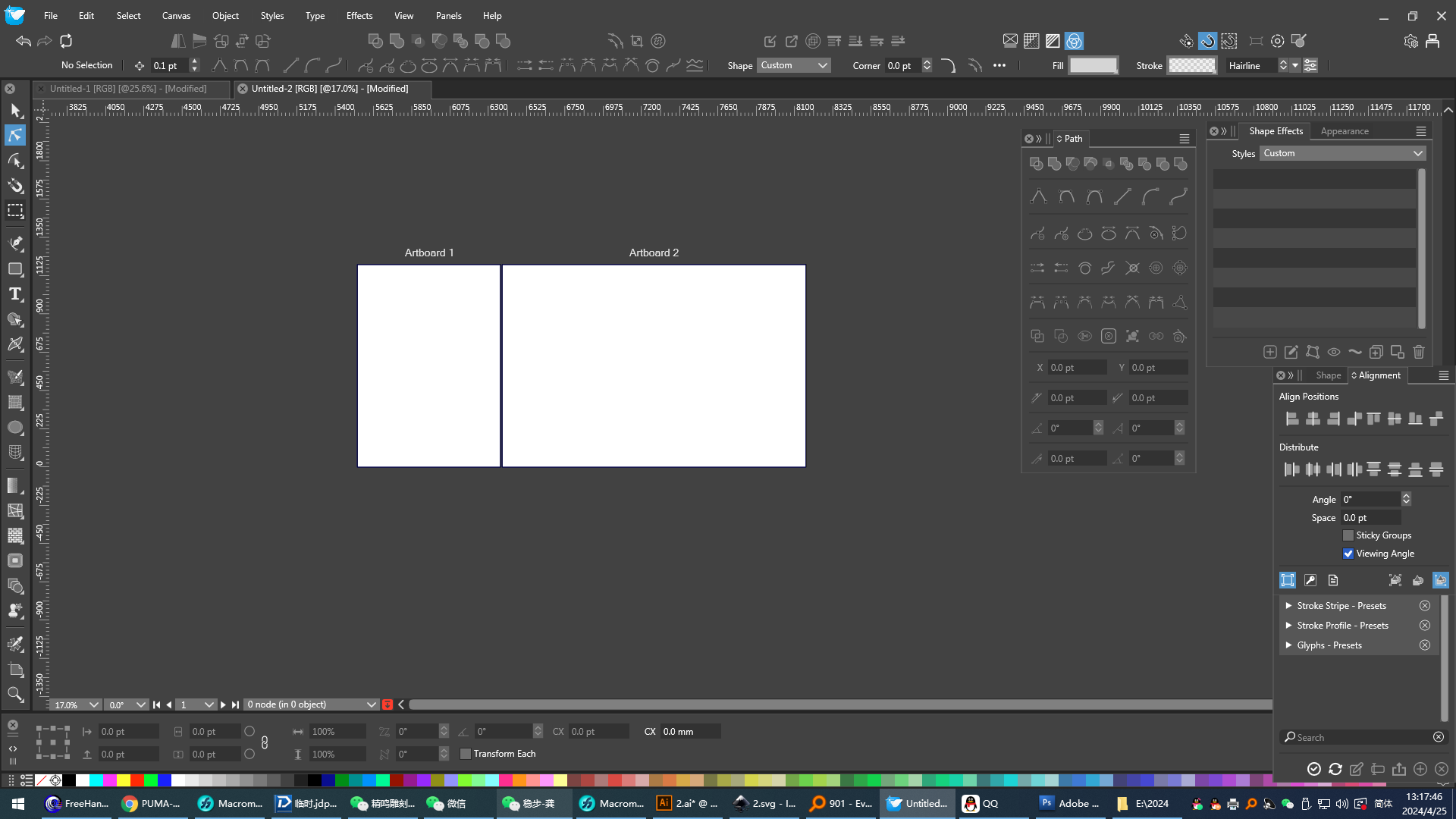
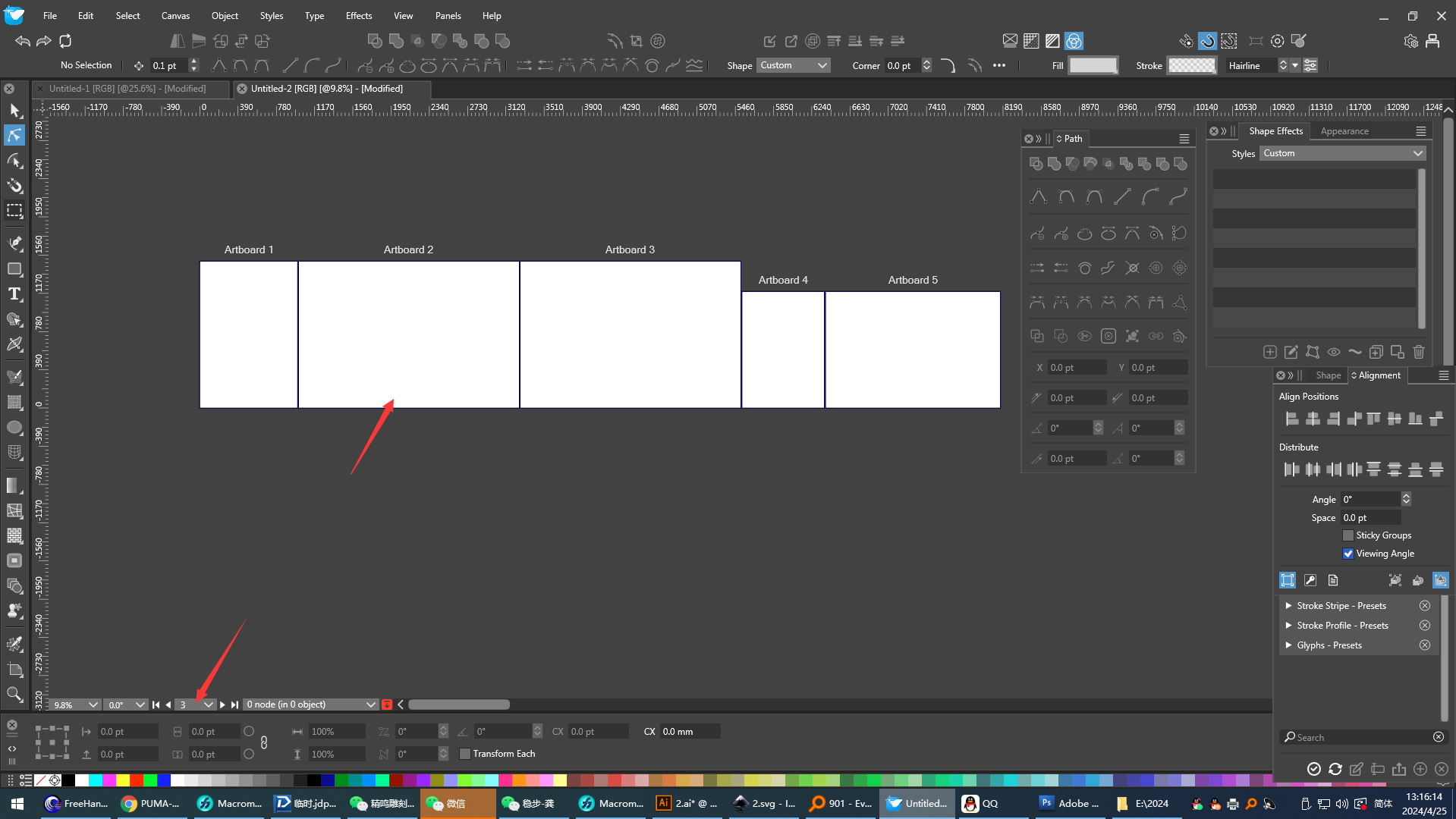
 The mouse pointer selects the second page, but the page display below will not be on the second page, and the corresponding page display will only appear when the page tool clicks on the page.Can this be improved?
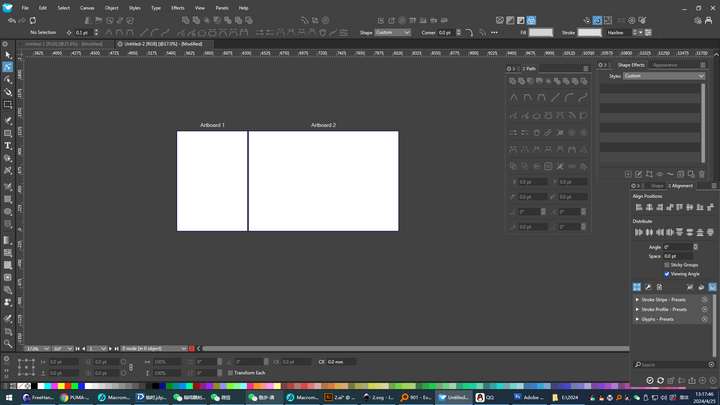 I set the size of a page, and when I add a page, the size that appears is not the one I set, but the preset page of the software. It should be based on the currently displayed page.
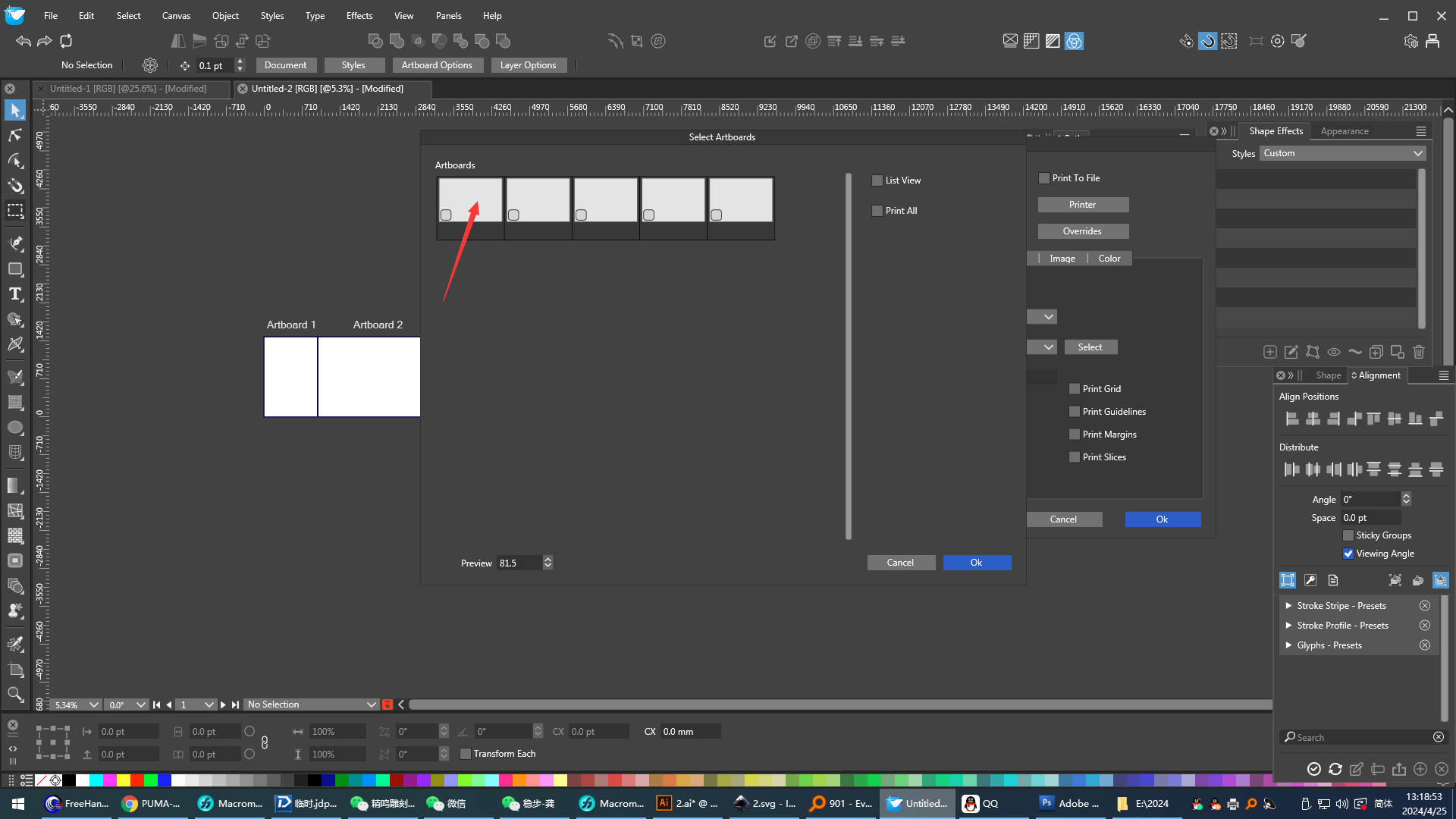
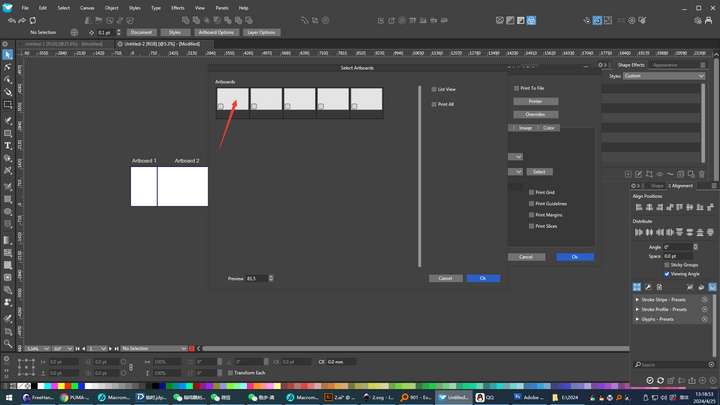 The function of printing the selection page is very good. Can the encoding of the page be added here, which can facilitate users to select the corresponding page more intuitively.
 -
@monsterfox Send me the file (with the pages) from this example, it is not clear what the issue can be with the sizes.
-
@VectorStyler For example, I set the size of the current display page to A3, and then click the button to create a new print page, the page that appears is not A3, but the preset page size of the software.It is necessary to set it to A3 again, and the operation is more complicated.
-
@monsterfox I will try to replicate these issues.
-
@VectorStyler https://youtu.be/R8dBAO9azQE?feature=shared
Attach a video to make it easier for you to understand. -
@monsterfox If you could send me the VS file from that recording, it might help replicating it. Thanks!
-
Also, for example, when I enlarge artboard 2, the artboards go into each other. Shouldn't these pages push each other?
-
@hbalcic said in About page:
Shouldn't these pages push each other?
No, artboards can partially (or fully) overlap in VS, sharing content.
-
https://youtu.be/Ec_dYAKO6WY?feature=shared The logic of creating a new drawing board is not based on the currently displayed drawing board. It is relatively uncontrollable. It is hoped to refer to the functions of Freehand.
-
@VectorStyler https://youtu.be/o8wmwmG2-CA?feature=shared
There are still four functions to be added.- Let the ordinary pointer tool have the function of recognizing the drawing board code.
- A function that conforms to the current drawing board display needs to be added.
- The order of arranging the drawing board codes should be coded according to the order from left to right and from top to bottom.
- Arranging the drawing boards will automatically globally arrange the order of all the drawing boards. (It is recommended that when no drawing boards are selected, all drawing boards can be globally arranged. But if a certain number of drawing boards are selected, only the selected drawing boards are arranged, so as to avoid the order of a batch of arranged drawing boards from being disrupted again.)
For the first point and the second point, the Freehand software can be referred to.
-
@monsterfox said in About page:
- Let the ordinary pointer tool have the function of recognizing the drawing board code.
Does this mean that when clicking on a page, that should become the active page?
- A function that conforms to the current drawing board display needs to be added.
Not clear what this means.
- The order of arranging the drawing board codes should be coded according to the order from left to right and from top to bottom.
This will not be possible. Artboards can be positioned arbitrarily on the canvas.
- Arranging the drawing boards will automatically globally arrange the order of all the drawing boards. (It is recommended that when no drawing boards are selected, all drawing boards can be globally arranged. But if a certain number of drawing boards are selected, only the selected drawing boards are arranged, so as to avoid the order of a batch of arranged drawing boards from being disrupted again.)
This should work with the Canvas -> Arrange Artboards, do we need something different?
-
@VectorStyler Generally, 1 and 2 are used in coordination to select a specified drawing board and maximize its display. (2)Pay attention to viewing the "Freehand" clip, the pictures from 47 to 55 seconds. (4)The function of 4 is based on the fact that a certain amount of work has been completed, the drawing boards have been arranged, and the printing work has been finished. However, suddenly new workload is added, and a certain number of new drawing boards need to be created and arranged again. If the drawing board arrangement function is used again, the printed and unprinted drawing boards will be mixed up. Therefore, it is hoped to add this function.
-
@VectorStyler 1.It is also very useful when printing the current drawing board.。A greater need for the function of 2 is to paste the required graphics to the exact center of the drawing board, which makes it more convenient to arrange and print the graphics. (Of course, a function of pasting to the center of the view that I mentioned before needs to be added here.)
-
@VectorStyler https://youtu.be/ikrYV0BgwTs?feature=shared
For the third point, Freehand can be referred to. Select any drawing board randomly, and when its position is moved, the code of the current drawing board will be updated automatically. (Pay attention to the change of the drawing board code below.) The coding sequence is always in the order from top to bottom and from left to right. If Visual Studio (VS) uses this feature, it will be much more natural to view the order of the drawing board codes when arranging the drawing boards. First, there will be no situation where the drawing board codes are odd numbers above and even numbers below. Second, there will be no situation where the drawing board codes are arranged in a ring - like pattern, which is very difficult to operate. I hope this function can be added. Thank you. -
@monsterfox said in About page:
and when its position is moved, the code of the current drawing board will be updated automatically.
This cannot be done in VectorStyler. The artboard names are associated (and editable) to the artboard and they cannot change based on position.
-
@VectorStyler
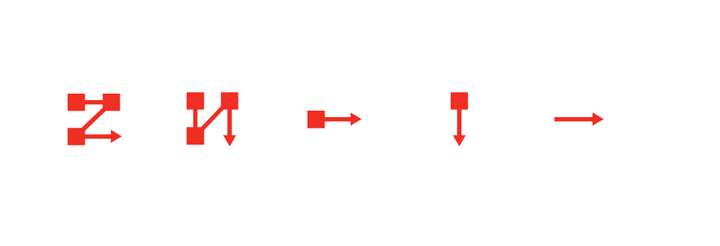
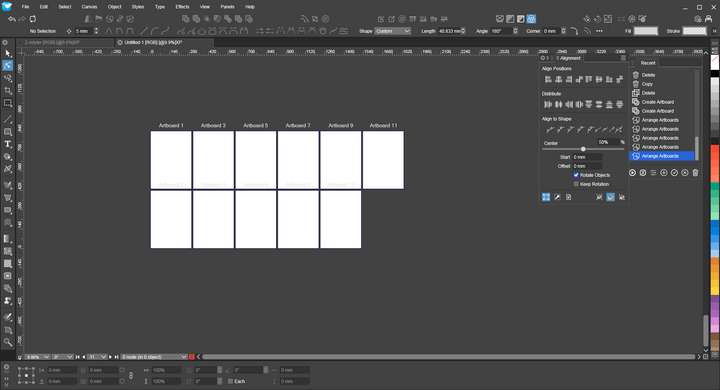
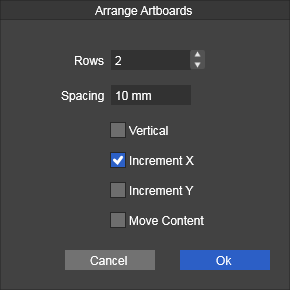 At present, VS can basically complete the form of artboard arrangement, but the control of artboard coding during typesetting is still insufficient. When one row of artboards is arranged into two rows, the artboard coding has odd numbers on the top and even numbers on the bottom, and the logic is a bit wrong. It is recommended to adopt the arrangement method of AI software and use five buttons for control. The first four buttons control the arrangement direction, and the fifth button reverses the direction. I think this can basically meet the needs of most people. Please add this function.
 -
@monsterfox said in About page:
It is recommended to adopt the arrangement method of AI software and use five buttons for control.
I will try to improve this.
-
@VectorStyler
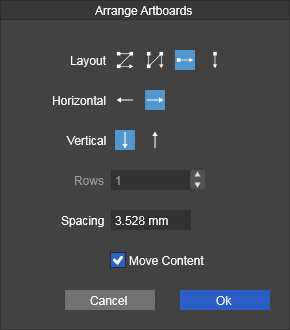
This operation is much more convenient now. There is also a problem. The arrangement methods of the third and fourth in the first row should be in a horizontal row and a vertical row to arrange the drawing board, but it seems ineffective (after modifying the two rows, it is ineffective to use this arrangement method again). -
This post is deleted! -
This post is deleted!
