VectorStyler
    • Categories
    • Unread
    • Recent
    • Tags
    • Popular
    • Register
    • Login

    Hairline stroke being displayed at boundry of patterns or clipping groups
    Scheduled Pinned Locked Moved Bugs in VectorStyler
    3 Posts 3 Posters 3.0k Views 3 Watching
    Loading More Posts
    • Oldest to Newest
    • Newest to Oldest
    • Most Votes
    Reply
    • Reply as topic
    Log in to reply
    This topic has been deleted. Only users with topic management privileges can see it.
    • LoginErrorL Offline
      LoginError
      last edited by

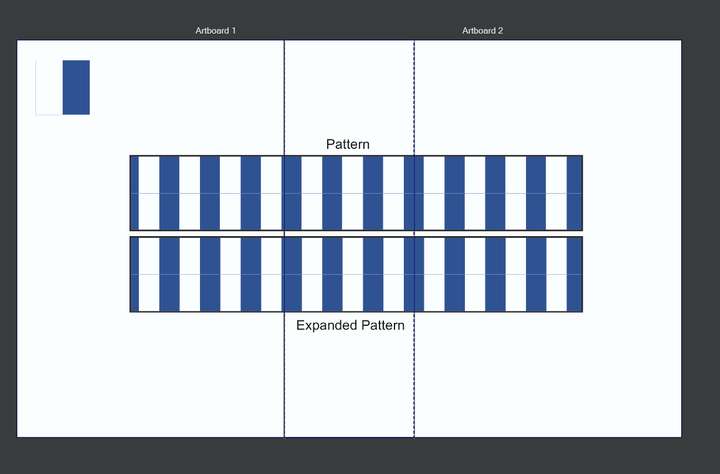
      While creating a proof of concept for the overlapping artboard bug I was able to consistantly capture another bug I have been noticing.
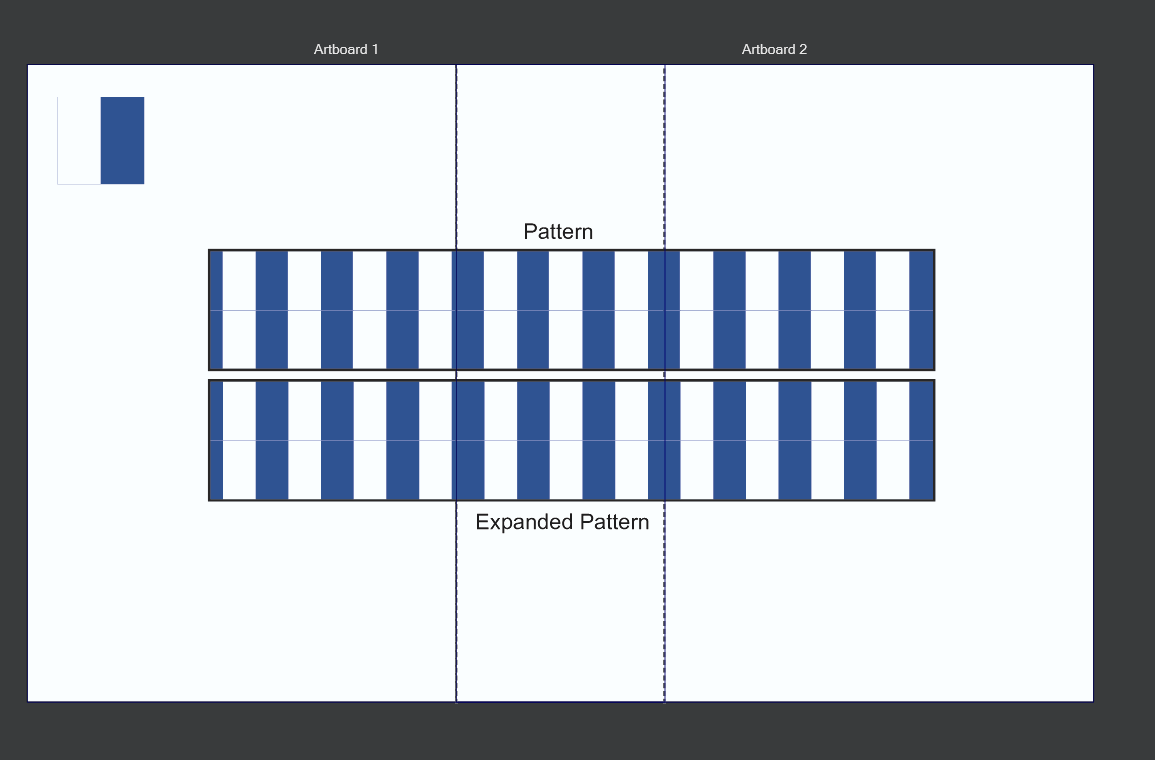
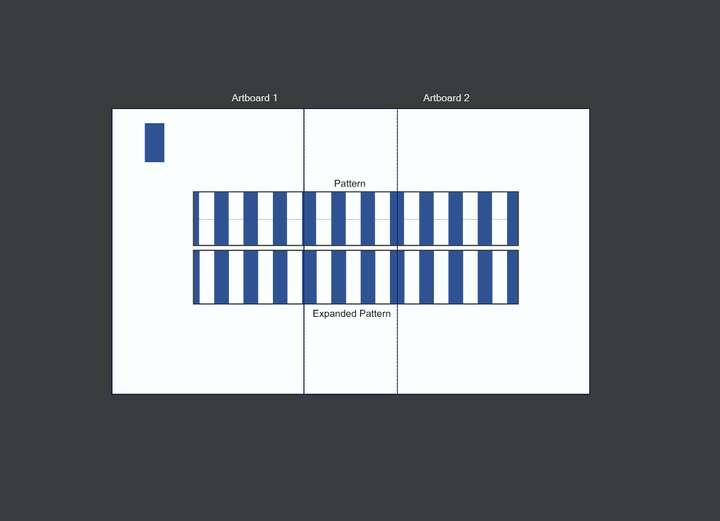
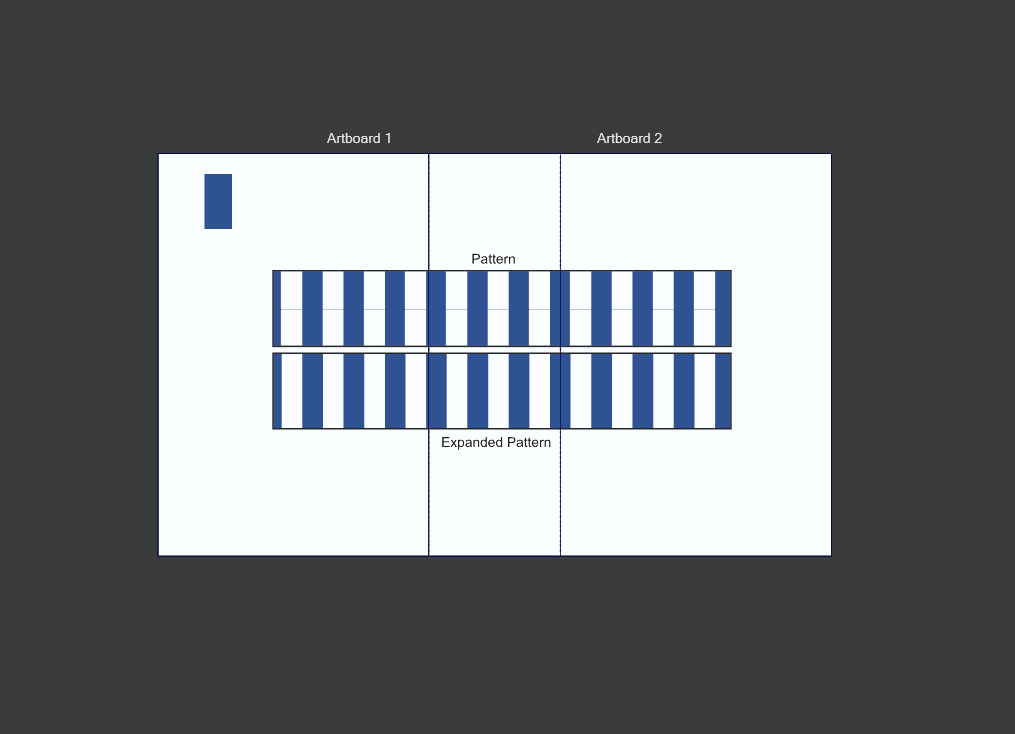
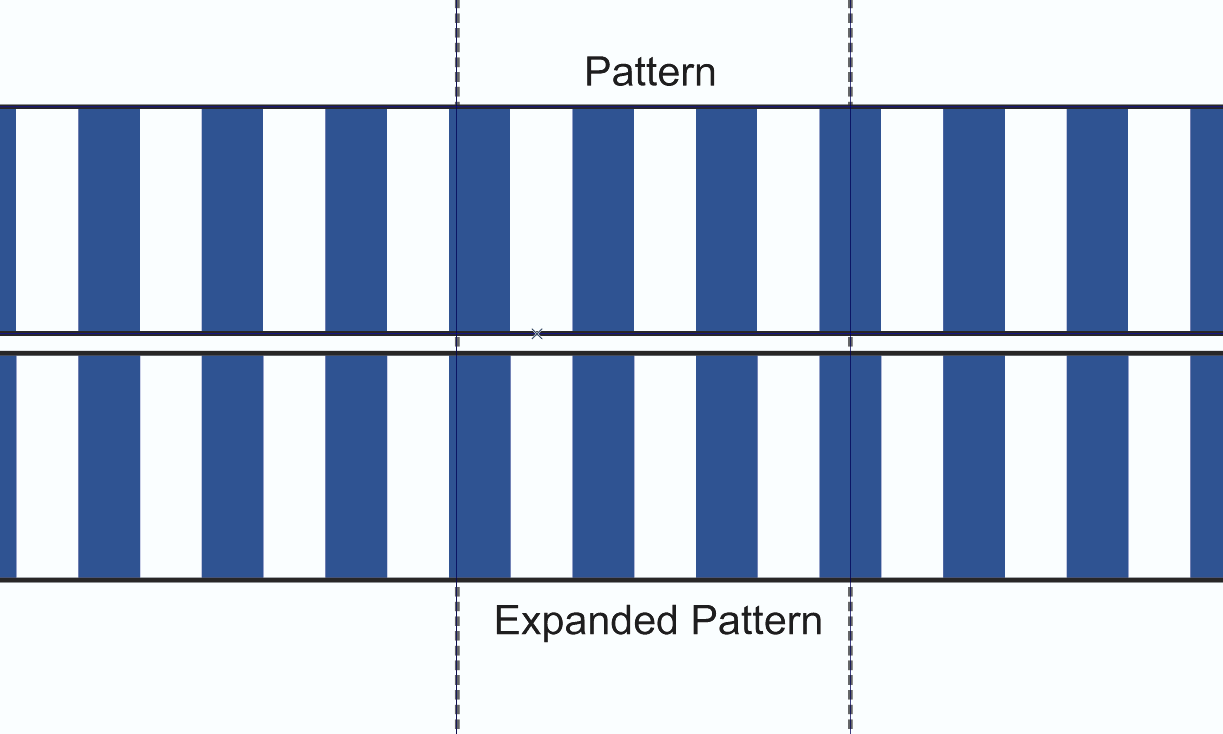
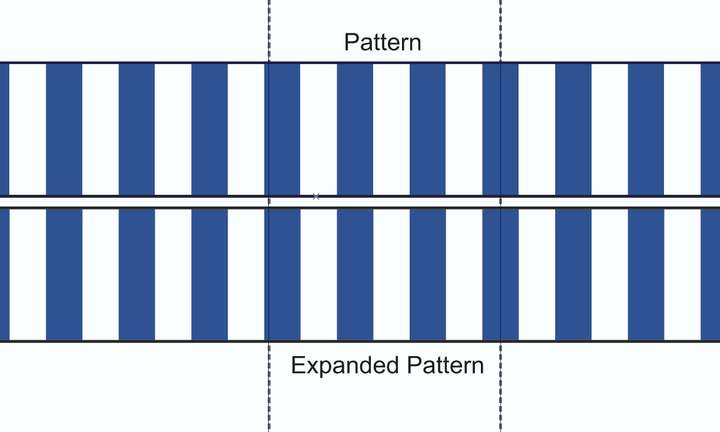
      At some zoom levels, I see a single pixel thin line at the border of repeating patterns. Rarely this can also be seen at the boarder of clipping groups with a background defined. This example shows both cases.

      Zooming in or out can sometimes eliminate the line. I suspect that this is some sort fractional pixel rounding bug. I am on Windows 10 with an NVIDIA GeForce RTX 2070 Super graphics card and this happens with both Software and NVIDIA Cuda compute engines.
      0_1734813143493_hariline-1.png
      0_1734813148255_hariline-2.png
      0_1734813152472_hairline-3.png

      I have attached the file so you can verify that there is no hairline stroke defined anywhere on these objects.
      0_1734813212841_overlapping-pattern-bug.vstyler

      debraspicherD VectorStylerV 2 Replies Last reply Reply Quote 1
      • debraspicherD Offline
        debraspicher @LoginError
        last edited by

        Can confirm this issue frequently happens on my machine(s) as well.

        Windows 11 Build 26200.7171 (25H2)
        AMD Ryzen 7 9700X with Gigabyte X870E Aorus Pro Ice
        32GB RAM @ 6000MHz
        PNY NVIDIA RTX 5070 Ti 16GB; Display 1: 4K @150%; Display 2: 4K @200%
        Wacom Intuos Pro L (2025); Wacom Intuos Pro M; Epson ET-8550; Siser Romeo

        1 Reply Last reply Reply Quote 1
        • VectorStylerV Offline
          VectorStyler @LoginError
          last edited by

          @LoginError Yes, this is a known issue. It is caused by anti-aliasing when shapes are touching precisely and there is a different color background, then at the shapes margin this background will become visible.
          There is no other solution for now the turning off anti-aliasing.

          1 Reply Last reply Reply Quote 0
          • First post
            Last post