VectorStyler
    • Categories
    • Unread
    • Recent
    • Tags
    • Popular
    • Register
    • Login

    Effects aren't cascading through morphing steps like they should + Feedback on performance

    Scheduled Pinned Locked Moved Bugs in VectorStyler
    6 Posts 2 Posters 3.9k Views 2 Watching
    Loading More Posts
    • Oldest to Newest
    • Newest to Oldest
    • Most Votes
    Reply
    • Reply as topic
    Log in to reply
    This topic has been deleted. Only users with topic management privileges can see it.
    • DanielD Offline
      Daniel
      last edited by Daniel

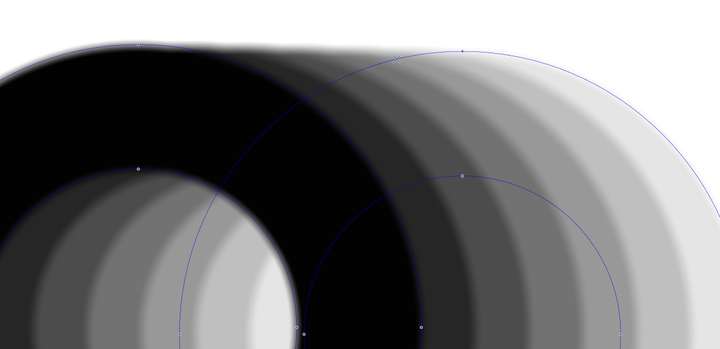
      I tried to replicate one of my most common technique for drawing extremely complex, custom shadows. Blending between blurred objects.

      The problem is, the blur isn't cascading as it ought to through the morphed steps. This is the expected effect: 0_1742917693494_c80588a1-fb05-4083-969d-8fb1d80b7e18-image.png

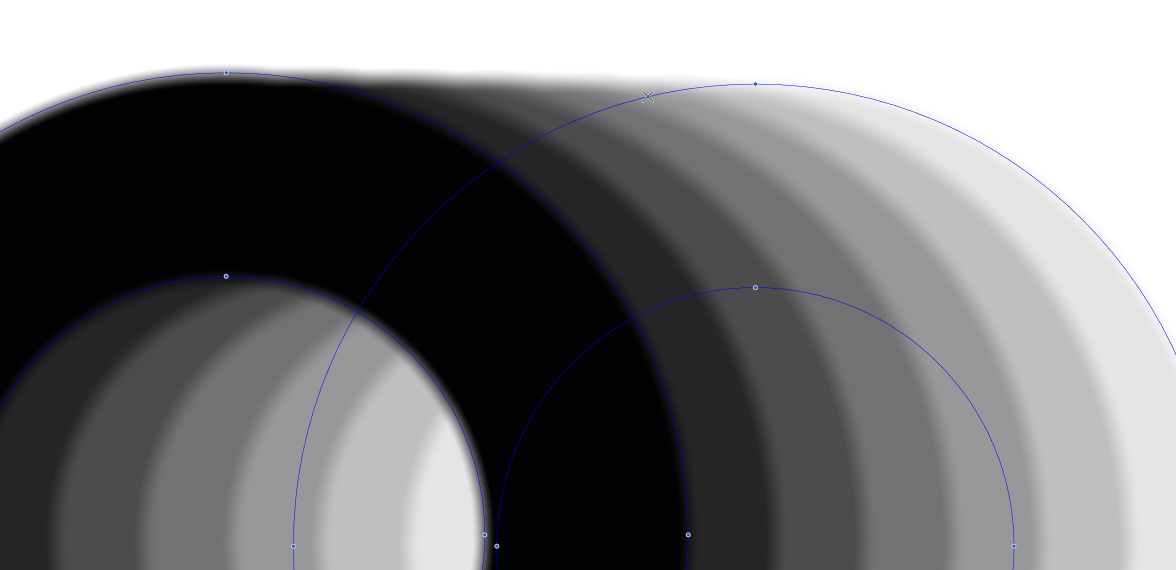
      And this is what I get:
      0_1742917917033_c4286a65-fd36-46f2-9841-78e777af9d26-image.png

      I don't know if you see the problem. In both cases, only the last object of the blend has the blur FX. And instead of morphing the FX in a staggered way, it applies the FX uniformly. Steps to reproduce. Take two objects. Appy a strong blur to the last object at the back, and morph between the two.

      Feedback on performance: Zooming in and out, selecting the morphing parent, and moving objects throttles the PC quite a bit and VS starts to lag. Even if the steps are reduced. This is feedback for practically most of the blur FX.

      Work: Windows 11 | Intel i9 14900HS (24 Cores/32 Threads) | GeForce RTX 4070 | 64 GB RAM
      Personal: Windows 11 | Amd Ryzen 9 7950X (16 Core, 32 Threads) | GeForce RTX 3060 | 32 GB RAM

      VectorStylerV 1 Reply Last reply Reply Quote 0
      • VectorStylerV Offline
        VectorStyler @Daniel
        last edited by

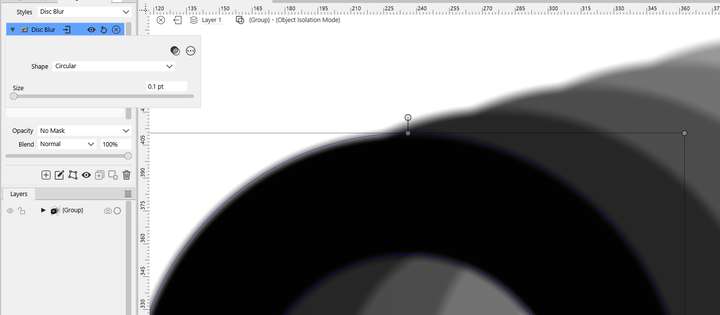
        @Daniel I think to get the desired effect you need to add a blur to the 1st object also, with a 0 blur size.

        1 Reply Last reply Reply Quote 1
        • DanielD Offline
          Daniel
          last edited by

          0_1742918880123_c601b467-2ff4-45e8-b5da-892ce6c8aab2-image.png

          tried that too. It does not have the desired FX. First off, I can't set it to true zero.

          Work: Windows 11 | Intel i9 14900HS (24 Cores/32 Threads) | GeForce RTX 4070 | 64 GB RAM
          Personal: Windows 11 | Amd Ryzen 9 7950X (16 Core, 32 Threads) | GeForce RTX 3060 | 32 GB RAM

          VectorStylerV 1 Reply Last reply Reply Quote 1
          • VectorStylerV Offline
            VectorStyler @Daniel
            last edited by

            @Daniel said in Effects aren't cascading through morphing steps like they should + Feedback on performance:

            It does not have the desired FX. First off, I can't set it to true zero.

            I will fix this

            DanielD 1 Reply Last reply Reply Quote 0
            • DanielD Offline
              Daniel @VectorStyler
              last edited by

              @VectorStyler: Thank you.

              I noticed something else. Morphing between objects with noise transparencies is even more complicated. Desired effect:
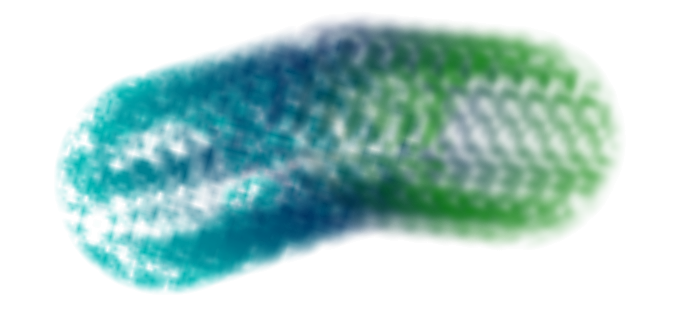
              0_1742919620605_a717fd69-eeaf-485a-8818-e2d76ecbf58f-image.png

              What I get.

              0_1742919694462_2756a079-eef5-454a-973f-4d4bc8c5f5e1-image.png

              The use case is to create complex textures surfaces for painterly effects in vectors. A great example of this from the distance past from an artist I admire.
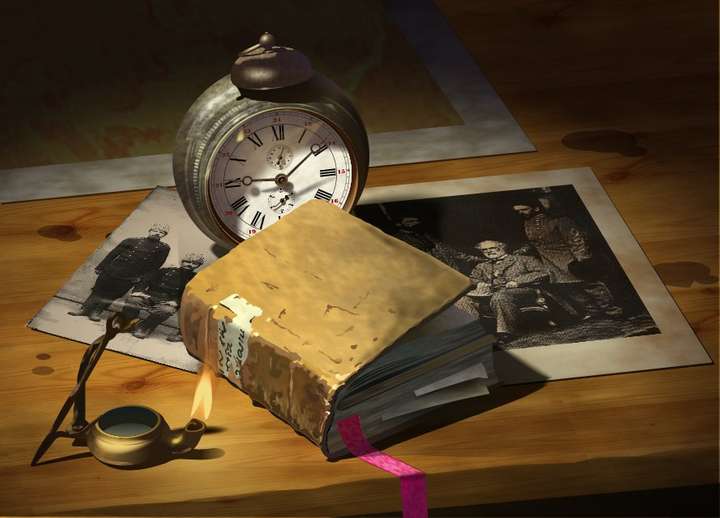
              0_1742919982347_f94ccad7-1ce9-47e9-bee5-251becc6c0d8-image.png

              Believe it or not the book, the lamp and clock are built with vectors.

              Work: Windows 11 | Intel i9 14900HS (24 Cores/32 Threads) | GeForce RTX 4070 | 64 GB RAM
              Personal: Windows 11 | Amd Ryzen 9 7950X (16 Core, 32 Threads) | GeForce RTX 3060 | 32 GB RAM

              VectorStylerV 1 Reply Last reply Reply Quote 1
              • VectorStylerV Offline
                VectorStyler @Daniel
                last edited by

                @Daniel

                Morphing between objects with noise transparencies is even more complicated

                Send me the VS file with that blend effect (second image).

                1 Reply Last reply Reply Quote 0
                • First post
                  Last post