VectorStyler
    • Categories
    • Unread
    • Recent
    • Tags
    • Popular
    • Register
    • Login

    Invalid issue with the corner shape button

    Scheduled Pinned Locked Moved Bugs in VectorStyler
    10 Posts 3 Posters 6.3k Views 3 Watching
    Loading More Posts
    • Oldest to Newest
    • Newest to Oldest
    • Most Votes
    Reply
    • Reply as topic
    Log in to reply
    This topic has been deleted. Only users with topic management privileges can see it.
    • L Offline
      Li Xiao
      last edited by

      All corner buttons are unresponsive
      https://youtu.be/d4csU1L82xY

      S VectorStylerV 2 Replies Last reply Reply Quote 1
      • S Offline
        Subpath @Li Xiao
        last edited by

        @Li-Xiao

        no problem here, corner shape buttons
        work as expected

        Win 11
        CPU: AMD Ryzen 5 9600X, 6-core.
        GPU: Nvidia Geforce RTX 5070.

        L 1 Reply Last reply Reply Quote 0
        • L Offline
          Li Xiao @Subpath
          last edited by

          @Subpath That's strange. I've tried on two computers and encountered the same issue. restore defaults didn't work either.

          1 Reply Last reply Reply Quote 0
          • VectorStylerV Offline
            VectorStyler @Li Xiao
            last edited by

            @Li-Xiao Are there any corner shape presets? You can check this in Styles -> Preset Manager by selecting Corner Type in the Preset dropdown

            L 1 Reply Last reply Reply Quote 0
            • L Offline
              Li Xiao @VectorStyler
              last edited by

              @VectorStyler Even after deleting all user files, uninstalling, reinstalling, and trying on another computer that has never had VS installed, the same issue persists.

              VectorStylerV 1 Reply Last reply Reply Quote 1
              • VectorStylerV Offline
                VectorStyler @Li Xiao
                last edited by

                @Li-Xiao I opened a bug on this and will try to replicate it.

                L 2 Replies Last reply Reply Quote 1
                • L Offline
                  Li Xiao @VectorStyler
                  last edited by Li Xiao

                  @VectorStyler I have finally identified the issue; it is related to the interface display settings.

                  If the system display is set to greater than 100%, issues arise.
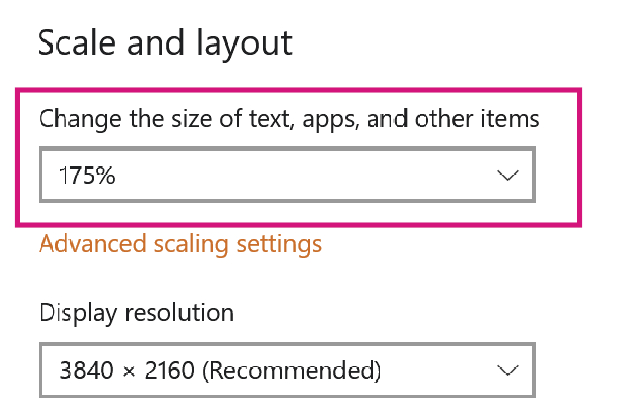
                  0_1745406035976_UI1.jpg

                  Even when the system display is set to 100%, having the VS Interface Scaling set to greater than 100% also doesn't work.
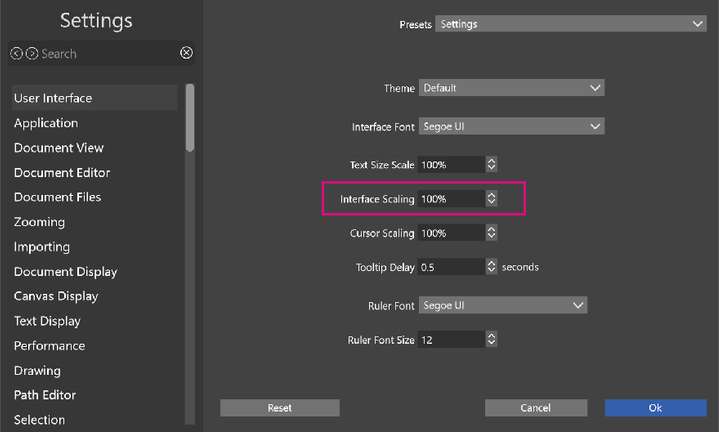
                  0_1745406120177_UI2.jpg

                  VectorStylerV 1 Reply Last reply Reply Quote 1
                  • L Offline
                    Li Xiao @VectorStyler
                    last edited by

                    @VectorStyler When the display is set to greater than 100%, the shape effect options on the panel are also incomplete. This has been the case for the past few versions.
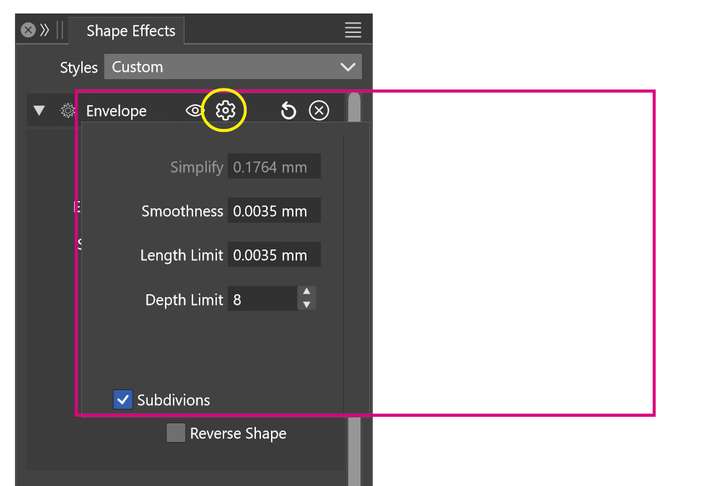
                    0_1745406643598_UI3.jpg

                    1 Reply Last reply Reply Quote 1
                    • VectorStylerV Offline
                      VectorStyler @Li Xiao
                      last edited by

                      @Li-Xiao Thanks for the update. That is indeed might be the issue.
                      I will try to fix this ASAP.

                      L 1 Reply Last reply Reply Quote 1
                      • L Offline
                        Li Xiao @VectorStyler
                        last edited by

                        @VectorStyler Fixed. thanks

                        1 Reply Last reply Reply Quote 1
                        • First post
                          Last post
