Items Left Behind in Layers Panel when Artboard is Empty
-
@vectoradmin
Bug:
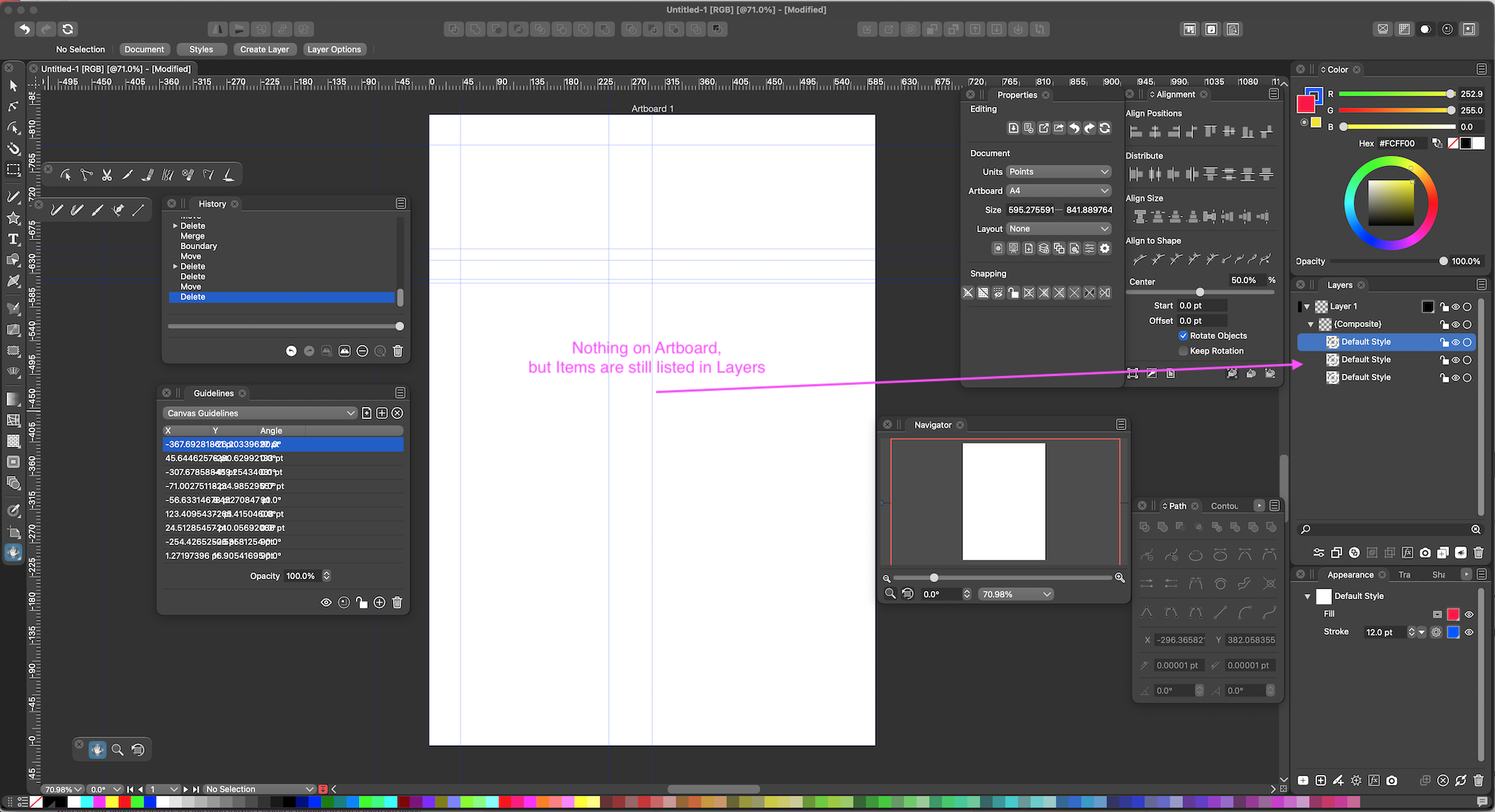
Items are still showing in the Layers Panel when the Artboard is completely Empty.
Below is a screen shot.
I am sending you the VectorStyler file of the example for your examination to can see if you can identify and fix the problem.
-
@Vector-Rock Thanks for the sample file!
It looks like that there is a composite shape (live combination of 3 other shapes) that somehow ends up invisible.
The shape is still there, can be selected in the layers panel, and if selected, in the Shape panel, the Boundary mode set again.I think the bug here may be in the composite shape being empty. Added to the backlog.
-
@vectoradmin said in Items Left Behind in Layers Panel when Artboard is Empty:
@Vector-Rock Thanks for the sample file!
It looks like that there is a composite shape (live combination of 3 other shapes) that somehow ends up invisible.
The shape is still there, can be selected in the layers panel, and if selected, in the Shape panel, the Boundary mode set again.I think the bug here may be in the composite shape being empty. Added to the backlog.
@vectoradmin,
Glad the file helped.
I have had issues like this or similar many times before, and probably have mentioned it, or very similar, but you couldn't replicate it. It's maddening!

So when you say the Composite shape being empty, is this indicated by what appears as "nothing" (just the transparency background) in all the Thumbnail Images if the Layers Panel?
..
......Off topic, .......but is there any tips you can give to get the best image quality for uploaded images to the forum?
They usually look terrible (as this one does).
-
@Vector-Rock This one can be replicated easily now, and will be fixed.
The composite shape was empty because the result from combining the 3 shapes was an empty shape due to a bug. The bug will be fixed in the next build.BTW: in this case one of the shapes is not necessary, as it is the boundary of the other two, and the composite shape is also creating a boundary (kind of creating boundary twice).
About the forum images: yes there is some size limit to the images. I will check if this can be increased, but there will be some limit anyway to keep space under control

