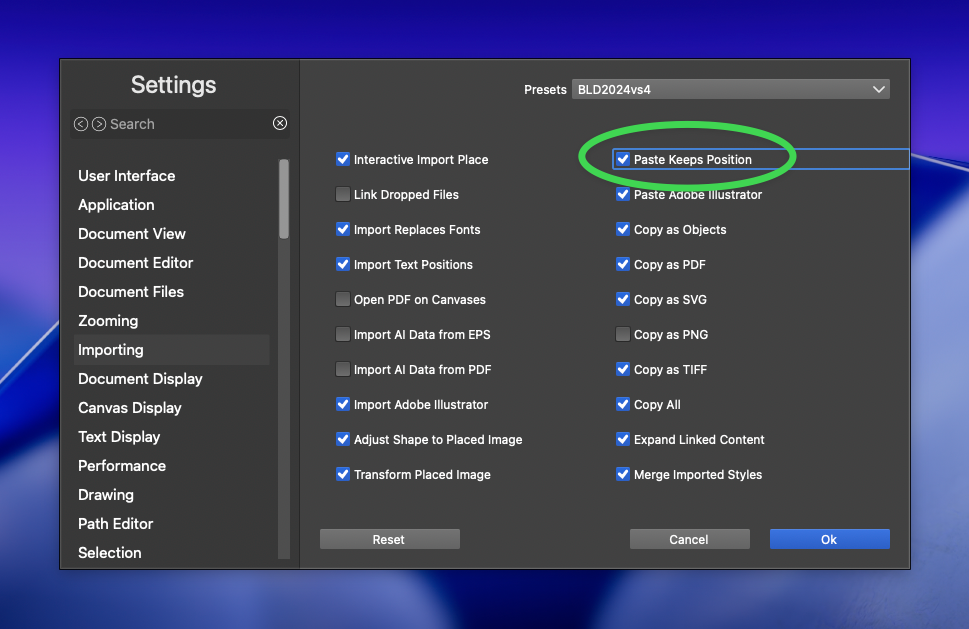
Toggle option for Paste Keeps position
-
@Boldline Now this function already exists, and it can be achieved by cutting.
-
@monsterfox I'm not sure I understand. Would you be able to explain it further? If I cut a selection and then pan my screen and then paste, it pastes where it was copied from, not where I am currently on my screen. This is expected and wanted, I'm just looking for a modifier option to paste it where I currently am on screen
-
@Boldline When you copy a graphic and then paste it, the graphic remains in its original position. However, if you cut a graphic, pan the screen, and then paste it, the graphic will be pasted in the middle of the current screen.
-
@monsterfox Is there a setting or option for that?
-
@Boldline personally, I would love an option where the object is pasted where I clicked (instead of screen center).
Copy-Paste without clicking would paste in place.
Copy-(pan)-click-Paste would paste where I clicked -
@Boldline There is a Paste in Place (Edit -> Placing) action that can be assigned a shortcut.
-
@VectorStyler I turned off "paste in position" in the settings and VS still pastes in place even when I use command-v (not using the shortcut shift-command-v). Is there something else I need to change in settings so that command-v will paste wherever I have panned to?
🍎 macOS Tahoe 26.2, Mac mini (M1, 2020), Chip Apple M1, Memory 16 GB
Cintiq 27QHD Display and LG Ultra HD Display -
@Boldline said in Toggle option for Paste Keeps position:
Is there something else I need to change in settings so that command-v will paste wherever I have panned to?
I will test this.
-
@Boldline Did you try to hold Alt key while moving your object? It makes a copy to a new position.
-
@Harry thanks - yes that is another way to accomplish it but I'm more referring to situations where you have an object on a different part of the canvas and want to paste a copy of it on a very different part of the canvas. It doesn't make sense in that situation to make a copy and then have to literally drag it over there to use. I like the option in settings to decide if you want it to default to pasting in place, but the ability to use a modifier to get the opposite would be helpful.

