Scale Strokes and Effects
-
@gotanidea said in Scale Strokes and Effects:
In Adobe Illustrator, there is an option to scale strokes and effects (Preferences > General > Scale Strokes & Effects), which is very useful because sometimes we have to turn that feature on or off.
Is there such option in VectorStyler?
I tried to turn on the Transformed Stroke checkbox in File > Document Setup > General and scaled an object using Transform Tool, but the stroke width of object didn't get increased. Here is the file:
I was not sure where to tune in myself as I was looking for this setting too. I've done a search on the forums and read through all information that I could find. I do understand the implementation, and how it affects things before/after turning the option on, and that stroke-scaling is non-destructive. I also understand that if the option is enabled on an already transformed object it is applied retroactively.
Like some others in this thread and elsewhere:
- The option is hard to find
- In general (like @Boldline) I design my objects and stroke proportionally and if I need to adjust size, I would like to scale them both (unless I set the size explicitly)
I really appreciate how in Inkscape this is solved by a toggle at the top of the screen. In this post https://www.vectorstyler.com/forum/post/17146 @VectorStyler indicated that it was added to the backlog, and as it may need a different option, for your consideration (these are toggles, all related to scaling, they appear super conveniently in the select & transform context menu, and of course not all are applicable to VS):
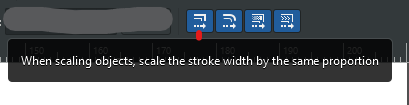
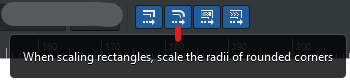
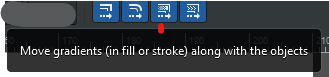
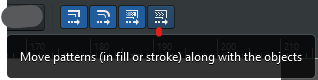
Windows 10 Pro | 22H2
-
@syllie I made a new thread for this problem:
-
@gotanidea I found that and linked that in my post, but it looks like there are some other views in this thread too so it seemed more appropriate.
-
@syllie said in Scale Strokes and Effects:
I really appreciate how in Inkscape this is solved by a toggle at the top of the screen.
Yes, this is in the backlog for version 1.2
-
@VectorStyler said in Scale Strokes and Effects:
@syllie said in Scale Strokes and Effects:
I really appreciate how in Inkscape this is solved by a toggle at the top of the screen.
Yes, this is in the backlog for version 1.2
Hi Admin, have you made this option in version 1.2? It is very important to enlarge and shrink a vector artwork easily, without having to plan for the stroke sizes of the vector artwork at the beginning of the creation.
-
@gotanidea said in Scale Strokes and Effects:
Hi Admin, have you made this option in version 1.2? It is very important to enlarge and shrink a vector artwork easily, without having to plan for the stroke sizes of the vector artwork at the beginning of the creation.
Did not make it. It is still in Object Options or the Document Setup (for the whole document). It is also in the Transform panel menu.
The main issue with the context panel now is that it is way too crowded with options and buttons, and I need to add customization for it to have more space. -
@VectorStyler said in Scale Strokes and Effects:
The main issue with the context panel now is that it is way too crowded with options and buttons, and I need to add customization for it to have more space.
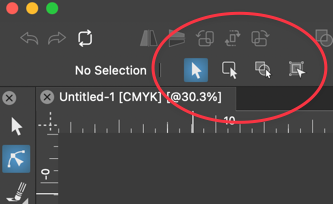
Since you brought this up, could we move these back to being under the "Transform" tool again? perhaps with the option to have them visible in the contextual menu if the user desires?
-
@VectorStyler said in Scale Strokes and Effects:
@gotanidea said in Scale Strokes and Effects:
Hi Admin, have you made this option in version 1.2? It is very important to enlarge and shrink a vector artwork easily, without having to plan for the stroke sizes of the vector artwork at the beginning of the creation.
Did not make it. It is still in Object Options or the Document Setup (for the whole document). It is also in the Transform panel menu.
The main issue with the context panel now is that it is way too crowded with options and buttons, and I need to add customization for it to have more space.The Transformed Stroke option in Transform panel menu, Object Options and Document Setup is not the same as Adobe Illustrator's Scale Strokes & Effects feature.
Please see the video and the example in this thread:
-
@gotanidea said in Scale Strokes and Effects:
The Transformed Stroke option in Transform panel menu, Object Options and Document Setup is not the same as Adobe Illustrator's Scale Strokes & Effects feature.
Yes, these are different. I will try to implement a similar transforming mode. The problem is that it might conflict with existing features.
I moved this feature up the the backlog. -
@VectorStyler said in Scale Strokes and Effects:
@gotanidea said in Scale Strokes and Effects:
The Transformed Stroke option in Transform panel menu, Object Options and Document Setup is not the same as Adobe Illustrator's Scale Strokes & Effects feature.
Yes, these are different. I will try to implement a similar transforming mode. The problem is that it might conflict with existing features.
I moved this feature up the the backlog.Hi Admin, is this Adobe Illustrator's Scale Strokes & Effects feature available in version 1.3? I can't find it
-
@gotanidea said in Scale Strokes and Effects:
Hi Admin, is this Adobe Illustrator's Scale Strokes & Effects feature available in version 1.3? I can't find it
No, not in that form. Scaling is still handled as a non-destructive option (transform) of the object
-
@VectorStyler said in Scale Strokes and Effects:
@gotanidea said in Scale Strokes and Effects:
Hi Admin, is this Adobe Illustrator's Scale Strokes & Effects feature available in version 1.3? I can't find it
No, not in that form. Scaling is still handled as a non-destructive option (transform) of the object
The Transform Stroke option is destructive to my artwork. For example, I made a stroke and want to scale it up along with the stroke weight, but turning the Transform Stroke option on will change the stroke weight:
Here's the file:
0_1764350038076_Transformed_Stroke_Bug.vstyler
It wouldn't happen if we have Adobe Illustrator's Scale Stroke and Effects feature, like what the video below shows (please watch after 01:00):
Adobe Illustrator's Scale Stroke & Effect feature
Could you please make that option?
-
@gotanidea I will try to find a solution for this


