Once you've applied a custom preset in repeater, you cannot return to original custom shape and use repeater
-
This might be a bug or maybe should be a change in how the repeater tool handles custom shapes...
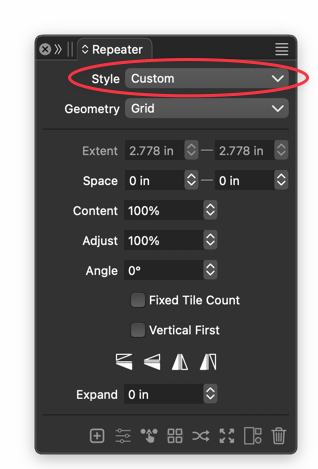
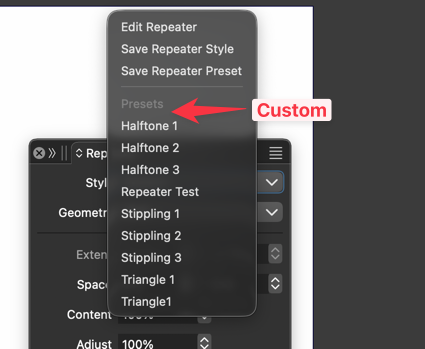
When I use a unique shape in repeater, i can cause different results with that shape just fine. If I switch over to a repeater preset and then undo it - going back to the custom shape, anytime I try to modify that custom shape, it reverts back to a previous preset.
There's no way to switch back to the custom shape again unless you go back with command-z to where the shape was not yet activated as a repeater.I was thinking it would be helpful for "custom" to remain an option when you use the pull down to choose a different preset - you could return to the custom shape
🍎 macOS Tahoe 26.2, Mac mini (M1, 2020), Chip Apple M1, Memory 16 GB
Cintiq 27QHD Display and LG Ultra HD Display -
@Boldline I will try to replicate and fix this ASAP
-
@Boldline The problem here is that repeater presets also contain the repeated objects. This is needed to add repeaters to as a fill to existing objects, but it can cause problems for repeaters that are not filling shapes.
The repeated shape can be changed by selecting a new object and the repeater and using the Replace Repeated Objects from the panel menu

