VectorStyler
    • Categories
    • Unread
    • Recent
    • Tags
    • Popular
    • Register
    • Login

    Updating Vectorstyler through the program doesn't work...

    Scheduled Pinned Locked Moved Resolved Issues
    6 Posts 3 Posters 7.3k Views 1 Watching
    Loading More Posts
    • Oldest to Newest
    • Newest to Oldest
    • Most Votes
    Reply
    • Reply as topic
    Log in to reply
    This topic has been deleted. Only users with topic management privileges can see it.
    • B Offline
      Buzzer
      last edited by

      Mac (Retina 5K, 27-inch, 2019)/Catalina 10.15.7/3.6 GHz 8-Core Intel Core i9/72 GB 2667 MHz DDR4
      When I check for updates through the program, and one is found, I click through the appropriate buttons, enter my admin info (I usually work in a standard, not admin, account) to allow the update, and the program restarts... but then if I check for updates, it tells me an update (the one I just installed) is available. Going through the check/update/restart cycle several times gives the same result.

      I've just been trashing the program and downloading the latest version, but that's a bit of a PITA.

      Mac (Retina 5K, 27-inch, 2019)/Catalina 10.15.7/3.6 GHz 8-Core Intel Core i9/72 GB 2667 MHz DDR4

      VectorStylerV 1 Reply Last reply Reply Quote 0
      • VectorStylerV Offline
        VectorStyler @Buzzer
        last edited by

        @Buzzer It looks like I cannot replicate this one. I get this notification below.

        It could be that something went wrong with the local config.
        Are there any .res files in the ~/Library/Application Support/VectorStyler1.0/vector/data/resources/ folder? (should not be).
        You could try restarting VectorStyler with reset (holding Shift+Option+Command and starting VS).
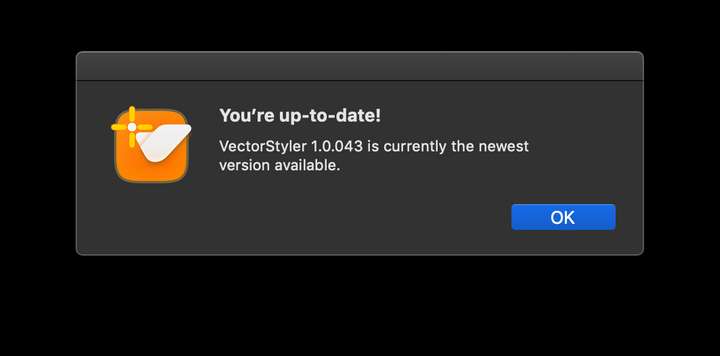
        0_1626933437473_updated.png

        B 1 Reply Last reply Reply Quote 0
        • B Offline
          Buzzer @VectorStyler
          last edited by

          @vectoradmin There are no .res files in the VectorStyler1.0/vector/data/resources/ folder.
          However, the path on my computer isn't ~/Library/Application Support/VectorStyler1.0/vector/data/resources/ folder. It's ~/Library/Application Support/NumericPath/VectorStyler1.0/vector/data/resources/ folder.
          Does that make a difference?

          Mac (Retina 5K, 27-inch, 2019)/Catalina 10.15.7/3.6 GHz 8-Core Intel Core i9/72 GB 2667 MHz DDR4

          b77B 1 Reply Last reply Reply Quote 0
          • b77B Offline
            b77 @Buzzer
            last edited by b77

            @Buzzer I guess @vectoradmin wrote the path from memory and didn't include the '/NumericPath/' part by mistake.

            Did you try starting the app when holding Shift-Option-Command?

            MacBook Pro (Intel) running Monterey 12.6.4

            B 1 Reply Last reply Reply Quote 0
            • B Offline
              Buzzer @b77
              last edited by

              @b77 I'll try that at the next update.

              Mac (Retina 5K, 27-inch, 2019)/Catalina 10.15.7/3.6 GHz 8-Core Intel Core i9/72 GB 2667 MHz DDR4

              1 Reply Last reply Reply Quote 1
              • B Offline
                Buzzer
                last edited by

                Just tried to update to 1.0.044 and it worked flawlessly. No need to Shift-Option-Command.
                👍

                Mac (Retina 5K, 27-inch, 2019)/Catalina 10.15.7/3.6 GHz 8-Core Intel Core i9/72 GB 2667 MHz DDR4

                1 Reply Last reply Reply Quote 1
                • First post
                  Last post
