VectorStyler
    • Categories
    • Unread
    • Recent
    • Tags
    • Popular
    • Register
    • Login

    Vector Halftone setting cannot reach zero from scrubber. S

    Scheduled Pinned Locked Moved Bugs in VectorStyler
    3 Posts 2 Posters 9 Views 1 Watching
    Loading More Posts
    • Oldest to Newest
    • Newest to Oldest
    • Most Votes
    Reply
    • Reply as topic
    Log in to reply
    This topic has been deleted. Only users with topic management privileges can see it.
    • BoldlineB Offline
      Boldline
      last edited by

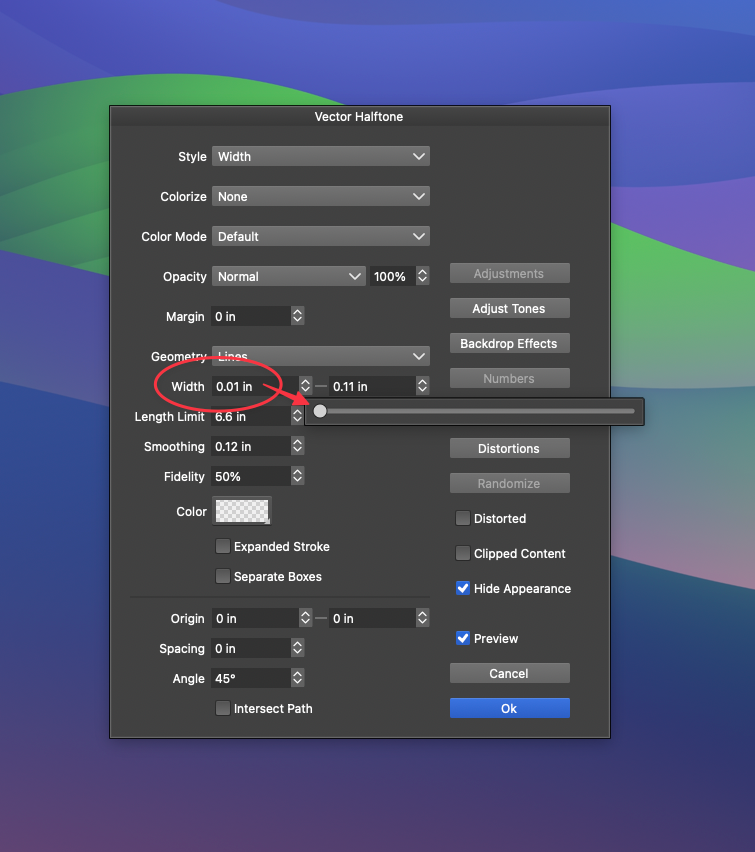
      In the vector halftone options panel, when I am adjusting the width option using the scrubber, it will not allow me to get to total zero. It stops at "0.01". I have to go in and edit it manually to be at total zero.
      41fbcf82-5903-418d-99a4-816e9fb532cb-CleanShot 2026-02-05 at 09.59.48.png

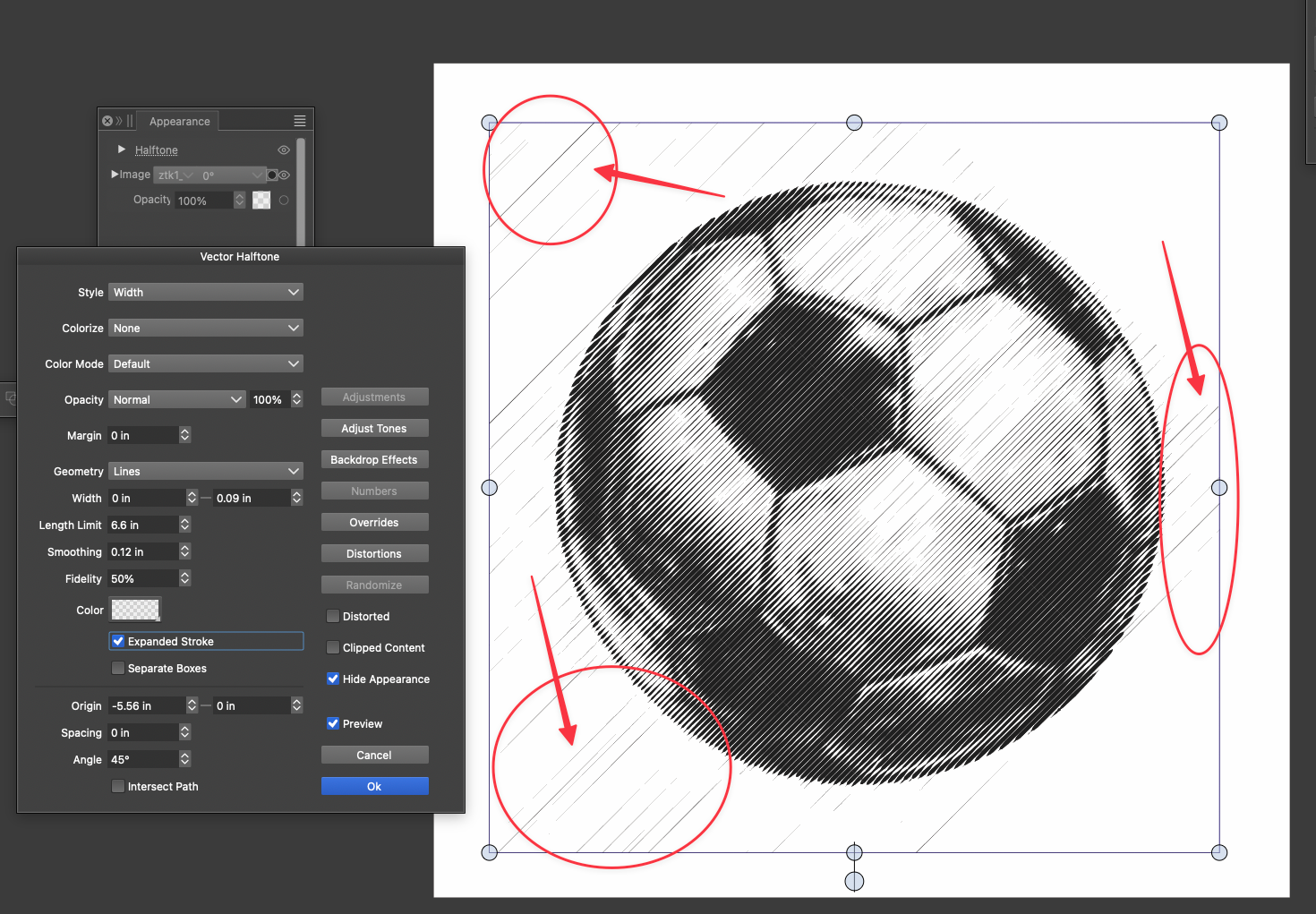
      My goal is to get rid of the stray lines outside the main area. I used a png image with a transparent background in hopes to avoid any of these extra lines. I was able to get rid of most but some still remain.

      I attached the VS file below
      58ad1a63-2ea2-4b7d-ba50-ed93fa503405-CleanShot 2026-02-05 at 10.04.34.png

      vector halftone.vstyler

      🍎 macOS Tahoe 26.2, Mac mini (M1, 2020), Chip Apple M1, Memory 16 GB
      Cintiq 27QHD Display and LG Ultra HD Display

      VectorStylerV 1 Reply Last reply Reply Quote 1
      • VectorStylerV Offline
        VectorStyler @Boldline
        last edited by

        @Boldline Yes, this is by design. I will try to find a solution for this

        BoldlineB 1 Reply Last reply Reply Quote 1
        • BoldlineB Offline
          Boldline @VectorStyler
          last edited by

          @VectorStyler ok thanks! I attached the original image if that helps.

          Generated image.png

          🍎 macOS Tahoe 26.2, Mac mini (M1, 2020), Chip Apple M1, Memory 16 GB
          Cintiq 27QHD Display and LG Ultra HD Display

          1 Reply Last reply Reply Quote 1
          • First post
            Last post
