VectorStyler
    • Categories
    • Unread
    • Recent
    • Tags
    • Popular
    • Register
    • Login

    Text Box Goes Crazy

    Scheduled Pinned Locked Moved Resolved Issues
    12 Posts 2 Posters 12.0k Views
    Loading More Posts
    • Oldest to Newest
    • Newest to Oldest
    • Most Votes
    Reply
    • Reply as topic
    Log in to reply
    This topic has been deleted. Only users with topic management privileges can see it.
    • VectorStylerV Offline
      VectorStyler @Boldline
      last edited by

      @Boldline The screen flashing is a problem, I will try to replicate it.

      Some fonts (like Waseem) do not have the glyphs for the characters in the text.
      If you select the font in the Glyphs panel, you can see the list of available glyphs.

      BoldlineB 1 Reply Last reply Reply Quote 0
      • BoldlineB Offline
        Boldline @VectorStyler
        last edited by

        @vectoradmin said in Text Box Goes Crazy:

        @Boldline The screen flashing is a problem, I will try to replicate it.

        Some fonts (like Waseem) do not have the glyphs for the characters in the text.
        If you select the font in the Glyphs panel, you can see the list of available glyphs.

        Even if all the characters in the text box are just regular letters? I was really trying to use benguiat font...
        When I did the same text in illustrator, it didn't give me any problems

        🍎 macOS Tahoe 26.2, Mac mini (M1, 2020), Chip Apple M1, Memory 16 GB
        Cintiq 27QHD Display and LG Ultra HD Display

        VectorStylerV 2 Replies Last reply Reply Quote 0
        • VectorStylerV Offline
          VectorStyler @Boldline
          last edited by

          @Boldline In this case AI will show the missing character boxes, and then revert to the previous font.

          1 Reply Last reply Reply Quote 0
          • VectorStylerV Offline
            VectorStyler @Boldline
            last edited by

            @Boldline Just checked this and ITC Benguiat Std (OpenType) works fine in VS.

            BoldlineB 1 Reply Last reply Reply Quote 0
            • BoldlineB Offline
              Boldline @VectorStyler
              last edited by Boldline

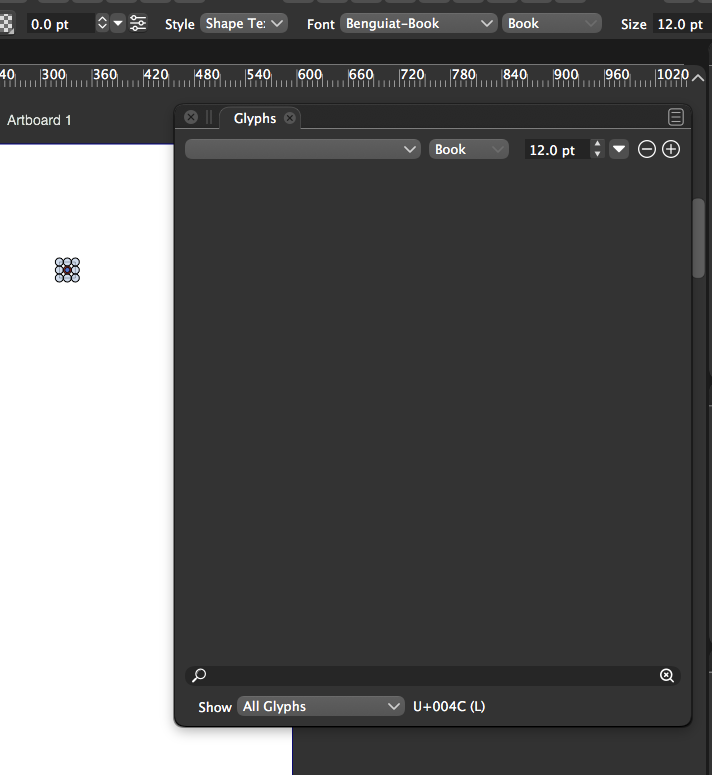
              @vectoradmin I'm not 100% sure where this copy of Benguiat originated from, from an old file, another program or from the internet somewhere, so it might not be the "best" file? When I open the glyphs panel in VS and go to Benguiat, nothing shows in that panel and the text box shrinks to a single small square.
              0_1627224383280_e60be579-d866-427c-b554-a948dac095c7-image.png
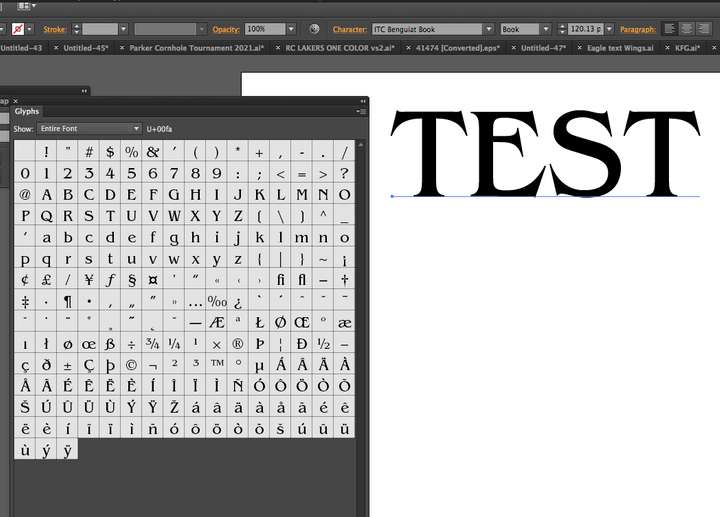
              When I switch over to Illustrator, open the glyphs panel there, go to the same font, Benguiat, I can see the entire font listed and I can use it without issue.
              0_1627224089984_7969bb02-2432-4dea-b27d-4fa1c6d3f5b9-image.png

              You had said, "Some fonts (like Waseem) do not have the glyphs for the characters in the text. If you select the font in the Glyphs panel, you can see the list of available glyphs." Why would the glyphs show for Benguiat in Illustrator, but not in VS?
              You had also mentioned "In this case AI will show the missing character boxes, and then revert to the previous font." But in Illustrator with the example of Benguiat, there are no substitutions occurring that I can see.

              I'm just trying to figure out what Illustrator is doing that allows it to utilize the full functionality of the font that VS is unable to do. I can send you the font file itself to test if you prefer.

              🍎 macOS Tahoe 26.2, Mac mini (M1, 2020), Chip Apple M1, Memory 16 GB
              Cintiq 27QHD Display and LG Ultra HD Display

              VectorStylerV 2 Replies Last reply Reply Quote 0
              • VectorStylerV Offline
                VectorStyler @Boldline
                last edited by

                @Boldline Is this font installed in the system?

                BoldlineB 1 Reply Last reply Reply Quote 0
                • VectorStylerV Offline
                  VectorStyler @Boldline
                  last edited by

                  @Boldline This might be the same Type 1 font issue as reported in another thread.

                  BoldlineB 1 Reply Last reply Reply Quote 0
                  • BoldlineB Offline
                    Boldline @VectorStyler
                    last edited by

                    @vectoradmin
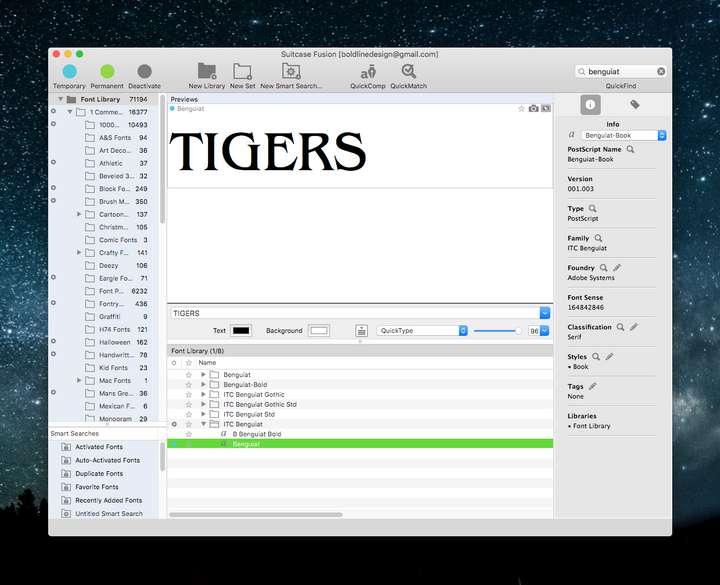
                    I dont think it's installed in my computer's system.
                    I use a font manager to turn on and off fonts
                    0_1627228747837_7b09bab8-c7c4-4827-852b-bd3702a8ff16-image.png

                    🍎 macOS Tahoe 26.2, Mac mini (M1, 2020), Chip Apple M1, Memory 16 GB
                    Cintiq 27QHD Display and LG Ultra HD Display

                    1 Reply Last reply Reply Quote 0
                    • BoldlineB Offline
                      Boldline @VectorStyler
                      last edited by

                      @vectoradmin said in Text Box Goes Crazy:

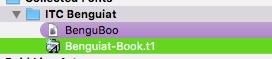
                      @Boldline This might be the same Type 1 font issue as reported in another thread.

                      Looks like it is indeed a Type 1
                      0_1627229070938_b489759e-5401-461a-a23d-d15d64380f5a-image.png

                      🍎 macOS Tahoe 26.2, Mac mini (M1, 2020), Chip Apple M1, Memory 16 GB
                      Cintiq 27QHD Display and LG Ultra HD Display

                      VectorStylerV 1 Reply Last reply Reply Quote 0
                      • VectorStylerV Offline
                        VectorStyler @Boldline
                        last edited by

                        @Boldline A quick workaround is to use VS Font Manager (Text -> Font Manager) to add a new font collection from a folder.
                        The fonts do not have to be installed in this way.
                        Fonts added from a folder are listed in separate collections that must be selected from the upper-right corner drop down of the font list.

                        1 Reply Last reply Reply Quote 2
                        • VectorStylerV Offline
                          VectorStyler @Boldline
                          last edited by

                          @Boldline There is missing glyph preview now in build 1.0.052

                          1 Reply Last reply Reply Quote 1
                          • First post
                            Last post