VectorStyler
    • Categories
    • Unread
    • Recent
    • Tags
    • Popular
    • Register
    • Login

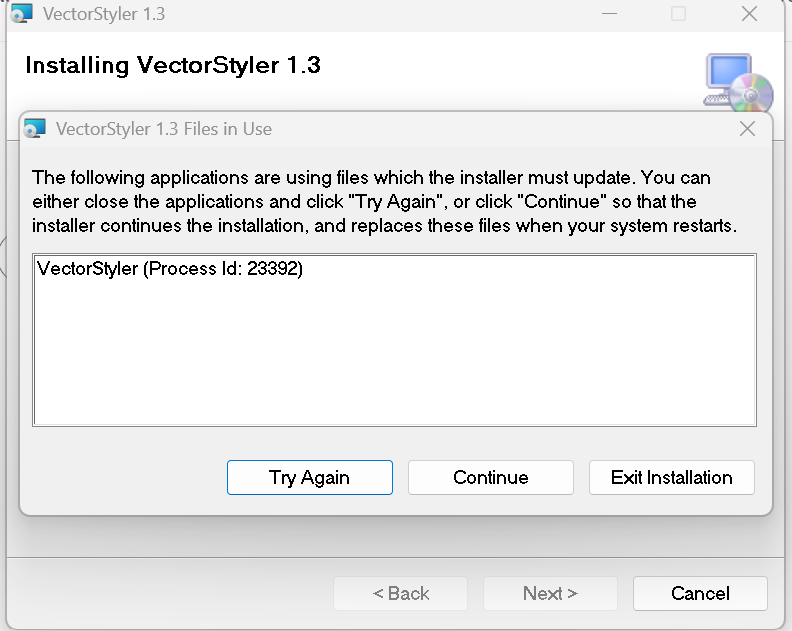
    the following applications are using files which the installer must update (failed several times)

    Scheduled Pinned Locked Moved Bugs in VectorStyler
    3 Posts 2 Posters 6 Views 2 Watching
    Loading More Posts
    • Oldest to Newest
    • Newest to Oldest
    • Most Votes
    Reply
    • Reply as topic
    Log in to reply
    This topic has been deleted. Only users with topic management privileges can see it.
    • Clippy notesC Offline
      Clippy notes
      last edited by

      4c92c041-8208-41aa-ae19-d99d29de2b53-image.png

      Clippy notesC 1 Reply Last reply Reply Quote 1
      • Clippy notesC Offline
        Clippy notes @Clippy notes
        last edited by

        Solution: The installer couldn't update the files because VectorStyler was still running in the background, even though the application window was closed.

        Fix:

        Open Task Manager (Ctrl + Shift + Esc).
        Find VectorStyler.exe under the Processes tab.
        Right-click it and select End Task.
        Go back to the installer and click Try Again.

        After ending the background process, the installation completed successfully. Using Continue wasn't necessary and avoids having files replaced only after a reboot.

        VectorStylerV 1 Reply Last reply Reply Quote 1
        • VectorStylerV Offline
          VectorStyler @Clippy notes
          last edited by

          @Clippy-notes Yes, if it is running in the background this will cause this.
          It should not run if the window is closed

          1 Reply Last reply Reply Quote 0
          • First post
            Last post