Settings Preset Shows “Modified” Without Changing Any Settings
-
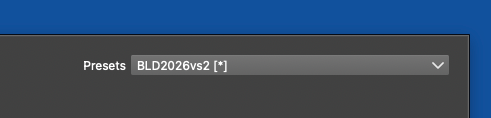
I appreciate the addition of the “*” modified indicator to the Settings Presets panel in the most recent build.
One thing I’m confused about is that the asterisk can appear after using VectorStyler even when I haven’t gone into Settings or intentionally changed anything.
I’m trying to understand what could cause the current settings preset to be marked as modified under those circumstances. Are there settings elsewhere in VectorStyler that can change during normal use and cause the “*” indicator to appear?
-
@Boldline I will test this more. The problem is that a lot of things get saved into settings that are only about the state of the app.
-
@VectorStyler said in Settings Preset Shows “Modified” Without Changing Any Settings:
The problem is that a lot of things get saved into settings that are only about the state of the app
oh interesting. Maybe there should be more an option to either save a new version of the settings file or overwrite the original right from the settings file?
It would also be useful if Option-clicking the settings file name revealed its location in Finder on macOS, similar to how Option-clicking a file tab's name in VS lets you locate the settings file. This would help with overwriting ot saving-as a settings file and keeping it organized

