VectorStyler
    • Categories
    • Unread
    • Recent
    • Tags
    • Popular
    • Register
    • Login

    Text frame scaling problem
    Scheduled Pinned Locked Moved Resolved Issues
    7 Posts 2 Posters 7.5k Views
    Loading More Posts
    • Oldest to Newest
    • Newest to Oldest
    • Most Votes
    Reply
    • Reply as topic
    Log in to reply
    This topic has been deleted. Only users with topic management privileges can see it.
    • C Offline
      Clausj
      last edited by

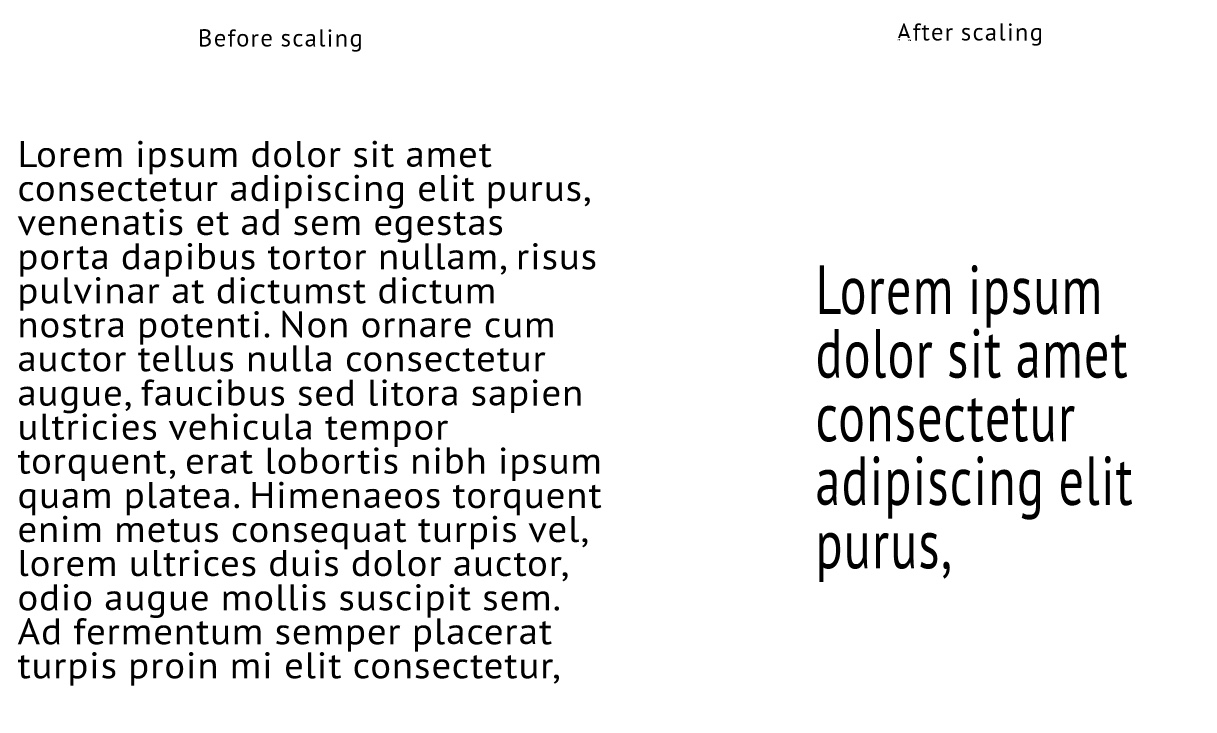
      I'm playing around with formatting text, when scaling the text field with the scale tool after various format changes the text behaves strange, see screendump, the frame to the right has been scaled down but the text size is increasing.
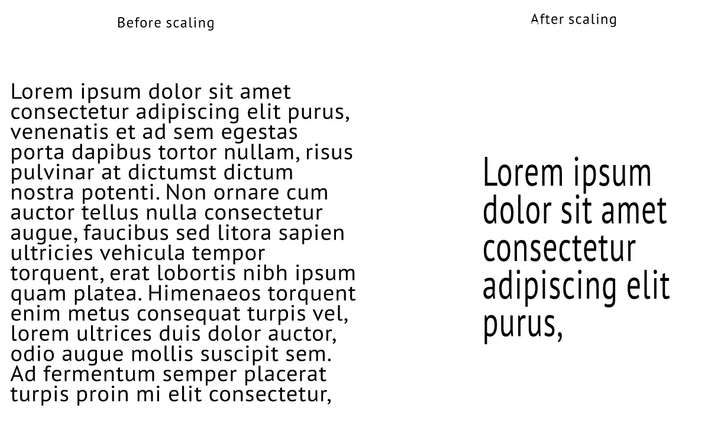
      0_1632123076618_Text frame scaling error.jpg

      VectorStylerV 2 Replies Last reply Reply Quote 0
      • VectorStylerV Offline
        VectorStyler @Clausj
        last edited by

        @Clausj This looks like a bug of some sort, with the scaling.
        When using the scale tool 0_1632123465772_scaletool.png the content of the frame should also be scaled, but not as in the example.

        Could you send me the above example in a vstyler file (the two frames) by email to csraba at vectorstyler.com. I will try to replicate this issue.

        1 Reply Last reply Reply Quote 0
        • VectorStylerV Offline
          VectorStyler @Clausj
          last edited by

          @Clausj Was the first frame (Before scaling side) scaled up after creating it?

          1 Reply Last reply Reply Quote 0
          • C Offline
            Clausj
            last edited by

            No, it was created by dragging the text tool and handles have been dragged to ajust size but no scaling with the scale tool.

            VectorStylerV 2 Replies Last reply Reply Quote 0
            • VectorStylerV Offline
              VectorStyler @Clausj
              last edited by

              @Clausj OK. I replicated the issue, will find a fix, but meanwhile here is the workaround:
              after resizing the frame with the transform tool (not the scale tool), use Object -> Convert to Curves to convert the frame (not the text) to curves and flatten the added scaling (scaling was added by the transform tool).

              Then the scale tool can be used to add scaling from there.

              The bug here is caused by VS considering all scaling (including the ones added by the transform tool) when the scaling tool is used. I will fix this ASAP.

              1 Reply Last reply Reply Quote 0
              • VectorStylerV Offline
                VectorStyler @Clausj
                last edited by

                @Clausj Text frame scaling issues are fixed in build 1.0.052

                1 Reply Last reply Reply Quote 0
                • C Offline
                  Clausj
                  last edited by

                  You’re on fire!

                  1 Reply Last reply Reply Quote 2
                  • First post
                    Last post
