VectorStyler
    • Categories
    • Unread
    • Recent
    • Tags
    • Popular
    • Register
    • Login

    Bendy Arc warp

    Scheduled Pinned Locked Moved Questions and Support
    17 Posts 4 Posters 15.5k Views
    Loading More Posts
    • Oldest to Newest
    • Newest to Oldest
    • Most Votes
    Reply
    • Reply as topic
    Log in to reply
    This topic has been deleted. Only users with topic management privileges can see it.
    • DazmondoD Offline
      Dazmondo @VectorStyler
      last edited by

      @vectoradmin thanks for the quick reply - it's a little better but still not accurate enough - no worries I'll do the distortion in Illustrator cs5

      BoldlineB 1 Reply Last reply Reply Quote 0
      • BoldlineB Online
        Boldline @Dazmondo
        last edited by

        @Dazmondo I deal with warping and bending text consistently myself. I know for myself, working in illustrator cs6 for years, there are limits to what can be done with the text warp bend. A bend around of this degree, I'd default to text on a circle curve so the letter shapes are not compromised. I only use text warp for less extreme curves.
        How does it look if you used text on a curve in VS rather than warp?

        🍎 macOS Tahoe 26.2, Mac mini (M1, 2020), Chip Apple M1, Memory 16 GB
        Cintiq 27QHD Display and LG Ultra HD Display

        1 Reply Last reply Reply Quote 1
        • S Offline
          Subpath
          last edited by Subpath

          I agree with boldline, looking at your original template
          it seems to have been created with text in path (curve/circle)
          And not with the arc warp tool.

          If you did it with text to path, you would even have more options
          to adjust the spacing between the letters.

          Win 11
          CPU: AMD Ryzen 5 9600X, 6-core.
          GPU: Nvidia Geforce RTX 5070.

          BoldlineB DazmondoD 2 Replies Last reply Reply Quote 1
          • BoldlineB Online
            Boldline @Subpath
            last edited by

            @vectoradmin I have not explored this enough yet to know if you've added this feature - but is there an option to make vector objects conform along a path much like text on a path? I wonder if that would be useful. Sometimes I only have vector-text for example, text that came not as a font, but an alphabet of vector fill shapes. I'm limited in how i can use that text because it would not be eligible for use as text on a path. Live text obviously has a number of features that make it flow properly on a path and retain it's overall shape - what if you could assign each shape (vector letter)?

            🍎 macOS Tahoe 26.2, Mac mini (M1, 2020), Chip Apple M1, Memory 16 GB
            Cintiq 27QHD Display and LG Ultra HD Display

            VectorStylerV 1 Reply Last reply Reply Quote 0
            • DazmondoD Offline
              Dazmondo @Subpath
              last edited by

              @Subpath said in Bendy Arc warp:

              I agree with boldline, looking at your original template
              it seems to have been created with text in path (curve/circle)
              And not with the arc warp tool.

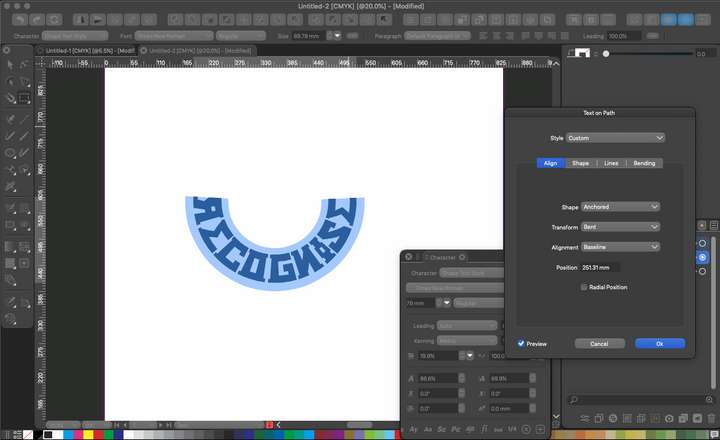
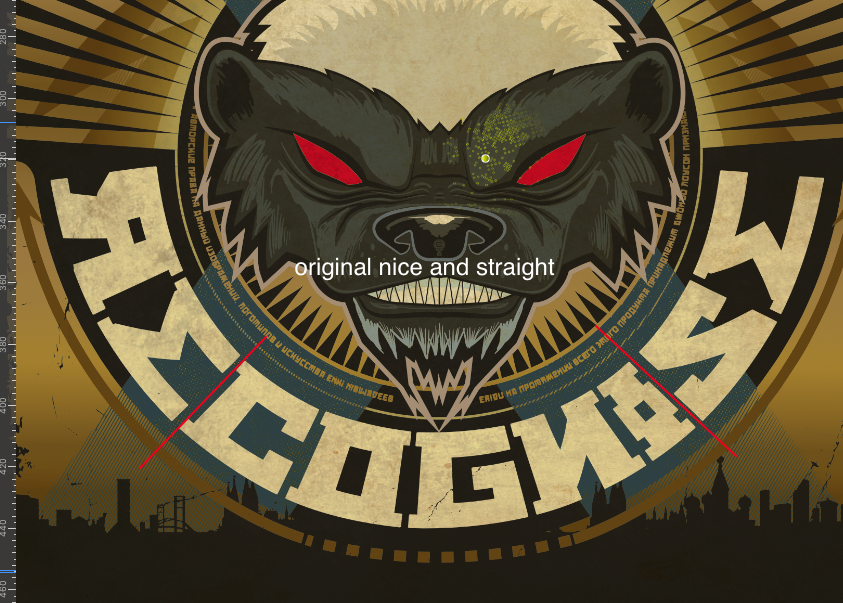
              I definitely originally used the arc tool in Illustrator as that was the method I always used - but just had a mess around with text on a path in VS and using Bent transform - works great - cheer's guys 👍
              0_1633973585928_Screen Grab 2021-10-11 at 18.31.03.png

              S 1 Reply Last reply Reply Quote 2
              • VectorStylerV Offline
                VectorStyler @Boldline
                last edited by

                @Boldline Yes, there is align to path in the Alignment panel, but it is not live, once aligned, objects can be moved freely.

                BoldlineB 1 Reply Last reply Reply Quote 0
                • S Offline
                  Subpath @Dazmondo
                  last edited by

                  @Dazmondo

                  I don't have that much experience with Illustrator.
                  I'm more of a Corel Draw guy. And in my last job
                  I did a lot of that. For stickers and things like that.
                  I always used text to path for this stuff.

                  But anyway, if it works it is ok.

                  Win 11
                  CPU: AMD Ryzen 5 9600X, 6-core.
                  GPU: Nvidia Geforce RTX 5070.

                  1 Reply Last reply Reply Quote 0
                  • S Offline
                    Subpath
                    last edited by Subpath

                    @Boldline

                    If you select the curve and object(s) and then select the rightmost
                    tool in the Align to Shape row. The "Adjust Object Position Manually tool....."

                    Then you can manually reposition objects on the path/curve
                    and objects will still follow the path.

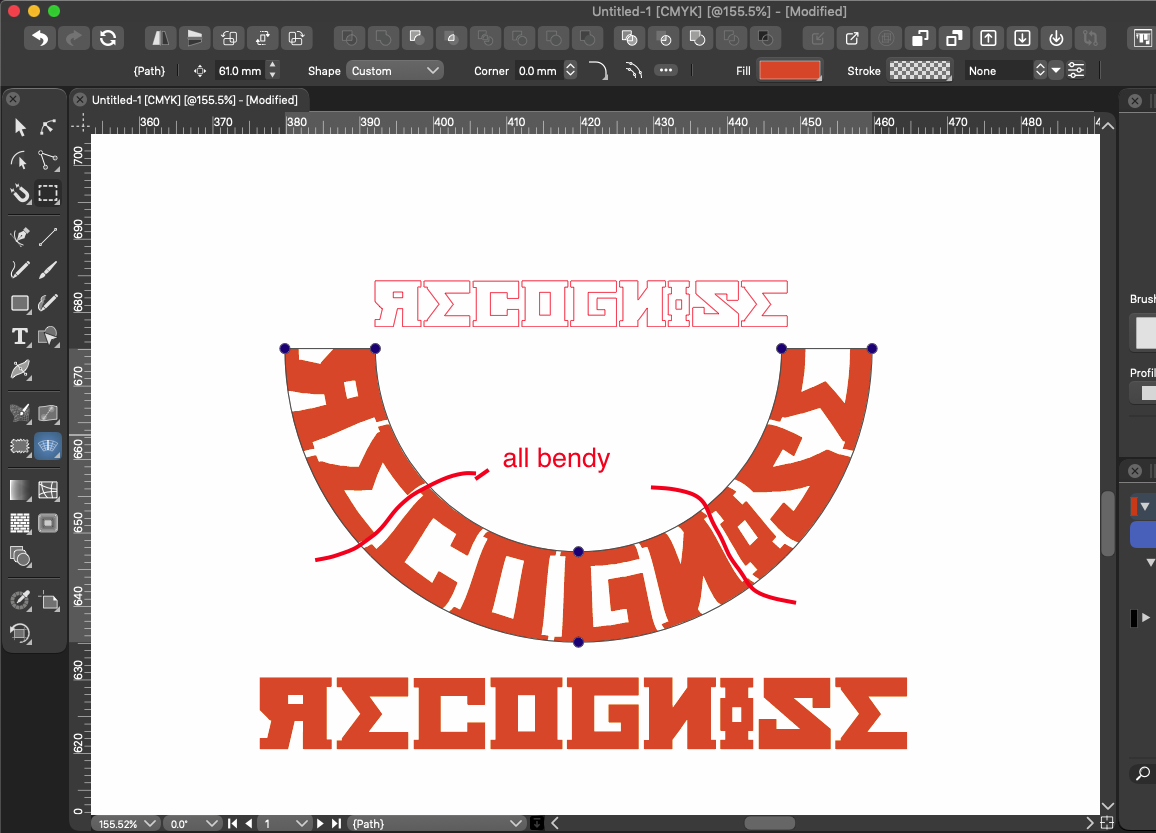
                    Here is an attempt of mine.
                    These are Objects (Text in Curve converted)

                    0_1633976062908_Path Text on Circle Curve-1.png

                    Win 11
                    CPU: AMD Ryzen 5 9600X, 6-core.
                    GPU: Nvidia Geforce RTX 5070.

                    BoldlineB 1 Reply Last reply Reply Quote 2
                    • BoldlineB Online
                      Boldline @VectorStyler
                      last edited by

                      @vectoradmin said in Bendy Arc warp:

                      @Boldline Yes, there is align to path in the Alignment panel, but it is not live, once aligned, objects can be moved freely.

                      I thought I had seen something for that in passing a while ago . Thanks for explaining - I will check that out specifically.

                      🍎 macOS Tahoe 26.2, Mac mini (M1, 2020), Chip Apple M1, Memory 16 GB
                      Cintiq 27QHD Display and LG Ultra HD Display

                      1 Reply Last reply Reply Quote 0
                      • BoldlineB Online
                        Boldline @Subpath
                        last edited by

                        @Subpath Thank you! I will try that out. Seems like a really great tool feature

                        🍎 macOS Tahoe 26.2, Mac mini (M1, 2020), Chip Apple M1, Memory 16 GB
                        Cintiq 27QHD Display and LG Ultra HD Display

                        DazmondoD 1 Reply Last reply Reply Quote 1
                        • DazmondoD Offline
                          Dazmondo @Boldline
                          last edited by Dazmondo

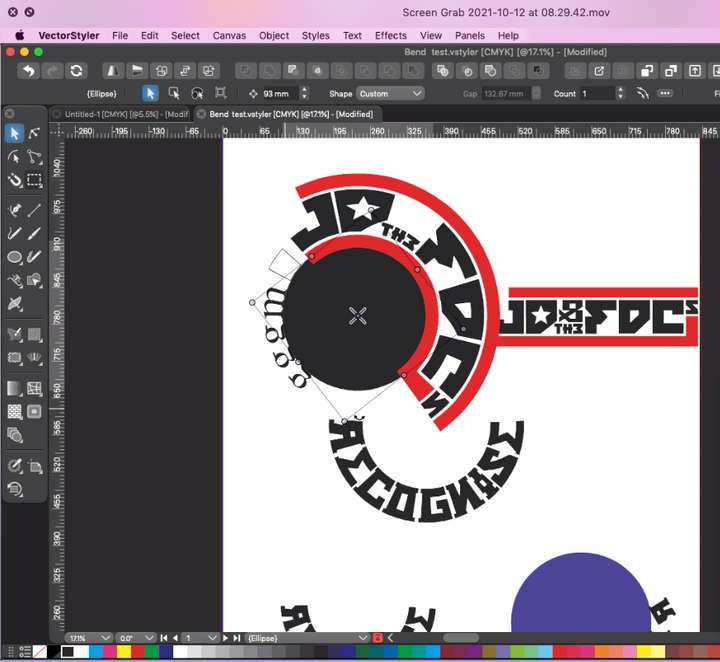
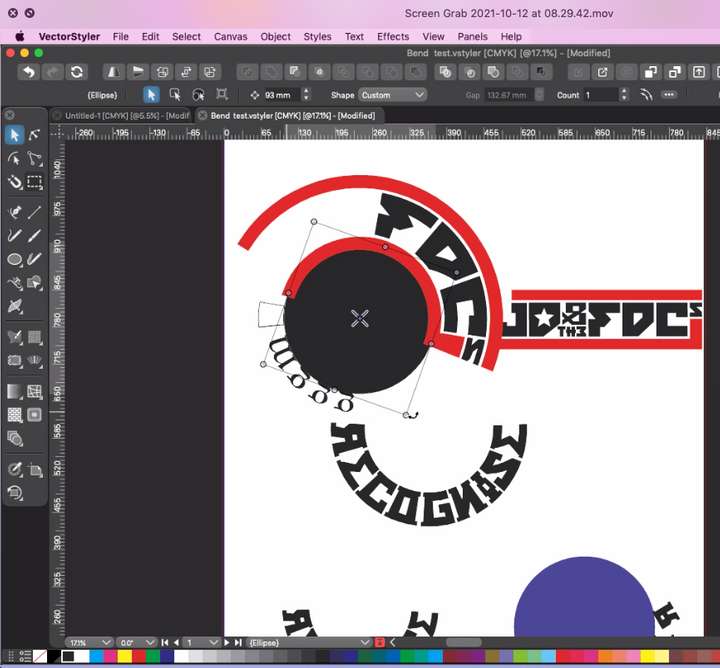
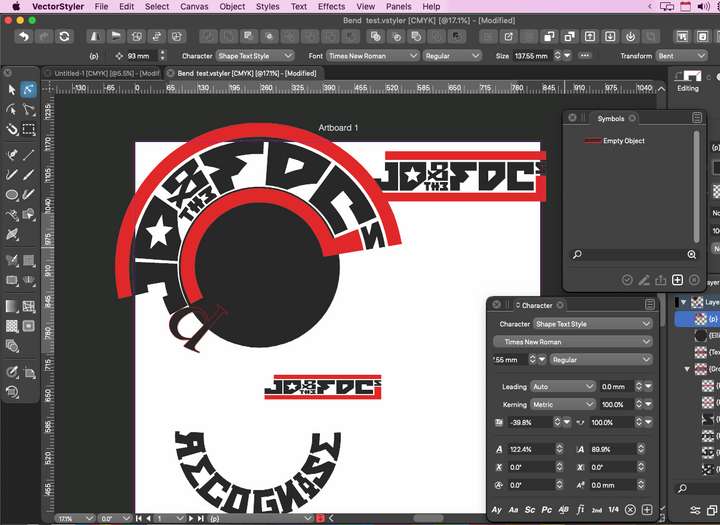
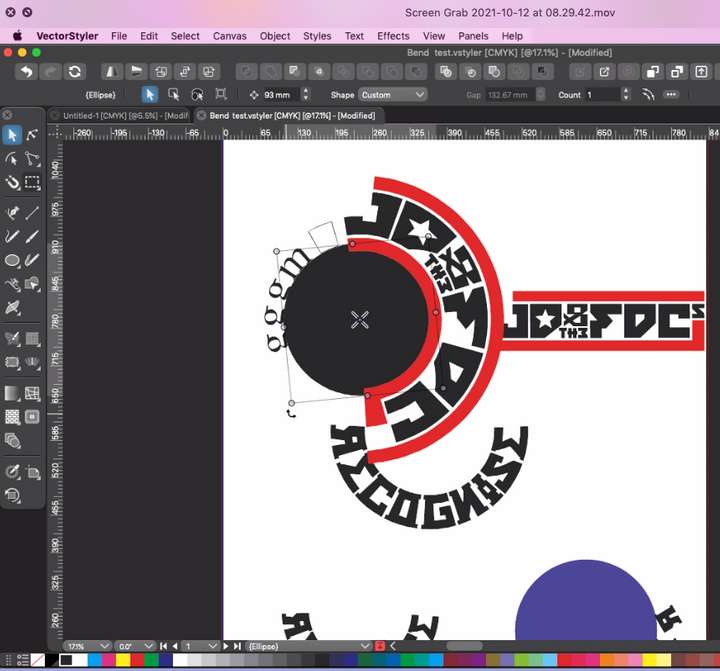
                          Just experimenting with the text on a path tool and pleased to report that it works with logos pasted inline, although, there seems to be a display bug - it is a shame you can't get the same distortion accuracy with the arc tool, but at least the effect is still achievable within VS - I did try to upload a screen grab vid to illustrate the bug but don't have privileges, so have just got a few grabs from the vid 0_1634024784004_Screen Grab 2021-10-12 at 08.40.36.png 0_1634024789538_Screen Grab 2021-10-12 at 08.40.48.png 0_1634024794768_Screen Grab 2021-10-12 at 08.41.00.png 0_1634024958015_Screen Grab 2021-10-12 at 08.30.44.png
                          BoldlineB 1 Reply Last reply Reply Quote 0
                          • BoldlineB Online
                            Boldline @Dazmondo
                            last edited by

                            @Dazmondo were you uploading the video directly to the forum, or a link to a video? The forum does not yet allow files to be uploaded for some reason. Did you try linking a video instead? That does work.n

                            🍎 macOS Tahoe 26.2, Mac mini (M1, 2020), Chip Apple M1, Memory 16 GB
                            Cintiq 27QHD Display and LG Ultra HD Display

                            1 Reply Last reply Reply Quote 0
                            • DazmondoD Offline
                              Dazmondo
                              last edited by

                              No didn't try the link - I'll remember for next time - thanks Boldline

                              1 Reply Last reply Reply Quote 0
                              • DazmondoD Offline
                                Dazmondo
                                last edited by

                                Pleased to report that you can even drag a symbol inline and it updates to changes to original ------ ACE------0_1634026559048_Screen Grab 2021-10-12 at 09.11.15.png

                                1 Reply Last reply Reply Quote 2
                                • DazmondoD Offline
                                  Dazmondo
                                  last edited by

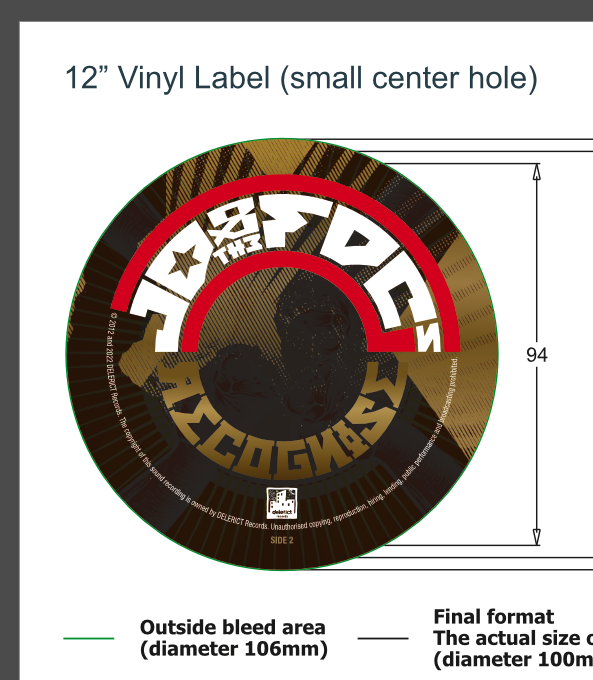
                                  For more details on the bendy logo see: https://www.vectorstyler.com/forum/topic/939/bending-logos-accurately-around-a-curve-for-a-vinyl-lp-label

                                  1 Reply Last reply Reply Quote 0
                                  • First post
                                    Last post