Option to auto close all selected open shapes, etc
-
The select> open curves, stray points, stray segments is an awesome tool.
While it's great to be able to select these issues in a design file, the tool selects the entire shape and you still have to go find the issue in that shape and click the join tool. From what I can see, there's not an option to maximize the use of all shapes with open paths being selected at the same time and be able to "auto-close" them.
I did a test using three shapes with an open path. Then I auto-selected them using the select>open path option. I had to switch over to the shape editor arrow to get the join option in the contextual menu - though command-J worked fine with the entire shape selected by the transform tool.
When I tried to close three open paths at the same time, they wanted to join together as three shapes in one.
Could an option be added somewhere that would auto-close any open path shape but not join it to it's nearest selected neighbor shape?
I would assume we'd not need a similar thing for stray points or stray segments as while all selected, we could just click on delete to remove them?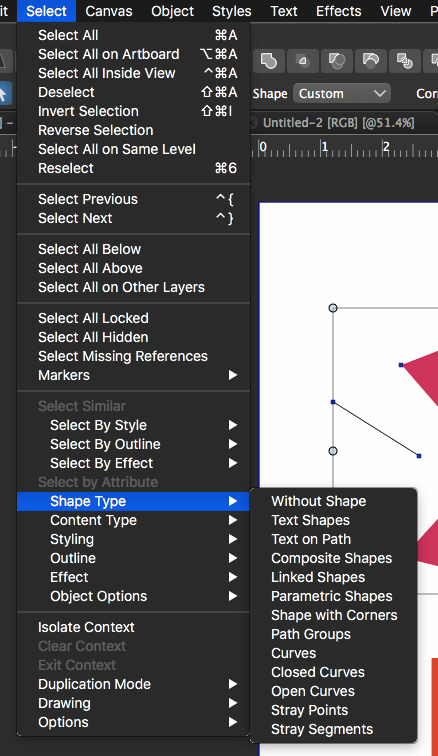
-
@Boldline In the Path panel, second row third icon should close individual paths without joining them.

