VectorStyler
    • Categories
    • Unread
    • Recent
    • Tags
    • Popular
    • Register
    • Login

    Brighter checkerboard and customisable color + size
    Scheduled Pinned Locked Moved Implemented Features
    7 Posts 4 Posters 8.2k Views 3 Watching
    Loading More Posts
    • Oldest to Newest
    • Newest to Oldest
    • Most Votes
    Reply
    • Reply as topic
    Log in to reply
    This topic has been deleted. Only users with topic management privileges can see it.
    • IngolfI Offline
      Ingolf
      last edited by Ingolf

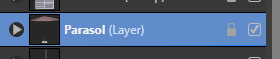
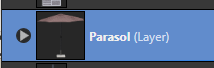
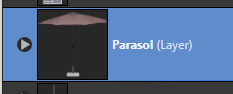
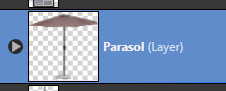
      The thumbnails in the layers panel are really too small. I recommend something like a small-medium-large setting. The double click to see a preview has no use to me. It is too slow, click intensive and awkward for me to use. I just need to see a representation of the object instantly.

      Further the checkboard pattern is too dark - I recommend brighter tones and preferably another option, a user definable thumbnail color.

      Right now I struggle to identify the small thumbnail and the checkerboard pattern is mostly what I see.

      VS:

      0_1637532979737_89a0484f-9757-48b1-85ad-5c845b4f6839-image.png

      Affinity small:
      0_1637533015458_258e638f-d190-42da-88d3-84a0f9f175f6-image.png

      Affinity medium:
      0_1637533050617_bfc3d0cb-b110-4eac-a21f-96483c8729e9-image.png

      Affinity large:
      0_1637533074034_3d95d0fb-080a-402d-a09b-dbe6c41a2dd5-image.png

      Affinity large, checkerboard:
      0_1637533105161_bd1fc02c-f95b-48c6-9001-e0963fc177c5-image.png

      And finally the object for reference (OMG JPG compression):
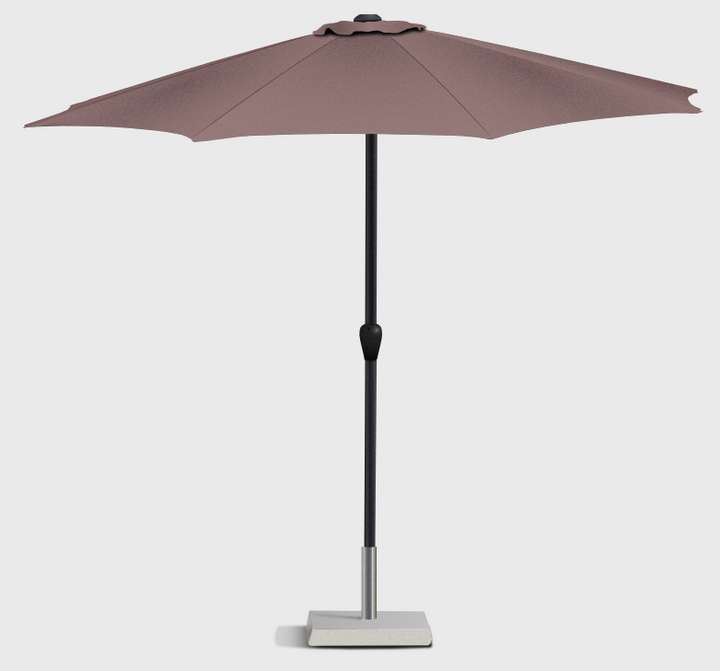
      0_1637533567269_b987c25c-f5d5-4faf-80db-9210b93e7700-image.png

      I disable the checkerboard and prefer the black in the dark theme in Affinity because it is enough for me to clearly identify the object and the checkerboard contradicts the UI simplicity that focus requires for me.

      πŸ™‚

      🍏 macOS Sequoia Apple Silicon

      b77B 1 Reply Last reply Reply Quote 1
      • b77B Offline
        b77 @Ingolf
        last edited by b77

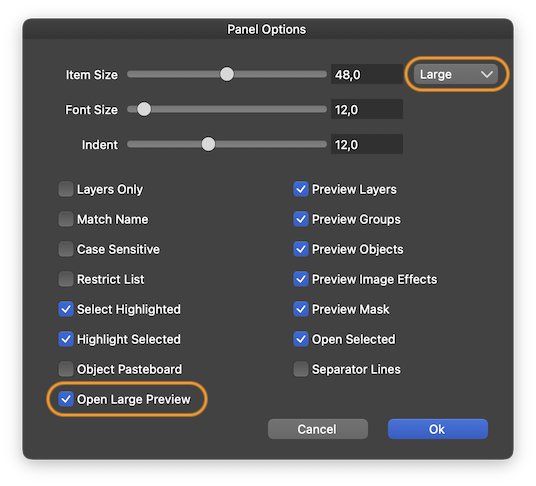
        @Ingolf Panel Options has 'Small', Medium' and 'Large' thumbnail size options, and if 'Large' is not enough you can enable 'Open Large Preview' which lets you single-click the thumbnail to see it larger:
        0_1637534135093_Captură de ecran din 2021-11-22 la 00.32.28.png

        MacBook Pro (Intel) running Monterey 12.6.4

        1 Reply Last reply Reply Quote 3
        • IngolfI Offline
          Ingolf
          last edited by Ingolf

          Thx. Ah, still getting used to the newly discovered Panel Options πŸ™‚ A shame so important settings are buried so deep.

          Excellent, then I am only suggesting a custom background color and/or lighter checkerboard.

          🍏 macOS Sequoia Apple Silicon

          BoldlineB b77B VectorStylerV 3 Replies Last reply Reply Quote 1
          • BoldlineB Offline
            Boldline @Ingolf
            last edited by

            @Ingolf I second the lighter checkerboard request. It can be hard to see what is actually on the thumbnail currently.

            🍎 macOS Tahoe 26.2, Mac mini (M1, 2020), Chip Apple M1, Memory 16 GB
            Cintiq 27QHD Display and LG Ultra HD Display

            1 Reply Last reply Reply Quote 2
            • b77B Offline
              b77 @Ingolf
              last edited by b77

              Ideally and if possible, a checkerboard pattern that adapts to the color of the object would be nice β€” if the object is black or dark, a slightly brighter checkerboard pattern would work better and if the object is white or light, the opposite.

              …and maybe a bit less contrast between the dark and light squares of the checkerboard?

              MacBook Pro (Intel) running Monterey 12.6.4

              1 Reply Last reply Reply Quote 1
              • VectorStylerV Offline
                VectorStyler @Ingolf
                last edited by

                @Ingolf I will try to find a good solution for the preview background issue.

                IngolfI 1 Reply Last reply Reply Quote 1
                • IngolfI Offline
                  Ingolf @VectorStyler
                  last edited by

                  @Ingolf I will try to find a good solution for the preview background issue.

                  You did! Options in beta 1.1 elegantly solved the problem. Thanks again!

                  🍏 macOS Sequoia Apple Silicon

                  1 Reply Last reply Reply Quote 3
                  • First post
                    Last post