VectorStyler
    • Categories
    • Unread
    • Recent
    • Tags
    • Popular
    • Register
    • Login

    Files saved after VS Beta 1.1 update have no content.

    Scheduled Pinned Locked Moved Resolved Issues
    16 Posts 5 Posters 13.8k Views 5 Watching
    Loading More Posts
    • Oldest to Newest
    • Newest to Oldest
    • Most Votes
    Reply
    • Reply as topic
    Log in to reply
    This topic has been deleted. Only users with topic management privileges can see it.
    • b77B Offline
      b77 @Qode5
      last edited by b77

      @Qode5 When exporting as PDF, all layers (but not the objects) are combined into one. But if the file is in RGB color mode (File menu > Document Setup > Color tab), the generated PDF should also be in RGB color mode.

      If I understand correctly, you applied a transparency mask to a group of objects (vectors, images, both?), saved and now the file opens with a blank canvas? I tried something like this here, but the file saves and re-opens correctly.

      You could use Recordit (free app) to record the screen so the developer can replicate the issue.

      Also, if the VS file is not too big, can you post it here? Or else send it to the developer (csraba at the app's domain)?

      MacBook Pro (Intel) running Monterey 12.6.4

      1 Reply Last reply Reply Quote 0
      • F Online
        fde101 Global Moderator
        last edited by

        Not seeing this on my Mac.

        Wonder if any other Windows users (as the OP appears to be on Windows 11 based on signature) might be experiencing this?

        1 Reply Last reply Reply Quote 0
        • Qode5Q Offline
          Qode5
          last edited by Qode5

          @b77 You're correct that I applied a transparency mask to a group - both image and vector for grunge effect. Saved / reopened with a white screen / blank canvas. The design is relatively complex and I wouldn't be able to share it, but I started a new RGB document. I created a simple ellipse w/ blue fill colour with the exact same transparency mask.
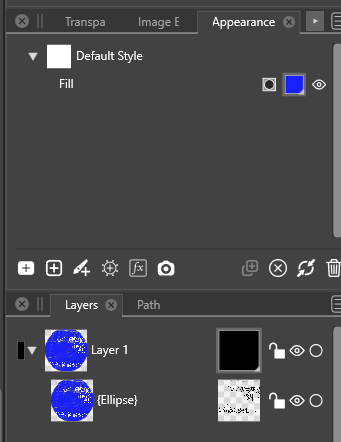
          0_1639436906646_8e38827d-6de3-4613-92d8-ca177e9a0b58-image.png

          Transparency mask:

          0_1639436987959_975b2321-0324-4d5a-9ba6-f77b409c20fd-image.png

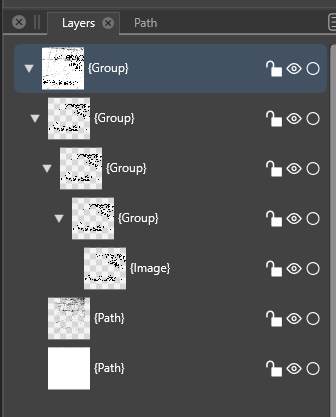
          Saved a copy in .vstyler format, reopened to a blank white screen with no objects or layer. Exported as PDF and reopened with everything in tact. Except now the ellipse in the layer panel was now grouped as was the image in the transparency mask. I should also note that I didn't have an issue with the colour this time.
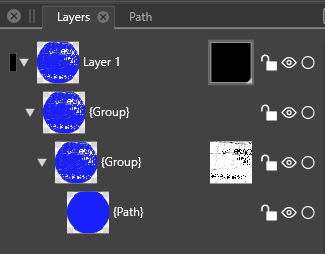
          0_1639437269667_920f68f0-4040-4a49-9965-700a8c36640f-image.png

          0_1639437309895_31c8510d-3167-4658-b7b9-a7d3367c9a51-image.png

          I'm happy to share both PDF and VStyler files. Unfortunately I don't have enough privileges to share the files here.

          Windows 11 / Zorin OS Linux * AMD Threadripper 3960X * 128 GB Ram * Two Nvidia Quadro RTX 4000 graphics cards * Two monitor setup plus a Huion Kamvas 22 Plus pen display.

          b77B 1 Reply Last reply Reply Quote 0
          • b77B Offline
            b77 @Qode5
            last edited by

            @Qode5 Send them to the developer, no problem. 👍

            MacBook Pro (Intel) running Monterey 12.6.4

            1 Reply Last reply Reply Quote 0
            • J Offline
              Jono
              last edited by

              Beta 1.1.000

              I also have experienced no content but only when opening when opening from a file icon.

              If I open from the File menu all is ok.

              After double clicking the icon I am not automatically taken to Vectorstyler, only any floating panels are displayed.

              This happens both when Vectorstyler is already running and when closed and with any previously saved file, ie not just ones created in beta 1.1.
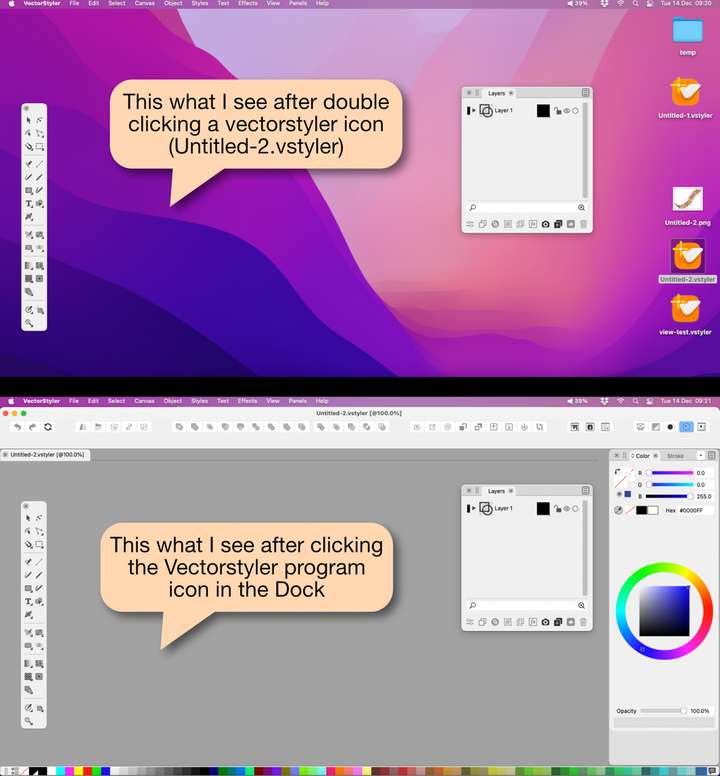
              0_1639475553965_screenshots.png

              Mac mini (M1, 2020) | Tahoe 26.1 | Wacom Cintiq 16 (1920 x 1080 px)

              VectorStylerV 1 Reply Last reply Reply Quote 0
              • VectorStylerV Offline
                VectorStyler @Jono
                last edited by

                @Jono When VS is opened, it should have the empty application window. Was this changed in preferences?
                It might be some conflict with a settings from the previous version.

                One thing to try: open a file, and open the Canvas&Artboards panel, is there a "Artwork Canvas -> Canvas 1 -> Artboard 1" ?

                1 Reply Last reply Reply Quote 0
                • J Offline
                  Jono
                  last edited by Jono

                  Here are my preferences for opening documents:
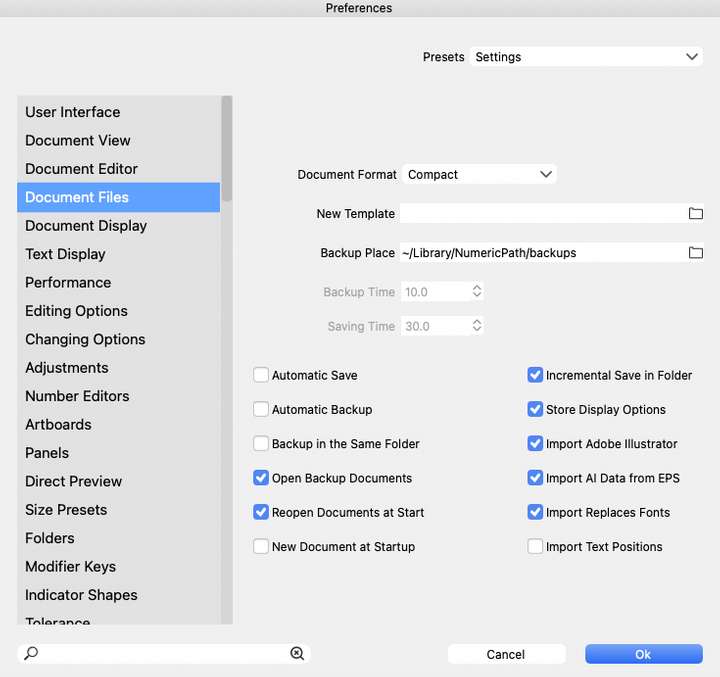
                  0_1639480867106_Screenshot doc prefs.png

                  Here are screenshots of the Canvas & Artboards panel. The first is when no content shows, the second is when the same file opens normally:
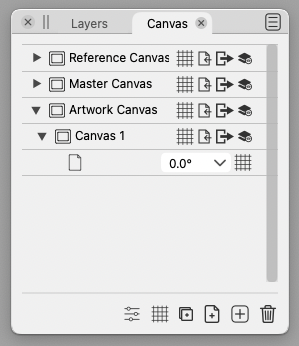
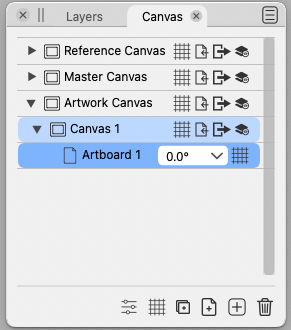
                  0_1639480989956_Screenshot no content.png

                  0_1639480999547_Screenshot open ok.png

                  Mac mini (M1, 2020) | Tahoe 26.1 | Wacom Cintiq 16 (1920 x 1080 px)

                  VectorStylerV 1 Reply Last reply Reply Quote 0
                  • VectorStylerV Offline
                    VectorStyler @Jono
                    last edited by

                    @Jono send me the file by email that shows no content (to csraba at vectorstyler.com)

                    J 1 Reply Last reply Reply Quote 0
                    • Qode5Q Offline
                      Qode5
                      last edited by Qode5

                      I decided to uninstall VS beta 1.1 and reinstall. Reinstall is version 1.0.062. I experienced the same results of a white screen and no content. Not sure if this a Windows issue or not.

                      I should probably note that the only file I've been able to save in the vstyler file format and open with no issues was an svg file originally created in Inkscape and added to in VS.

                      Windows 11 / Zorin OS Linux * AMD Threadripper 3960X * 128 GB Ram * Two Nvidia Quadro RTX 4000 graphics cards * Two monitor setup plus a Huion Kamvas 22 Plus pen display.

                      VectorStylerV 1 Reply Last reply Reply Quote 0
                      • VectorStylerV Offline
                        VectorStyler @Qode5
                        last edited by

                        @Qode5 It looks like a configuration issue.
                        Quit VectorStyler, go to the c:\Users<user name>\ folder and delete the "NumericPath" folder (contains VectorStyler settings and workspace).

                        Then launch VectorStyler again.

                        1 Reply Last reply Reply Quote 0
                        • Qode5Q Offline
                          Qode5
                          last edited by

                          @vectoradmin deleting the NumericPath folder in the User folder does look to have solved the issue in both 1.0.062 as well as 1.1 beta. I configured VS the way I want and all is working still. Thank you!

                          Windows 11 / Zorin OS Linux * AMD Threadripper 3960X * 128 GB Ram * Two Nvidia Quadro RTX 4000 graphics cards * Two monitor setup plus a Huion Kamvas 22 Plus pen display.

                          VectorStylerV 1 Reply Last reply Reply Quote 2
                          • VectorStylerV Offline
                            VectorStyler @Qode5
                            last edited by

                            @Qode5 Good to hear. If similar issues occur, please let me know.

                            1 Reply Last reply Reply Quote 0
                            • Qode5Q Offline
                              Qode5
                              last edited by

                              @vectoradmin Will do. I appreciate the help received from the community here in the 5 days I've owned VS. Looking forward to being part of the VS revolution and escaping the clutches of Adobe.

                              Cheers!

                              Windows 11 / Zorin OS Linux * AMD Threadripper 3960X * 128 GB Ram * Two Nvidia Quadro RTX 4000 graphics cards * Two monitor setup plus a Huion Kamvas 22 Plus pen display.

                              1 Reply Last reply Reply Quote 4
                              • J Offline
                                Jono @VectorStyler
                                last edited by

                                @vectoradmin just spotted your request for file. Will send in the morning. Thanks.

                                Mac mini (M1, 2020) | Tahoe 26.1 | Wacom Cintiq 16 (1920 x 1080 px)

                                1 Reply Last reply Reply Quote 1
                                • VectorStylerV Offline
                                  VectorStyler @Qode5
                                  last edited by

                                  @Qode5 Could not replicate this issue. Let me know if it still occurs (beta 1.1.002)

                                  1 Reply Last reply Reply Quote 1
                                  • First post
                                    Last post