VectorStyler
    • Categories
    • Unread
    • Recent
    • Tags
    • Popular
    • Register
    • Login

    Could Name of file saved for shortcut presets be shown here?
    Scheduled Pinned Locked Moved Questions and Support
    2 Posts 2 Posters 3.2k Views 1 Watching
    Loading More Posts
    • Oldest to Newest
    • Newest to Oldest
    • Most Votes
    Reply
    • Reply as topic
    Log in to reply
    This topic has been deleted. Only users with topic management privileges can see it.
    • BoldlineB Online
      Boldline
      last edited by

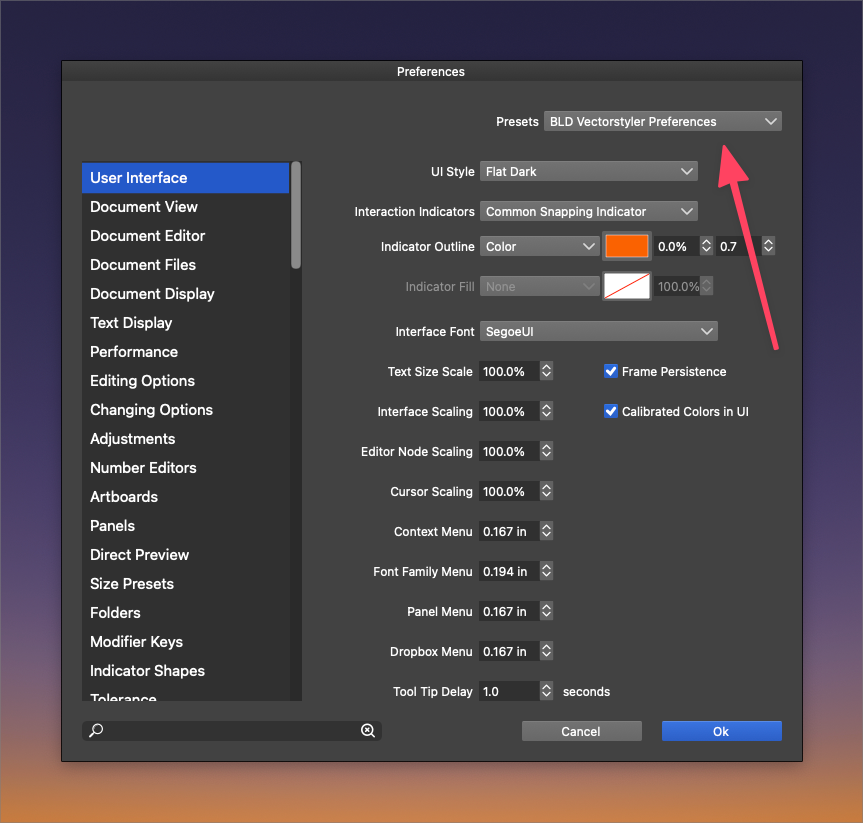
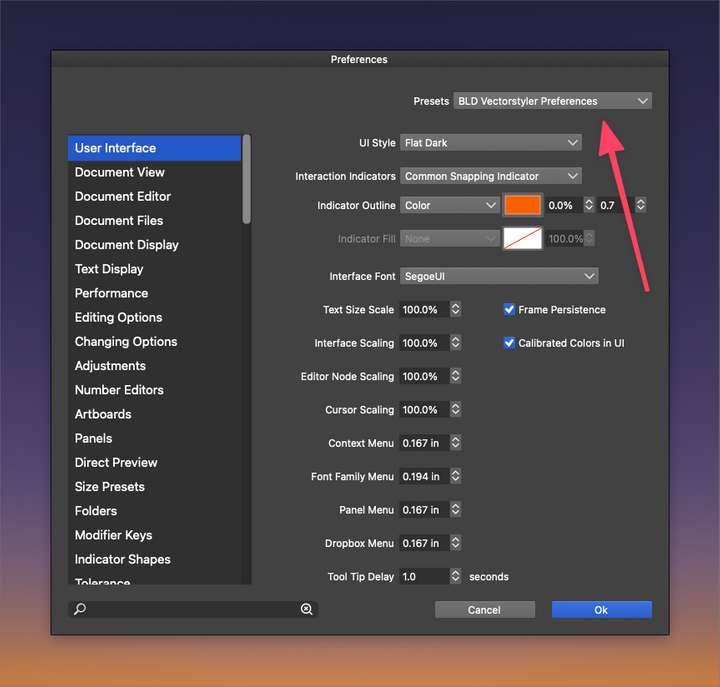
      In the preferences folder, if I create my own custom set of preference settings, the name is listed in that spot. (see second screenshot below)
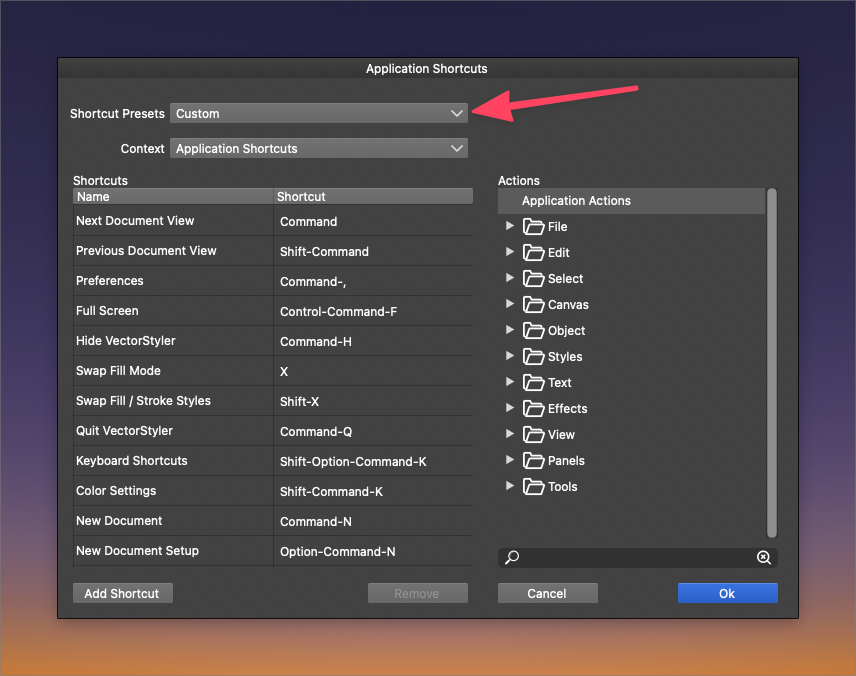
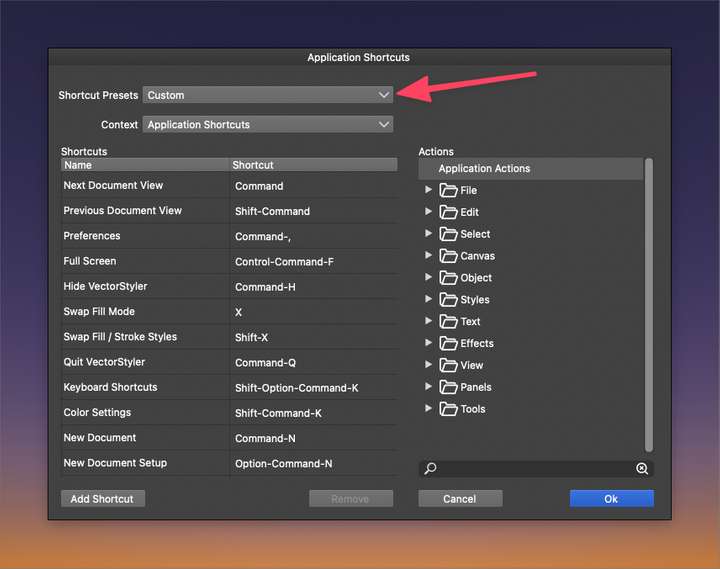
      I'd like to see a similar way set up with application shortcuts - so it's not just saying "custom" and I'd be able to know exactly what file is being used
      0_1640300133206_468d29dd-061f-42e7-a03d-7fe94a461baa-image.png

      0_1640300671009_63535847-c59f-4797-a2b2-f5c8ff088c9e-image.png

      🍎 macOS Tahoe 26.2, Mac mini (M1, 2020), Chip Apple M1, Memory 16 GB
      Cintiq 27QHD Display and LG Ultra HD Display

      VectorStylerV 1 Reply Last reply Reply Quote 0
      • VectorStylerV Offline
        VectorStyler @Boldline
        last edited by

        @Boldline The files that are listed in that drop down are searched automatically from specific folders.
        In this case add a new folder (with "Add Folder") to the "Menu Folders" list of folders. This can be used to point to folders where menu, toolbox or shortcut customization files are saved.
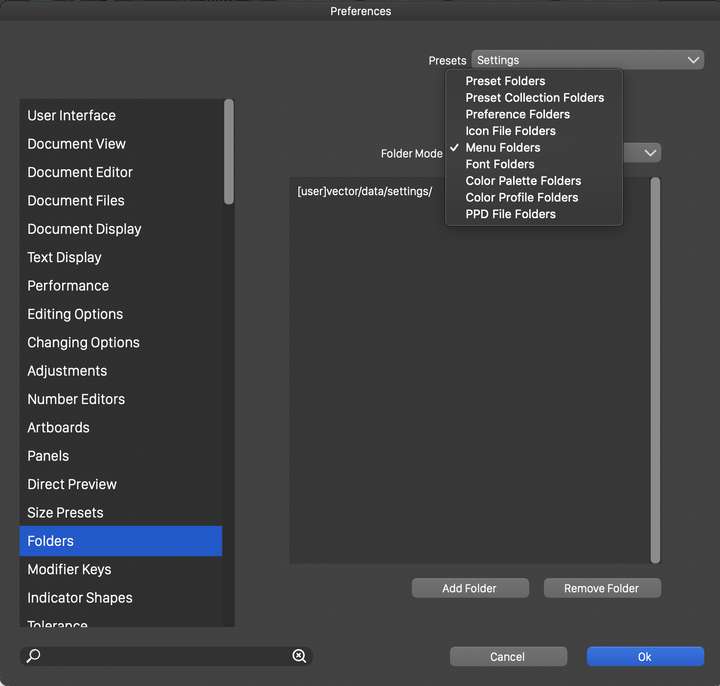

        0_1640332556742_menufolders.png

        1 Reply Last reply Reply Quote 0
        • First post
          Last post