Option to Customize and assign each Node Type a Different SHAPE indicator
-
I’d like to see VectorStyler add the option to Customize the Node SHAPE indicators, allowing you **assign each Node Type (Cusp, Smooth, and Symmetrical) its own "shape".
In CorelDRAW for example, you can can Customize Nodes and Handles Size and Shape by Tools>Options_Workspace>Nodes and Handles).
This brings up a very simple Window that allows you to change all the custom options (Size, Color, Node Shapes...) in just a single window- very easy UI!
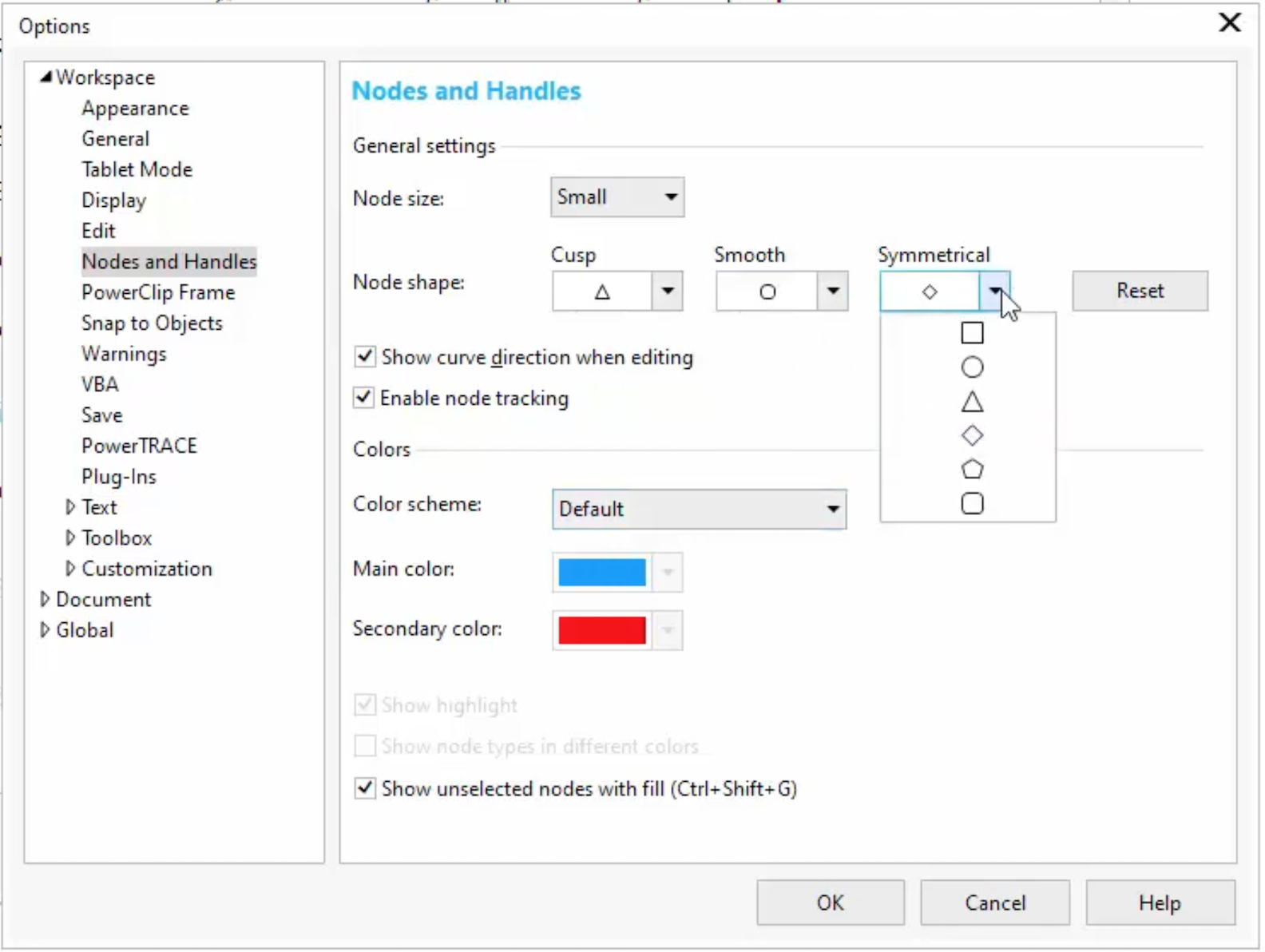
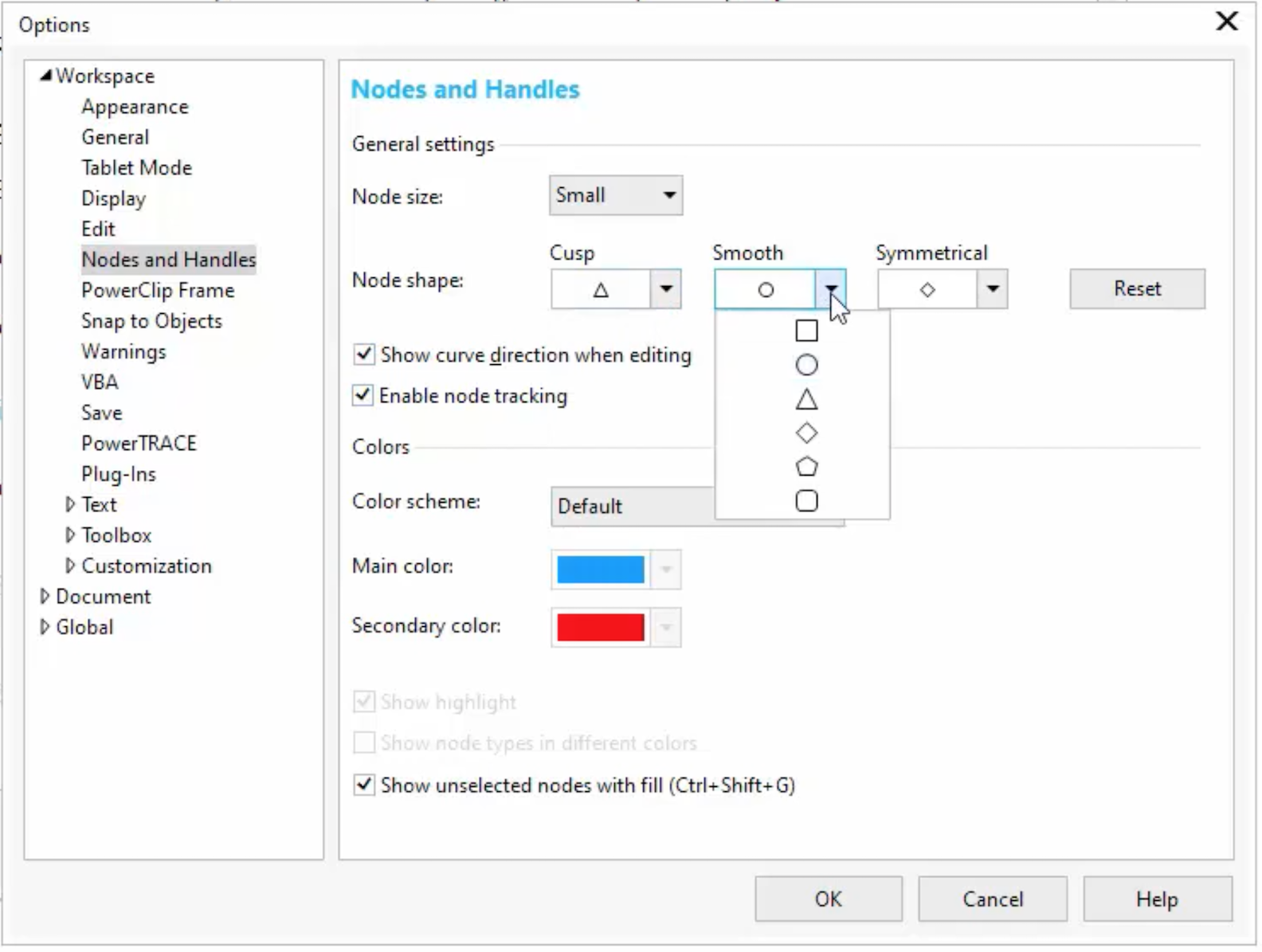
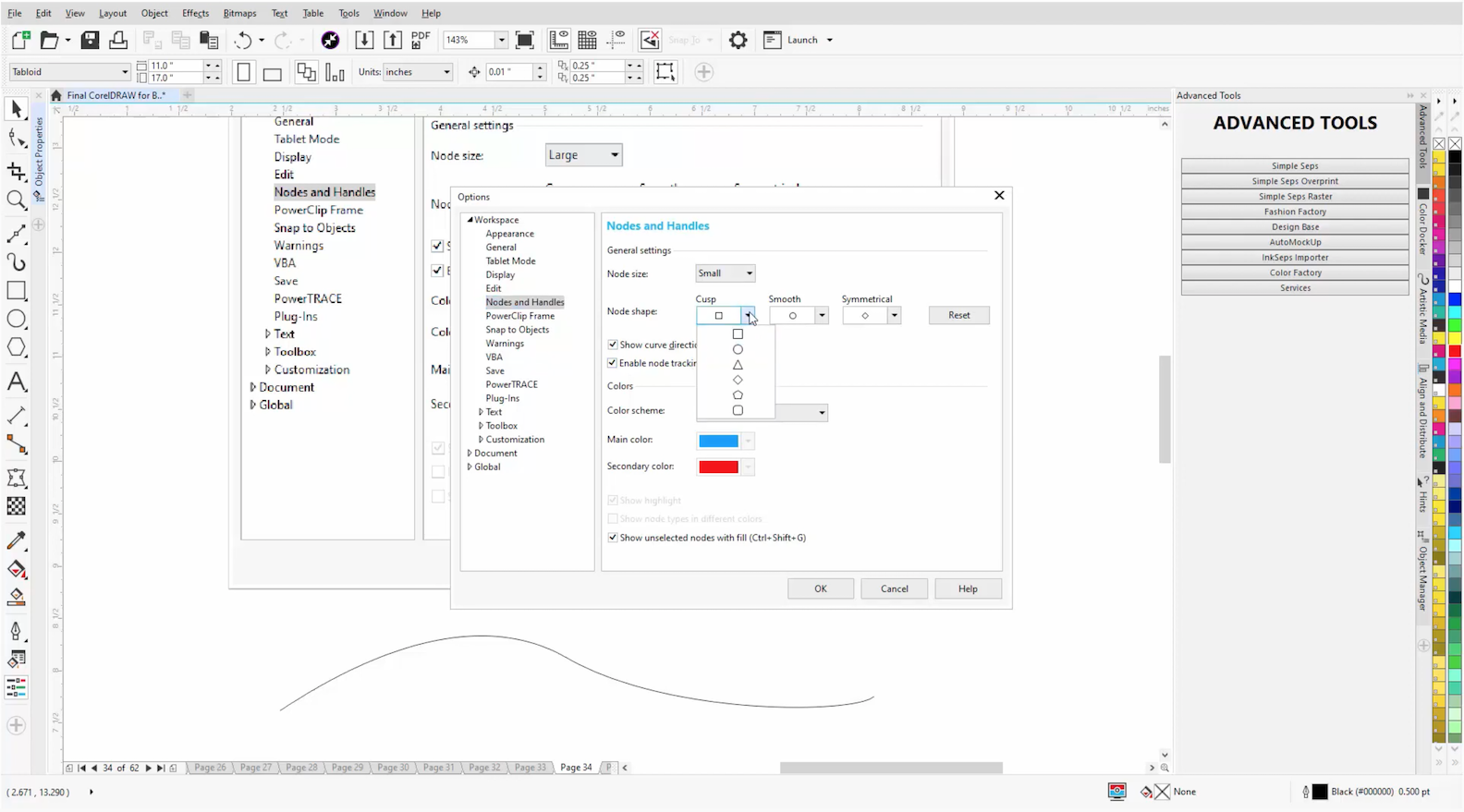
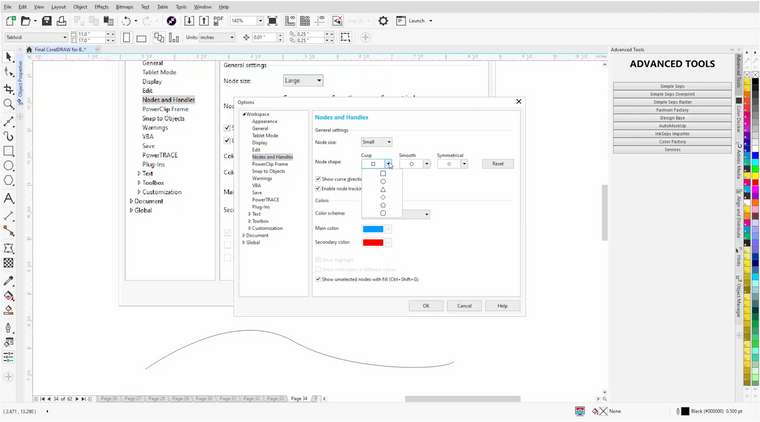
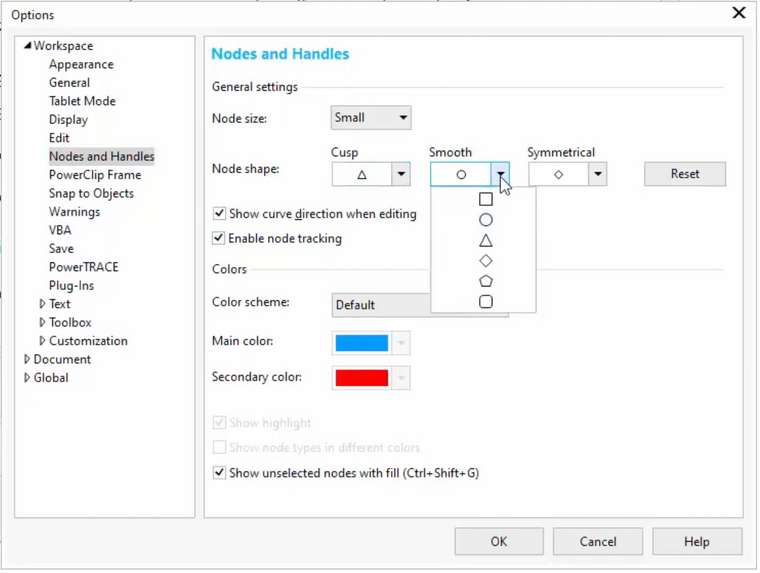
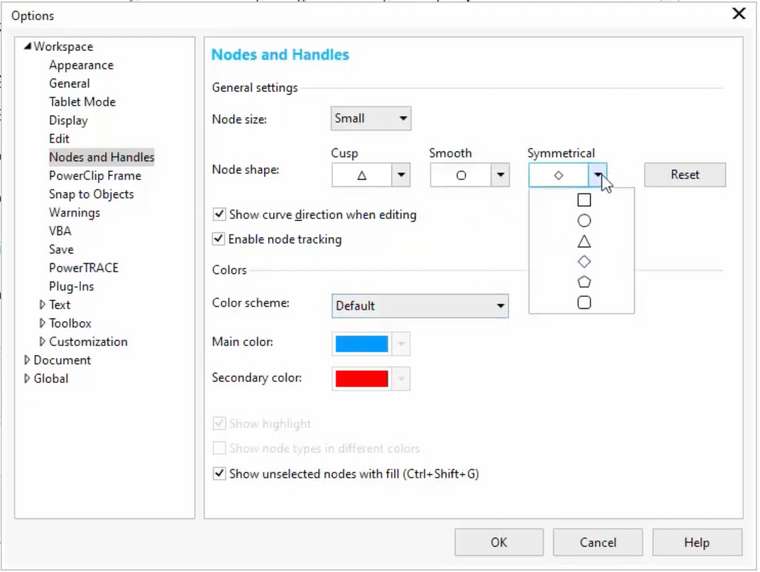
The Default Node Shapes (Cusp nodes are Squares, Smooth nodes are Circles, and Symmetrical nodes are Diamonds) can be independently changed for each Node Type. You choose from a drop-down menu list of 6 Preset Shapes (Square, Circle, Triangle, Diamond, Pentagon, and Square with Rounded Corners). It looks like this:
Cusp shape dropdown menu, Entire-Workspace:
Smooth drop-down menu:
Symmetrical drop-down menu:
.
.Of course, If VectorStyler wants to improve upon this, it could offer a few additional presets, or even the ability for users to make a truly custom shape to be added to the presets; although the 6 presets shown here are probably adequate for most.
.
.
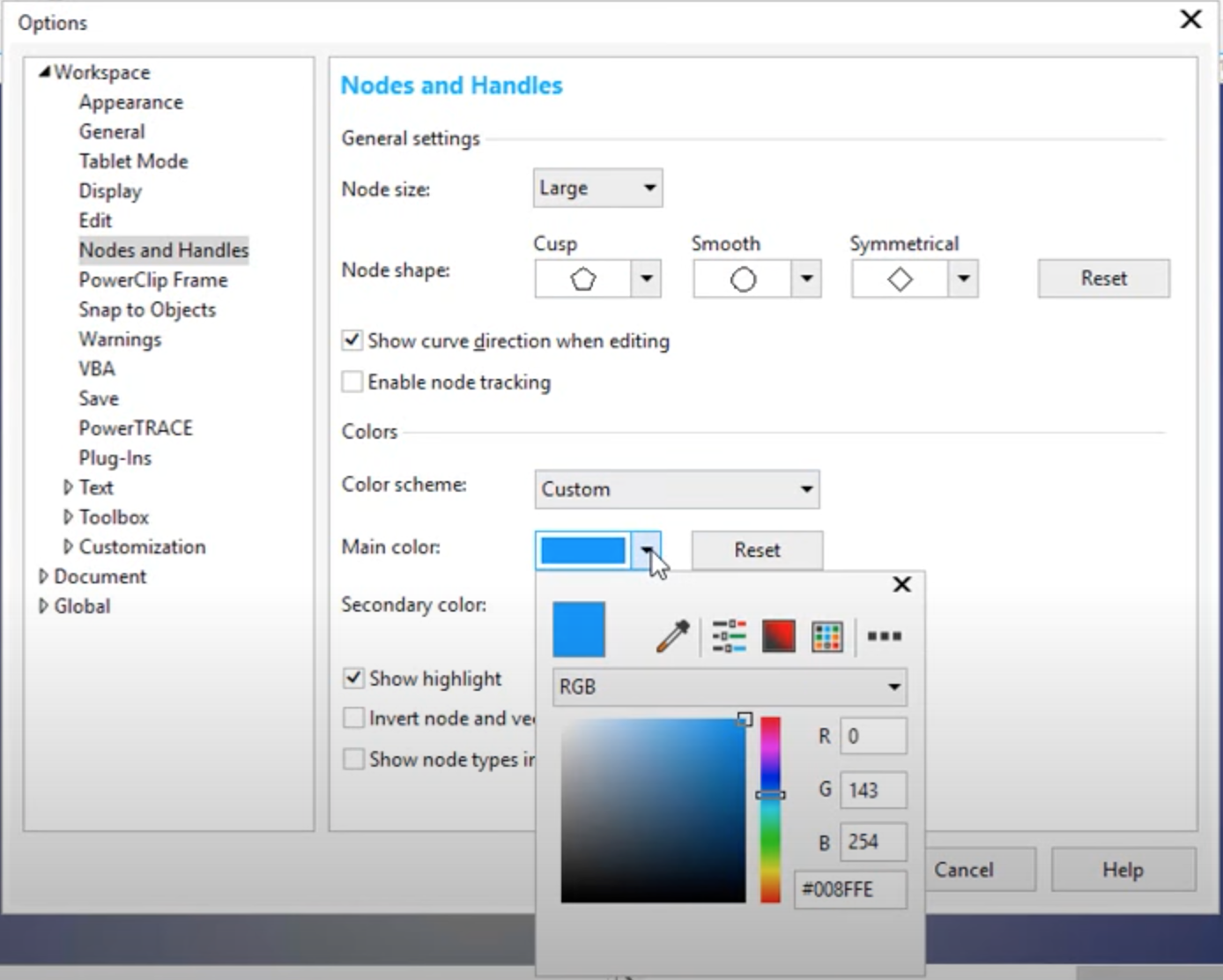
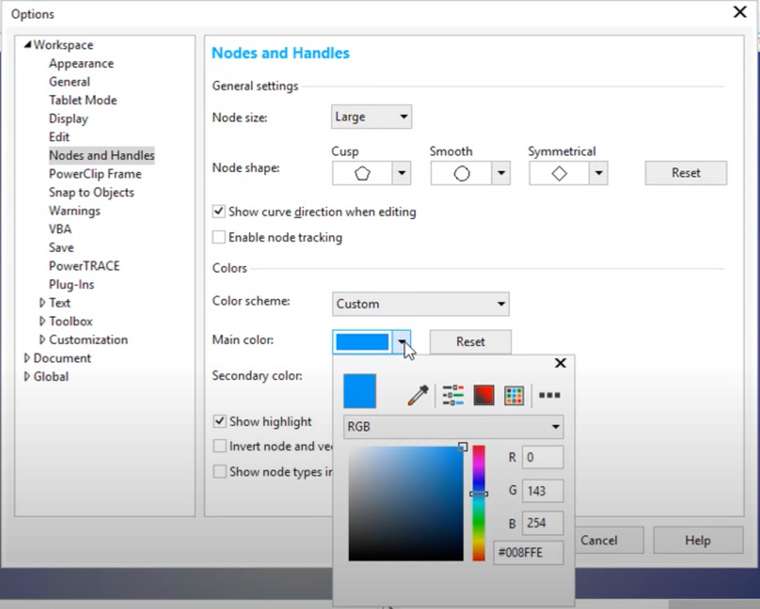
FYI, just in case anyone is curious in what the Color scheme Window looks like, with Eyedropper, etc:
-
@Vector-Rock Added to the feature list for the future.
-
@Vector-Rock This feature is available now in 1.1.002 (beta)
