Is there a way to know when stroke handle is aligned with stroke angle?
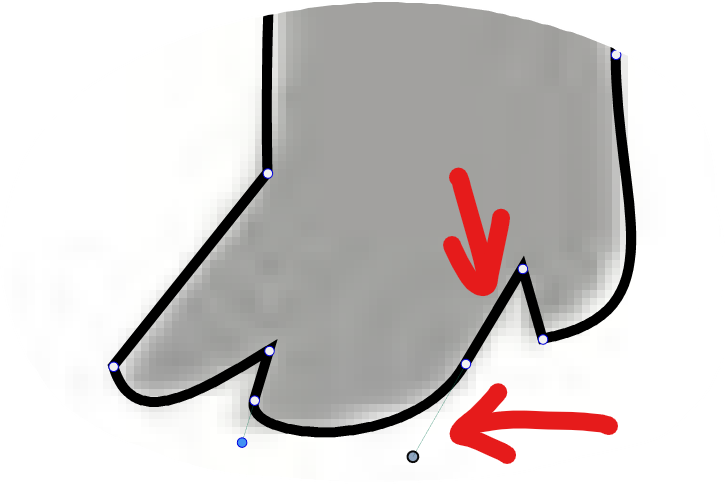
-
But I would prefer to know if the node is cusp, smooth or symmetric without having to select it.
Maybe the simplest solution would be using different shapes for each node type — it's been suggested already here:
Something like a circle for smooth, a square for cusp and… what else for a symmetric node? A diamond?
…
So if I see a round node (smooth) at the end of a straight line, I know that its handle is aligned with the angle of that segment.(There's also the start node — it still needs to have something like an arrow to indicate the path direction).
-
@Boldline Select the node and make it smooth (button in context panel).
There is a feature request to indicate node types by shape (and make it customizable), I will move it to higher priority.
-
@vectoradmin I was not actively looking for this, but when I was using Affinity Designer tonight, I noticed they highlight the node when the handle is aligned perfectly with the other side. You can see it in the video here. The second one I did in the video shows the effect. I think that could work for VS as well - it's subtle but gets the job done
🍎 macOS Tahoe 26.2, Mac mini (M1, 2020), Chip Apple M1, Memory 16 GB
Cintiq 27QHD Display and LG Ultra HD Display -
@vectoradmin said in Is there a way to know when stroke handle is aligned with stroke angle?:
There is a feature request to indicate node types by shape (and make it customizable)
I think this would also be a good improvement as well. so long as the shapes used are pretty basic - circle, square, triangle?
-
@Boldline There will be circle, square or triangle shapes only.
-
@vectoradmin
As mentioned in my original post, CorelDRAW offers six (6) Preset Shapes that can be assigned to Cusp, Smooth or Symmetrical in any combination:
- Square
- Circle
- Triangle
- Diamond
- Pentagon
- Square with Rounded Corners
.
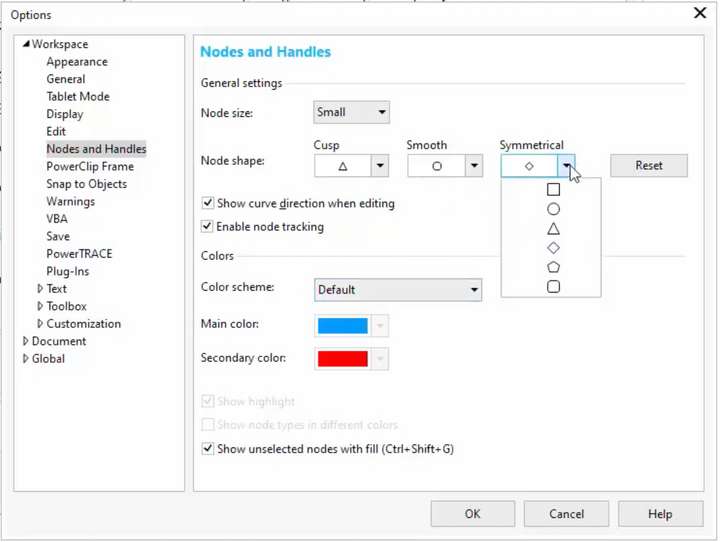
.
Having six choices is probably overkill for most.
The Diamond Shape seems like it might be popular for many?
As @b77 mentioned, I can see people using the Diamond shape for Symmetrical. You may want to consider that as a fourth option as well. Especially considering the Triangle is used to indicate Direction of the Path and also to add Nodes to a Selection with Shift-Click. Something to ponder.
-
@Vector-Rock Those shape will be available when customizing.
-
@Boldline said in Is there a way to know when stroke handle is aligned with stroke angle?:
@vectoradmin I was not actively looking for this, but when I was using Affinity Designer tonight, I noticed they highlight the node when the handle is aligned perfectly with the other side. You can see it in the video here. The second one I did in the video shows the effect. I think that could work for VS as well - it's subtle but gets the job done
Did you have a thought on this alignment indicator like in Affinity @vectoradmin ?
Or were you implying this might be dealt with when you add the customizable shapes? I liked the idea that the node would change color when the path is aligned with the opposing size (only while you were moving the line itself, not forever) -
@Boldline This will be dealt with when adding the shape customization.
-
@Vector-Rock Node shape customization is available now in 1.1.002 (beta)


