VectorStyler
    • Categories
    • Unread
    • Recent
    • Tags
    • Popular
    • Register
    • Login

    Issue in snapping.

    Scheduled Pinned Locked Moved Resolved Issues
    15 Posts 3 Posters 13.5k Views 3 Watching
    Loading More Posts
    • Oldest to Newest
    • Newest to Oldest
    • Most Votes
    Reply
    • Reply as topic
    Log in to reply
    This topic has been deleted. Only users with topic management privileges can see it.
    • J Offline
      Jayanta Das
      last edited by

      https://recordit.co/VKKhuyy0de
      Some issue in snapping. The shape to random place.

      Mac Mini M4 Pro | 24Gb
      WIndows 11 | Intel i5 11Gen
      Wacom Intuos Pro

      VectorStylerV 3 Replies Last reply Reply Quote 0
      • VectorStylerV Offline
        VectorStyler @Jayanta Das
        last edited by

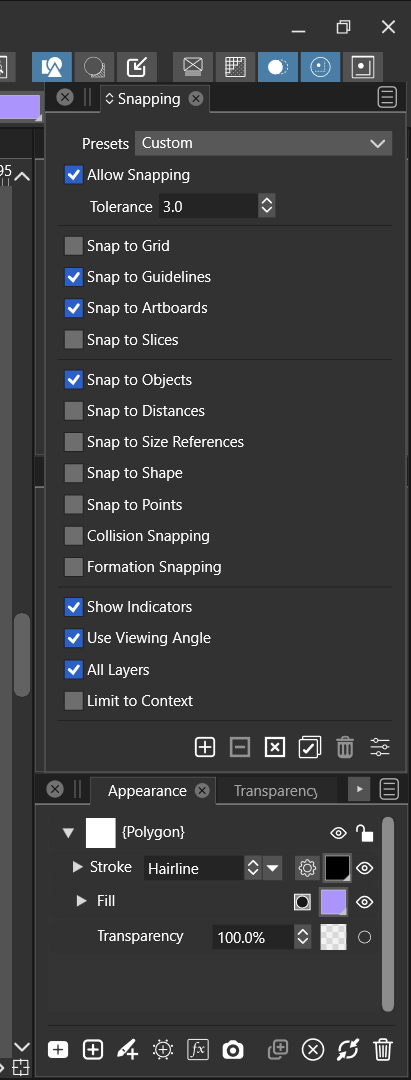
        @Jayanta-Das What are the enabled snapping options?

        J 1 Reply Last reply Reply Quote 0
        • J Offline
          Jayanta Das @VectorStyler
          last edited by

          @vectoradmin 0_1643811765787_Screenshot (14).png

          Mac Mini M4 Pro | 24Gb
          WIndows 11 | Intel i5 11Gen
          Wacom Intuos Pro

          1 Reply Last reply Reply Quote 0
          • VectorStylerV Offline
            VectorStyler @Jayanta Das
            last edited by

            @Jayanta-Das Send me the file in the video, the snapping options are stored in the vstyler file, it might help replicating it.

            J 1 Reply Last reply Reply Quote 0
            • J Offline
              Jayanta Das @VectorStyler
              last edited by

              @vectoradmin Sure. Your email address please?

              Mac Mini M4 Pro | 24Gb
              WIndows 11 | Intel i5 11Gen
              Wacom Intuos Pro

              VectorStylerV 2 Replies Last reply Reply Quote 0
              • VectorStylerV Offline
                VectorStyler @Jayanta Das
                last edited by

                @Jayanta-Das csraba at vectorstyler.com

                1 Reply Last reply Reply Quote 0
                • VectorStylerV Offline
                  VectorStyler @Jayanta Das
                  last edited by

                  @Jayanta-Das Got it!

                  Two things going on here:

                  1. snapping to the center axis of the artboard.
                  2. in VS the object margin may snap to the other object center, or the moved object center can snap to the other object margin.

                  Also: lines are shown not just for snapping, but also indicating distance between the snapped objects.

                  1 Reply Last reply Reply Quote 0
                  • VectorStylerV Offline
                    VectorStyler @Jayanta Das
                    last edited by

                    @Jayanta-Das This problem should be fixed now.

                    Victor VectorV 1 Reply Last reply Reply Quote 0
                    • Victor VectorV Offline
                      Victor Vector @VectorStyler
                      last edited by

                      @vectoradmin
                      Hello, not sure if this is the same issue because I could not see @Jayanta-Das's original recording of the issue; the link is broken.

                      My snapping is not aligning with angled grid lines:
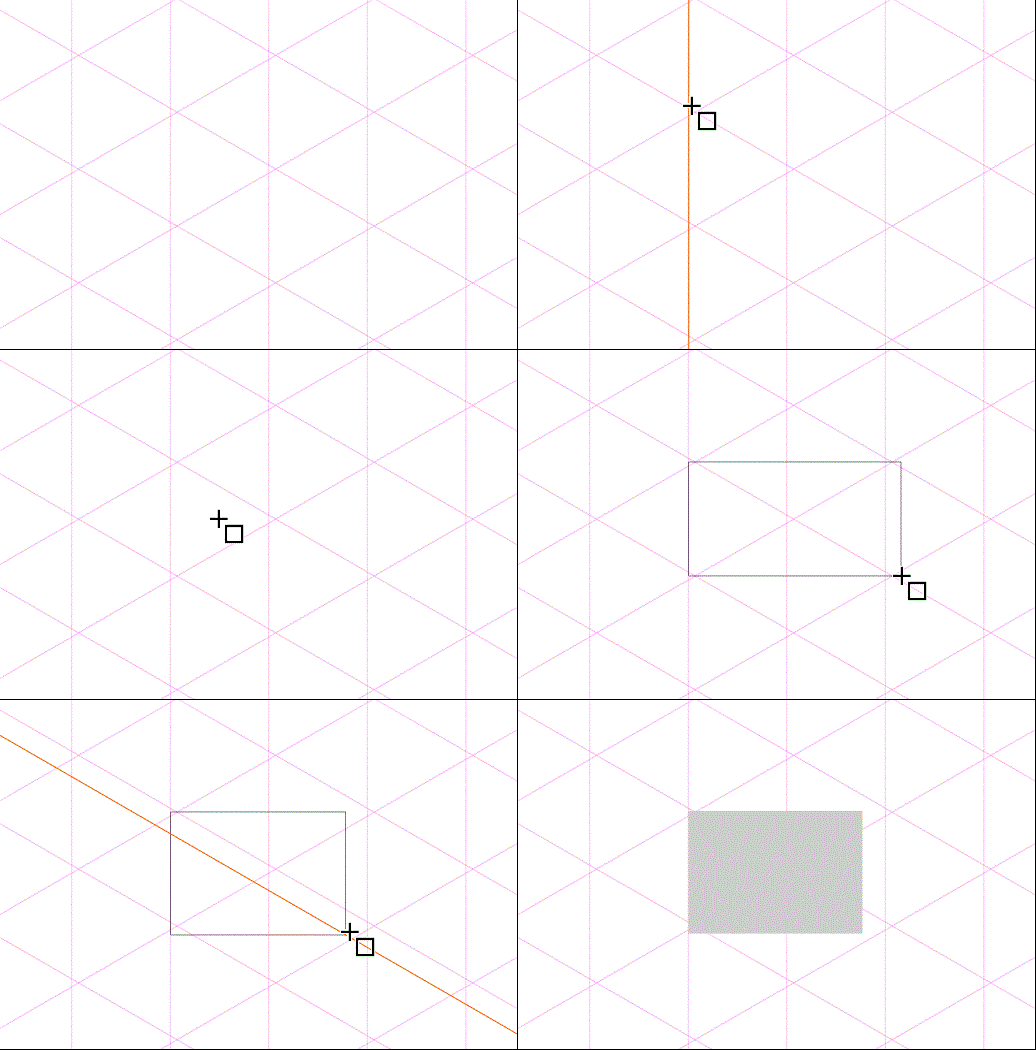
                      Iso Grid Snapping Issue

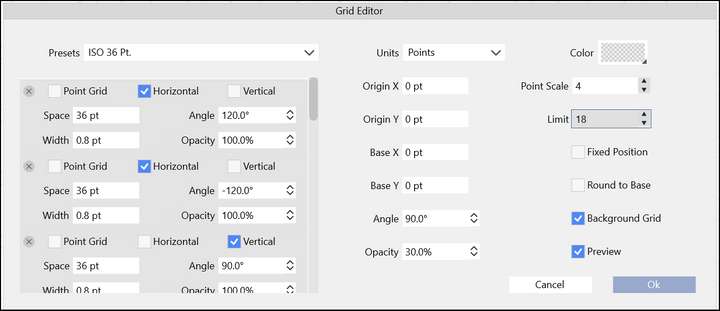
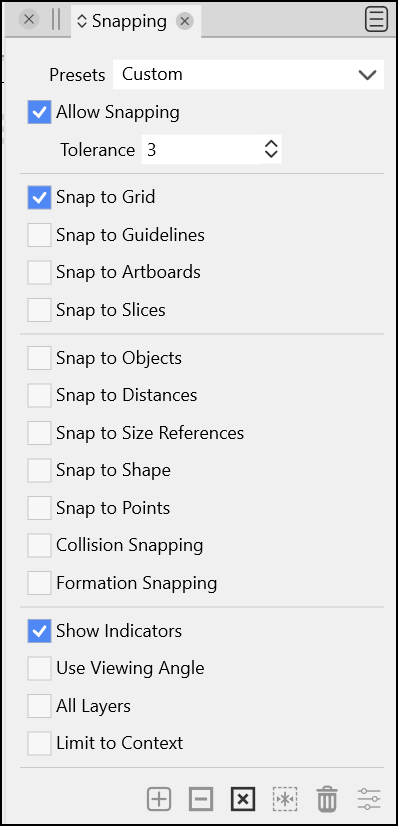
                      Here are my settings:
                      1_1648395377948_Iso Grid Snapping settings.png 0_1648395377948_Snapping Panel Enabled Snaps.png

                      Please let me know if I have something set incorrectly that will solve this, otherwise it's a bug.
                      Thank you.

                      VectorStylerV 1 Reply Last reply Reply Quote 0
                      • VectorStylerV Offline
                        VectorStyler @Victor Vector
                        last edited by

                        @Victor-Vector I created exactly the same grid (attached here) and it seems to be working.
                        One thing I noticed in your grid is that the lines in the 3 directions do not intersect at the same point.
                        This looks like a problem, as they should be intersecting precisely.

                        Could you send me the file with that grid? Thanks!

                        here is my example: 0_1648395914498_isometric1.vstyler

                        Victor VectorV 1 Reply Last reply Reply Quote 0
                        • Victor VectorV Offline
                          Victor Vector @VectorStyler
                          last edited by Victor Vector

                          @vectoradmin
                          I tried yours and it works flawlessly. I don't know what odd setting I may have implemented to cause that behaviour.

                          This may sound odd, but sometimes when I load VectorStyler and create this type of grid, it aligns, and sometimes it does not. I have not been able to replicate this issue.

                          Here is the file. I saved when it was misaligned like in the .gif above.

                          0_1648397017878_Iso Grid Snapping Issue.vstyler

                          Thank you.

                          VectorStylerV 1 Reply Last reply Reply Quote 0
                          • VectorStylerV Offline
                            VectorStyler @Victor Vector
                            last edited by

                            @Victor-Vector The top-down coordinate system causes to have a nonzero origin, which causes a bug. Added it to the backlog.

                            Victor VectorV 1 Reply Last reply Reply Quote 1
                            • Victor VectorV Offline
                              Victor Vector @VectorStyler
                              last edited by

                              @vectoradmin
                              . I just updated to VS 1.1.026 in Win 11 and used my preset "Iso 36 Pt." grid and the grid lines behave, but the snap alignment issue is obviously still there. Thanks for determining the issue and adding it to the backlog.
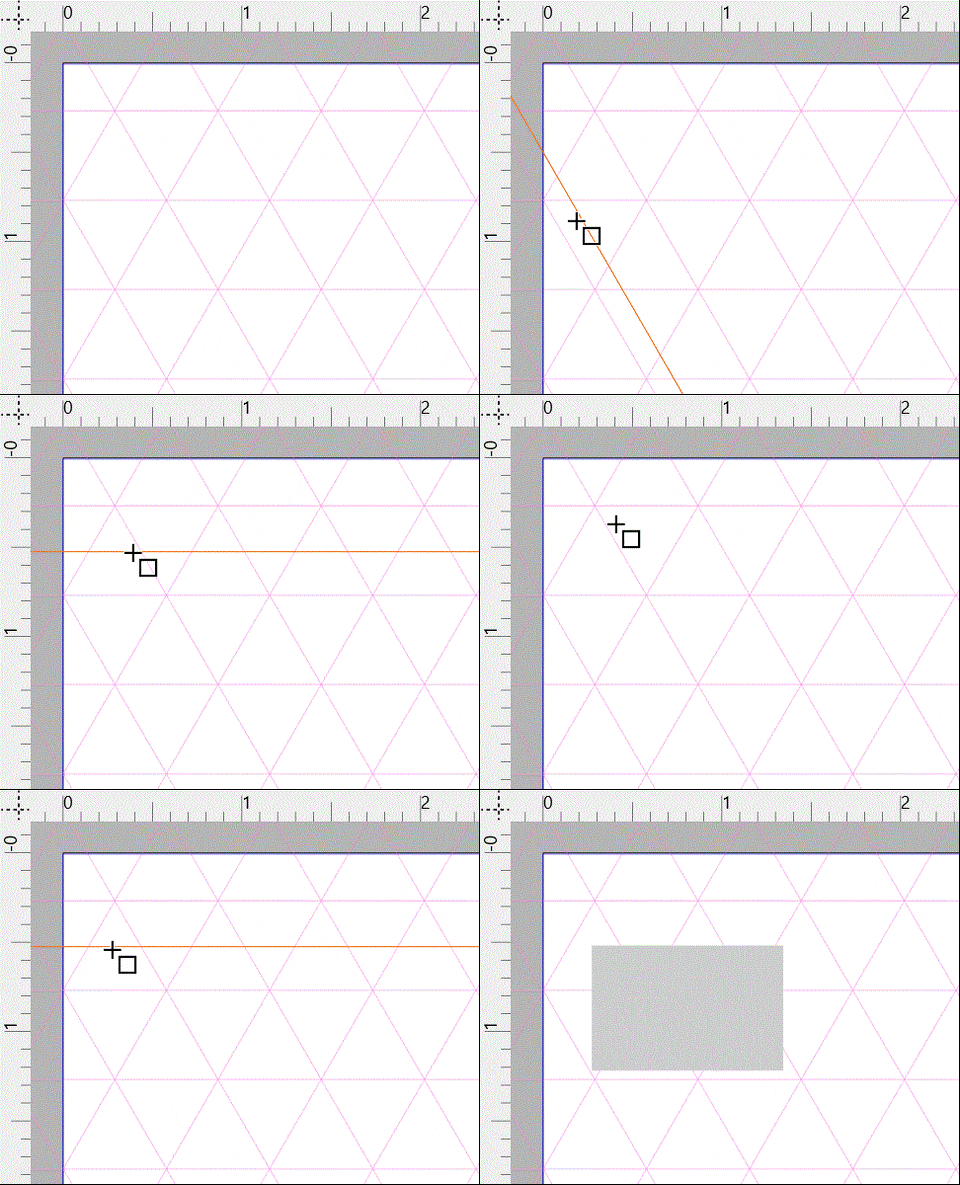
                              Iso Grid Snapping Issue 2

                              VectorStylerV 2 Replies Last reply Reply Quote 0
                              • VectorStylerV Offline
                                VectorStyler @Victor Vector
                                last edited by

                                @Victor-Vector yes, the bug is still there, caused by the nonzero origin.

                                1 Reply Last reply Reply Quote 0
                                • VectorStylerV Offline
                                  VectorStyler @Victor Vector
                                  last edited by

                                  @Victor-Vector This problem should be fixed in build 1.1.048

                                  1 Reply Last reply Reply Quote 1
                                  • First post
                                    Last post