VectorStyler
    • Categories
    • Unread
    • Recent
    • Tags
    • Popular
    • Register
    • Login

    Blend issues

    Scheduled Pinned Locked Moved VectorStyler 1.1 Bugs
    3 Posts 2 Posters 4.1k Views 1 Watching
    Loading More Posts
    • Oldest to Newest
    • Newest to Oldest
    • Most Votes
    Reply
    • Reply as topic
    Log in to reply
    This topic has been deleted. Only users with topic management privileges can see it.
    • BoldlineB Offline
      Boldline
      last edited by Boldline

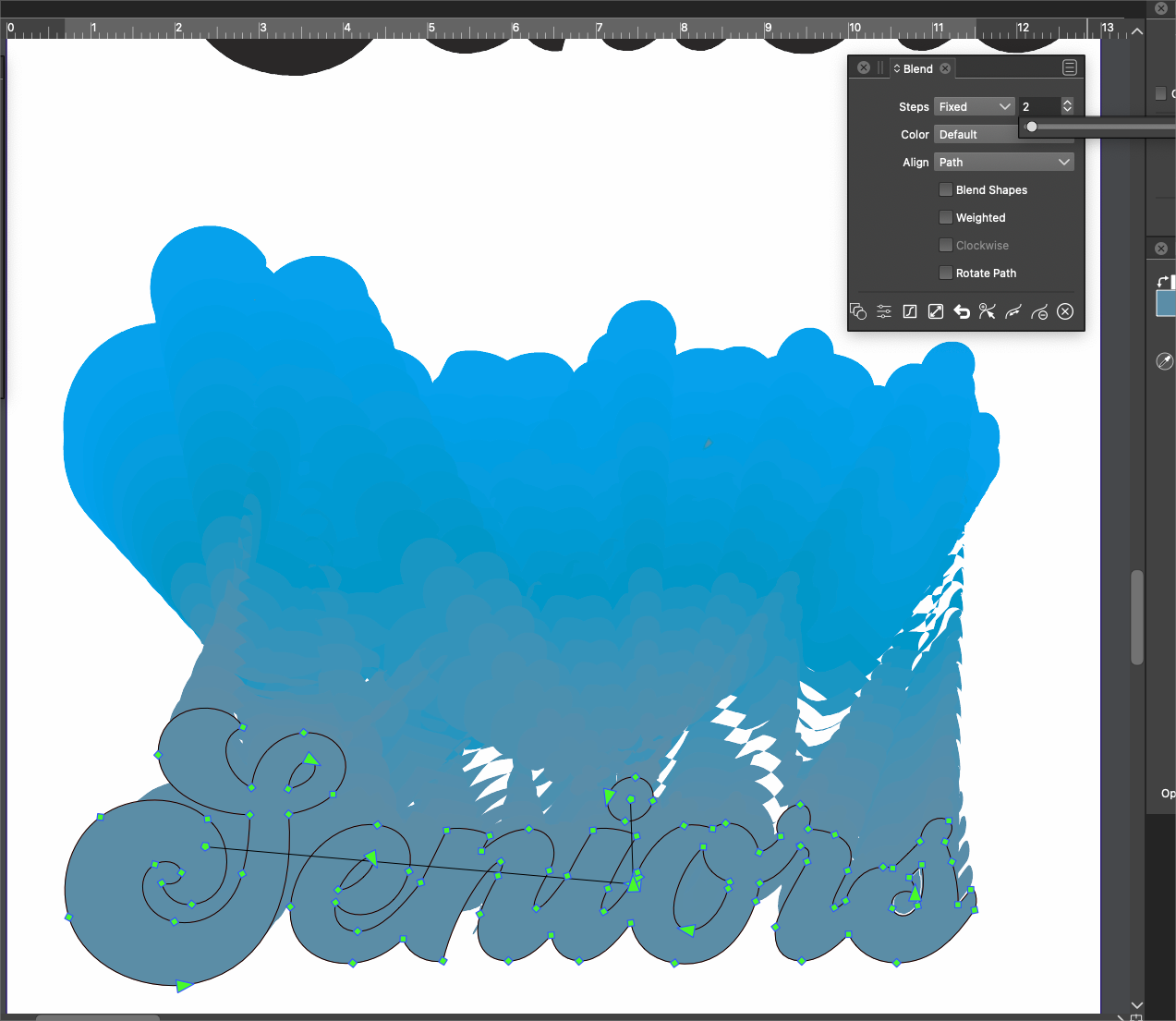
      I don't know if this is a bug or a user error on my part. I am trying to make a simple 2 step blend between the light blue top object and the darker blue "seniors" I did not have the lower one (seniors) "combined". It's giving me a crazy blend pattern that does not make sense to me. Here is the video
      If I remember correctly, making several objects to be blended "combined" as one object in the blend process is now possible but not required.
      interestingly, when I made the word "seniors" a combined shape, the blend in the picture disappeared entirely.
      I'm wondering if this is a regression, because I've made blends in the past without issue.
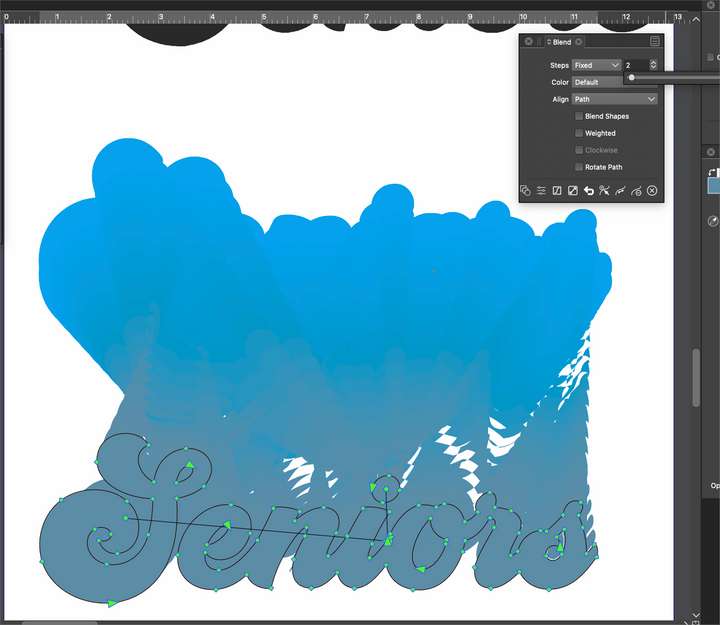
      0_1647388073245_bb78dbd2-961d-4a1b-9ed0-0fc5d9243bed-BLD 2022-03-15 at 19.47.44.png

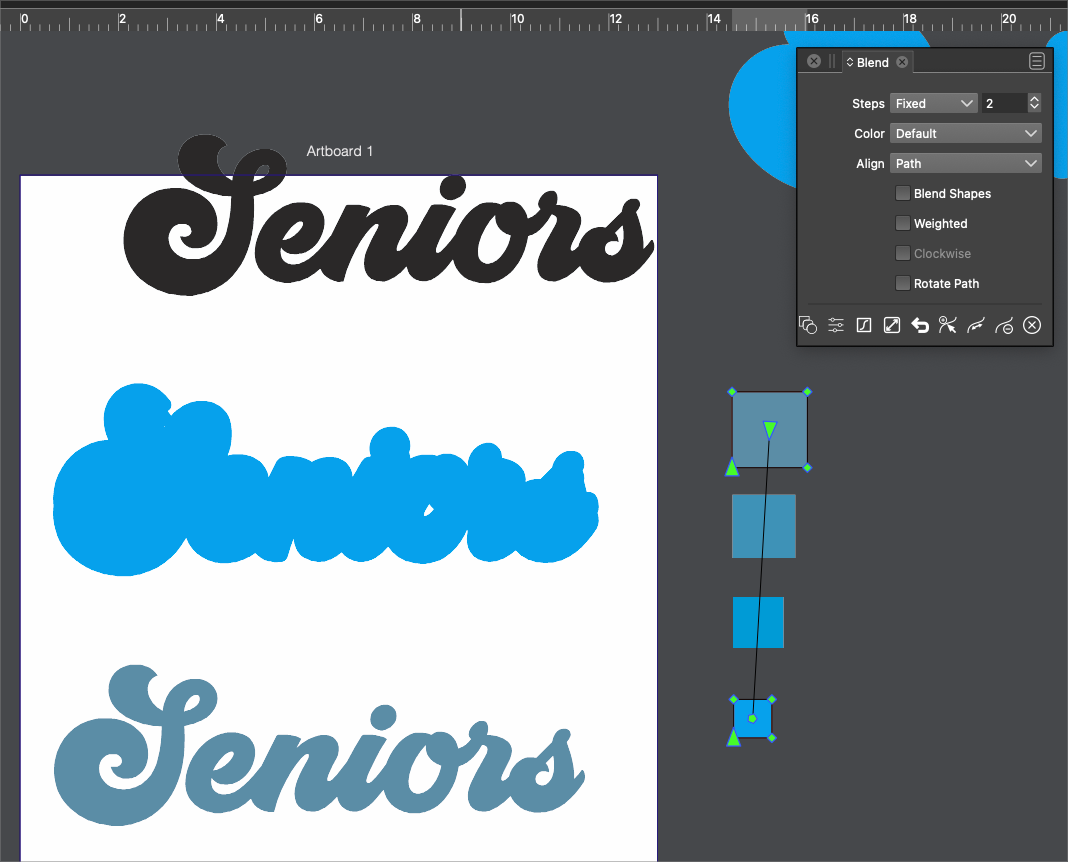
      Interestingly, when I made two simple squares, it did exactly what it was supposed to - so it seems my issue is with the letter shapes?
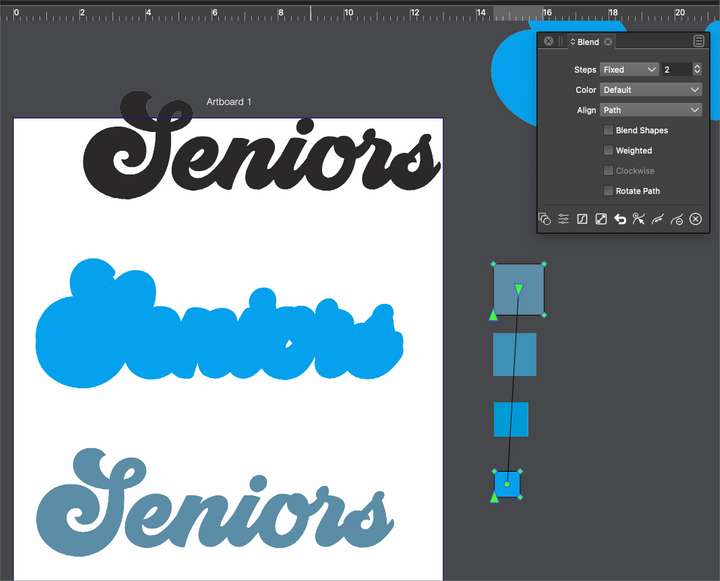
      0_1647388549901_43e9af72-7f14-4de9-a4f4-be43749546b2-BLD 2022-03-15 at 19.54.53.png

      🍎 macOS Tahoe 26.2, Mac mini (M1, 2020), Chip Apple M1, Memory 16 GB
      Cintiq 27QHD Display and LG Ultra HD Display

      VectorStylerV 1 Reply Last reply Reply Quote 0
      • BoldlineB Offline
        Boldline
        last edited by

        sent you a couple files @vectoradmin

        🍎 macOS Tahoe 26.2, Mac mini (M1, 2020), Chip Apple M1, Memory 16 GB
        Cintiq 27QHD Display and LG Ultra HD Display

        1 Reply Last reply Reply Quote 0
        • VectorStylerV Offline
          VectorStyler @Boldline
          last edited by

          @Boldline Yes, the problem can be replicate here too. It is an error in how one shape is mapped to the other, added it to the backlog.


          1 Reply Last reply Reply Quote 0
          • First post
            Last post