VectorStyler
    • Categories
    • Unread
    • Recent
    • Tags
    • Popular
    • Register
    • Login

    Stroke width : weird behaviour sometimes

    Scheduled Pinned Locked Moved Resolved Issues
    2 Posts 2 Posters 2.9k Views 2 Watching
    Loading More Posts
    • Oldest to Newest
    • Newest to Oldest
    • Most Votes
    Reply
    • Reply as topic
    Log in to reply
    This topic has been deleted. Only users with topic management privileges can see it.
    • B Offline
      B-Vs-V
      last edited by

      Hi,
      I draw a simple shape and I want to give it a stroke width.
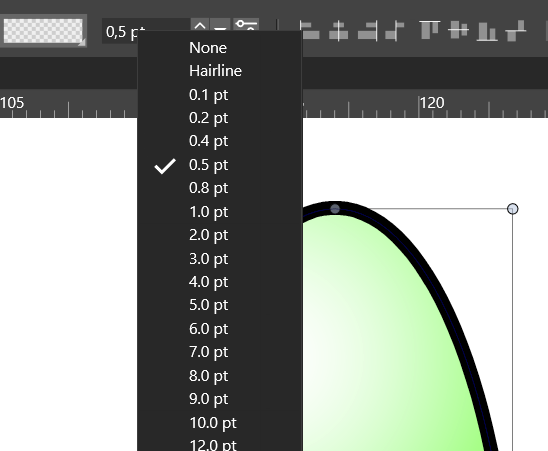
      I first tried in the properties panel but no way to get a stroke.

      I had togo through the menu :
      0_1648105823794_6de78f47-92e5-4d53-a050-ccdc250b853c-image.png

      Then it worked through the properties panel :
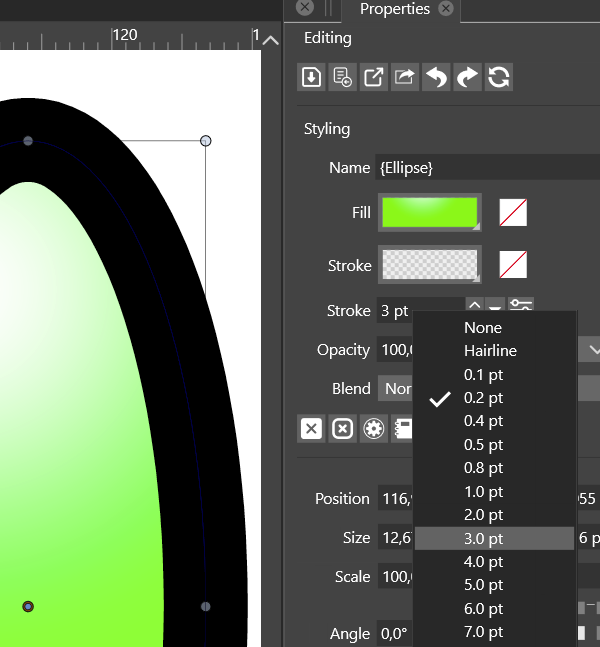
      0_1648105888862_e46e15a5-a7f4-43a4-b6ee-2815a77ee6ea-image.png

      W11 Pro 25H2 - 12th Gen Intel(R) i7-12700K 3.61 GHz - RAM 64 Go - NVIDIA GF GTX 4070 Ti - Intuos - Dell UP3216Q / Eizo ColorEdge
      W11 Pro 25H2 - 12th Gen Intel(R) i7-12700KF 3.60 GHz -RAM 64 Go - NVIDIA GF GTX 3080 - IntuosPro- ProArt PA329C

      VectorStylerV 1 Reply Last reply Reply Quote 0
      • VectorStylerV Offline
        VectorStyler @B-Vs-V
        last edited by

        @PatrickM I tested the stroke width selection from the Properties panel on an object with no stroke and it is working here (both on Windows and Mac).
        If there is a short recording of what happens when the object is selected and the Properties panel is used for stroke selection, please link it here, it would help replicating the issue. Thanks.

        1 Reply Last reply Reply Quote 0
        • First post
          Last post