Visibility of nodes and guides flashing on and off.
-
I haven't seen this posted by anyone else, so I'm not sure if anyone else is encountering this. For m this has been happening for a while.
When I have any tool selected and move over top of the artboard, the guides and artboard name visibility flash on and off. If I stop moving my selected tool over the artboard and the tool still over the artboard, the guides and artboard name are not visible at all. If I move the tool off the artboard, the guides and artboard name do not flash and remain visible. With the Shape Editor tool, node visibility will also flash on and off quickly until I stop moving the mouse and then everything is visible without flashing until I move the mouse again.
You can imagine the difficulty in editing and creating with the visibility of everything flashing on and off.
Thanks!
-
@Qode5 I added this to the backlog as a bug. I cannot replicate it on Windows 10.
If you could upload a screenshot of the VS windows so I could see what panels are opened, that might help. Thanks! -
As you can imagine this was difficult to capture in a screenshot, but the screenshot of the entire VS window shows that the guides and artboard name are not visible. The second shows the guides and the artboard name. I should also add that the effect seems more prevalent when there are more nodes.
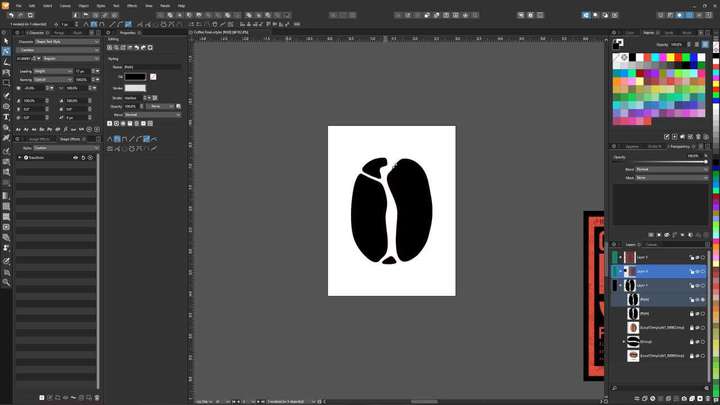
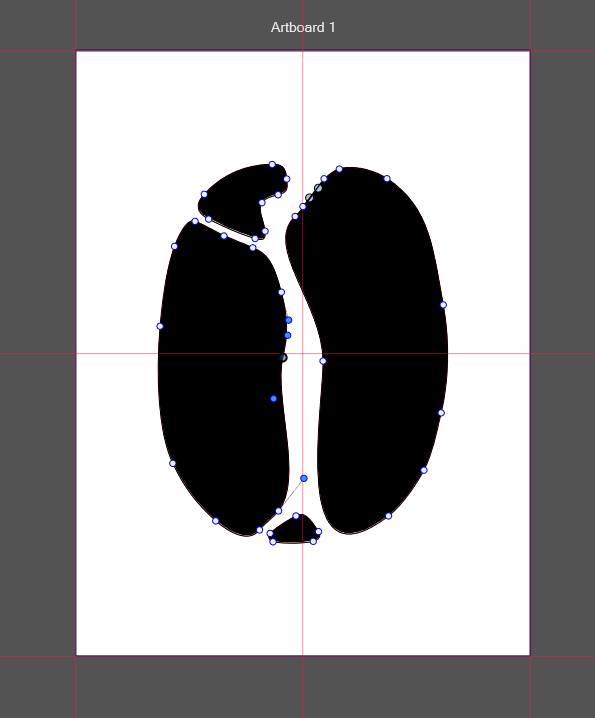
Hope this helps.